CRM vs ERP is one of the most common software comparisons for growing businesses. The simple answer is this: CRM helps manage customers, leads, sales, and relationships, while ERP helps manage internal operations such as inventory, finance, procurement, production, HR, and order fulfillment.
Both systems improve business visibility, but they solve different problems. Custom CRM focuses on revenue growth and customer engagement. Custom ERP focuses on operational control and process efficiency. Some businesses need one first. Others need both, especially when sales, finance, inventory, and operations must work from the same data.
This article is especially useful for:
- Business owners comparing CRM and ERP software
- Sales leaders struggling with poor lead tracking
- Operations managers dealing with manual processes
- CFOs looking for better financial and inventory visibility
- Manufacturing, distribution, healthcare, retail, and service companies
- IT leaders planning business software modernization
- Growing businesses moving away from spreadsheets and disconnected tools
Quick Answer: CRM vs ERP
CRM stands for Customer Relationship Management. It helps businesses manage leads, contacts, communication, sales pipelines, customer service, follow-ups, and revenue opportunities.
ERP stands for Enterprise Resource Planning. It helps businesses manage core operations such as finance, inventory, procurement, production, supply chain, HR, order processing, and reporting.
Choose CRM if your biggest issue is sales visibility, lead follow-up, customer communication, or pipeline management.
Choose ERP if your biggest issue is operational inefficiency, inventory mismatch, procurement delays, production planning, billing, or financial control.
And choose an integrated CRM and ERP system if your sales and operations teams depend on the same customer, order, inventory, and finance data.
What Is CRM?
CRM software is a system that helps a business manage its customer-facing activities. It gives sales, marketing, and support teams one place to track leads, contacts, deals, calls, emails, tasks, meetings, follow-ups, and customer history.
In practical terms, CRM answers questions like:
- Who are our active leads?
- Which deals are likely to close?
- Which customer needs a follow-up today?
- What was discussed in the last call?
- Which marketing source brings better leads?
- How much revenue is in the pipeline?
A CRM is useful when customer data is scattered across spreadsheets, inboxes, WhatsApp chats, salespeople’s phones, and marketing tools. Most of us have seen this happen: a lead fills out a form, someone replies late, another person calls the same lead twice, and nobody knows the latest status. CRM software brings that chaos into one organized system.
Common CRM Modules
Typical CRM modules include:
- Lead management
- Contact management
- Sales pipeline
- Opportunity tracking
- Email and SMS communication
- Task and reminder workflows
- Customer support tickets
- Marketing automation
- Quotes and proposals
- Sales dashboards
- Customer activity history
A CRM can be simple or highly customized. For example, a real estate company may need property inquiries, site visit scheduling, broker follow-ups, and deal stages. A franchise business may need location-wise lead assignment, SMS campaigns, and centralized reporting.
What Is ERP?
ERP software is a system that helps a business manage internal operations. It connects departments such as finance, inventory, procurement, production, warehouse, HR, sales orders, billing, and reporting.
ERP answers questions like:
- How much stock do we have?
- Which purchase orders are pending?
- What is the production status?
- Are invoices, payments, and deliveries aligned?
- Which department is causing process delays?
- What is our real cost, margin, or resource utilization?
ERP software is especially useful when operations are too large for spreadsheets or basic accounting tools. It gives leadership one reliable view of business performance.
Common ERP Modules
Typical ERP modules include:
- Finance and accounting
- Inventory management
- Procurement
- Sales order management
- Purchase order management
- Warehouse management
- Production planning
- Bill of materials
- Human resources
- Payroll
- Project management
- Vendor management
- Reporting and analytics
For example, a manufacturing company may use ERP to connect sales orders with production planning, raw material availability, procurement, inventory movement, dispatch, and billing. Without ERP, each team may work from a separate spreadsheet, which often leads to delays and data mismatch.
CRM vs ERP: Main Difference
The main difference between CRM and ERP is their business focus. CRM improves how a company manages customers and revenue opportunities. ERP improves how a company manages internal resources and operations.
| Factor | CRM | ERP |
|---|---|---|
| Full form | Customer Relationship Management | Enterprise Resource Planning |
| Main focus | Customers, leads, sales, service | Operations, finance, inventory, resources |
| Primary users | Sales, marketing, customer support | Finance, operations, procurement, HR, warehouse, production |
| Main goal | Increase sales visibility and customer engagement | Improve efficiency, control, and reporting |
| Data type | Leads, contacts, deals, communication history | Orders, inventory, invoices, purchase orders, production, costs |
| Best for | Sales growth and relationship management | Process automation and operational control |
| Typical outcome | Better follow-ups and pipeline tracking | Better resource planning and process accuracy |
| Integration need | Email, phone, marketing, website, support tools | Accounting, warehouse, production, procurement, HR, logistics |
CRM is more front-office focused. ERP is more back-office focused. However, modern businesses often need both because customer promises must match operational reality.
For example, the sales team may promise delivery in five days. But if inventory is low or production is delayed, the customer experience suffers. That is where CRM and ERP integration becomes important.
Benefits of CRM
CRM software helps businesses improve customer-facing work. It gives teams structure, visibility, and accountability.
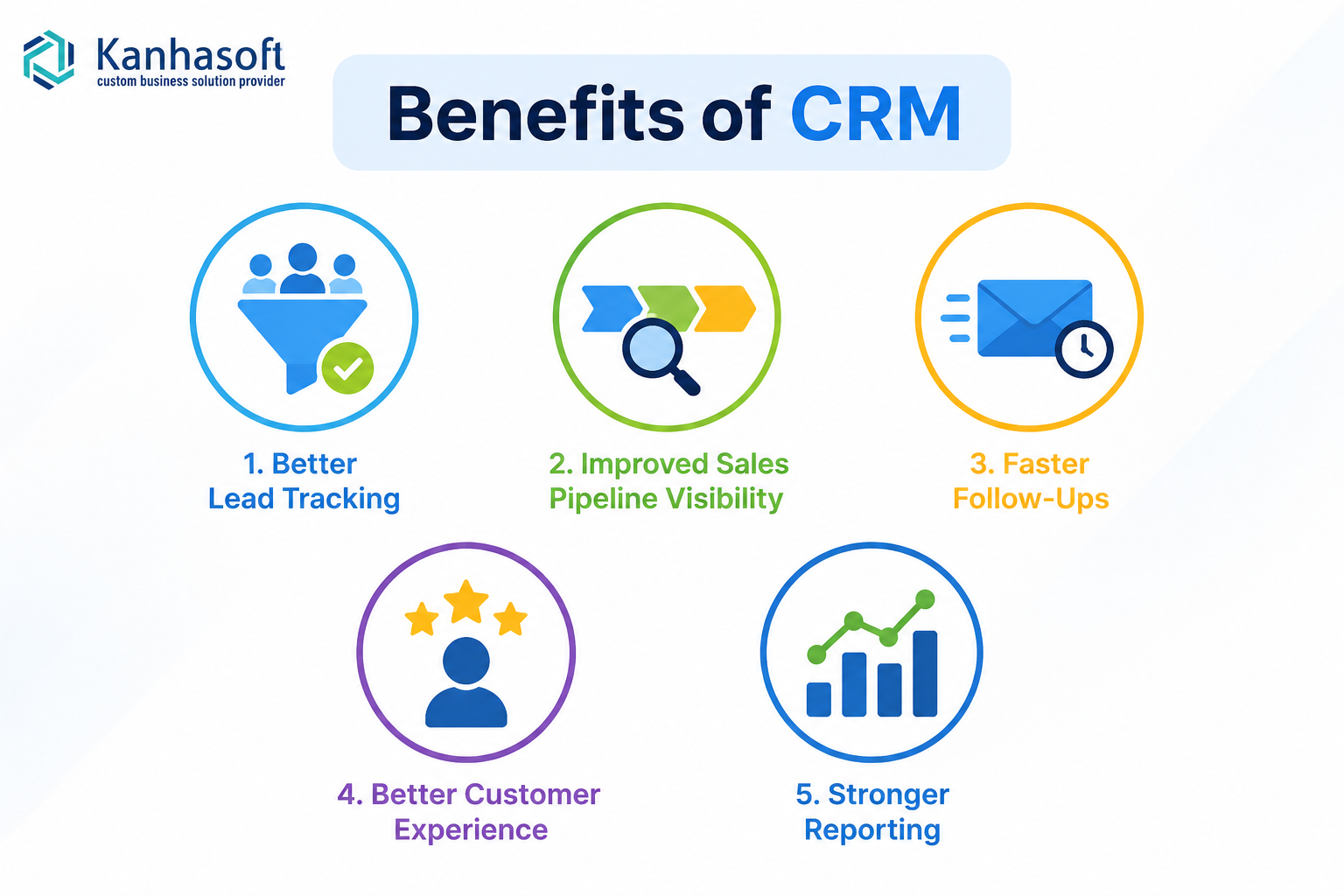
1. Better Lead Tracking
CRM keeps every lead in one system. Sales teams can see source, status, assigned person, follow-up date, and communication history.
This reduces missed opportunities and duplicate work.
2. Improved Sales Pipeline Visibility
A CRM shows how many deals are open, where they are stuck, and what revenue may close soon. This helps managers forecast better and coach sales teams more effectively.
3. Faster Follow-Ups
Automated reminders, email templates, SMS workflows, and task alerts help teams respond faster. In many businesses, faster follow-up is not a small improvement. It can directly affect conversion.
4. Better Customer Experience
When every interaction is recorded, customers do not need to repeat the same details again and again. Support, sales, and account teams can work from the same history.
5. Stronger Reporting
CRM dashboards can show lead source performance, sales activity, conversion rates, deal aging, lost reasons, and team performance.
Benefits of ERP
ERP software helps businesses run internal operations with more control and less manual effort.
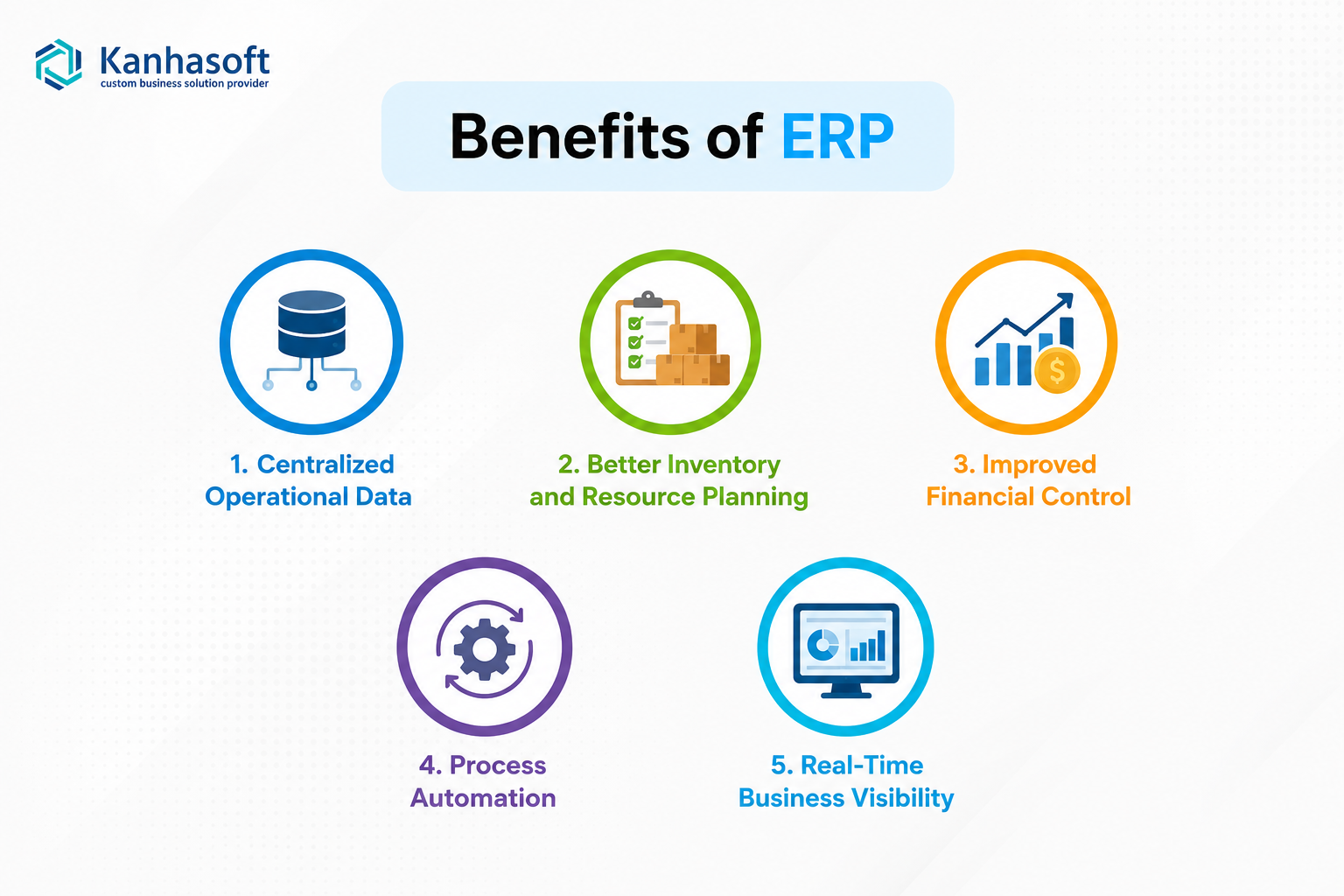
1. Centralized Operational Data
ERP connects inventory, finance, procurement, orders, production, and other departments. This reduces data silos and improves accuracy.
2. Better Inventory and Resource Planning
ERP helps businesses avoid stockouts, overstocking, delayed purchasing, and poor warehouse visibility. This is especially useful for manufacturing, distribution, retail, and eCommerce companies.
3. Improved Financial Control
ERP connects invoices, payments, expenses, purchase orders, and reporting. This gives finance teams better control over cash flow, margins, and compliance documentation.
4. Process Automation
ERP can automate approval workflows, purchase requests, stock alerts, billing, production tasks, and reporting. This reduces repetitive work.
5. Real-Time Business Visibility
Leadership can see operational performance in one dashboard instead of waiting for reports from multiple departments.
CRM vs ERP: Best Choice by Situation
| Business Situation | Best Choice | Why |
|---|---|---|
| Leads are missed or follow-ups are inconsistent | CRM | It improves sales tracking and communication |
| Inventory is inaccurate or stock visibility is poor | ERP | It centralizes inventory and warehouse data |
| Sales team lacks pipeline visibility | CRM | It shows deal stages, activity, and forecasting |
| Finance, procurement, and operations are disconnected | ERP | It connects internal workflows |
| Customers complain about delayed delivery updates | CRM + ERP | Sales and operations need shared order visibility |
| Manufacturing planning depends on spreadsheets | ERP | ERP supports BOM, production, procurement, and stock planning |
| Business wants one system for sales, orders, inventory, and billing | Integrated CRM ERP | It reduces duplicate entry and improves cross-team visibility |
| Company is small and mainly needs customer tracking | CRM first | ERP may be too heavy at the early stage |
| Company has complex operations and multiple departments | ERP first | Operational control may be the bigger priority |
When Should a Business Choose CRM First?
Choose CRM first when revenue visibility is the biggest problem.
This usually applies when:
- Leads come from many sources
- Salespeople manage follow-ups manually
- Customer communication is scattered
- Managers cannot see pipeline health
- Deals are lost because of slow responses
- Marketing cannot track lead quality
- Customer service has no full interaction history
A CRM-first approach is common for service businesses, real estate firms, agencies, consultants, healthcare sales teams, franchises, and B2B companies with long sales cycles.
In practice, CRM is often easier to adopt because sales teams can see immediate value. However, adoption still needs discipline. If users do not update lead status or call notes, even the best CRM becomes a digital dustbin. Not glamorous, but very common.
Also Read: CRM vs ERP vs Custom Software: What’s the Difference?
When Should a Business Choose ERP First?
Choose ERP first when internal operations are slowing down the business.
This usually applies when:
- Inventory is hard to trust
- Orders, invoices, and delivery data do not match
- Procurement is delayed
- Production planning is manual
- Finance depends on late reports
- Teams use too many spreadsheets
- Managers cannot see real-time performance
- Compliance or approval workflows are weak
ERP is often the better first step for manufacturers, distributors, wholesalers, logistics companies, schools, hospitals, and companies with complex back-office processes.
ERP implementation usually requires deeper planning than CRM. It touches more departments, more workflows, and more approval rules. Therefore, businesses should document current processes before choosing modules.
When Do You Need Both CRM and ERP?
A business needs both CRM and ERP when customer-facing teams and operational teams depend on each other daily.
For example:
- Sales needs inventory availability before promising delivery.
- Finance needs sales order data for billing.
- Warehouse teams need customer and order details for dispatch.
- Production teams need demand forecasts from sales.
- Support teams need order, invoice, and delivery status.
An integrated CRM and ERP system helps eliminate duplicate data entry. It also reduces the gap between what sales promises and what operations can deliver.
Practical Implementation Note
In real CRM and ERP projects, the biggest issue is rarely the software screen itself. The bigger issue is process clarity. If lead stages, approval flows, inventory rules, user roles, and reporting logic are unclear, the system will reflect that confusion.
A good implementation starts with discovery, workflow mapping, module planning, access control, validation rules, and reporting needs. The technology comes after the business logic is understood.
Real-World Use Cases by Industry
Manufacturing
A manufacturer may use CRM for dealer inquiries, quotations, and sales follow-ups. The ERP handles production planning, inventory, procurement, dispatch, and billing.
If both systems are connected, the sales team can check stock and production status before confirming delivery timelines.
Distribution and Wholesale
Distributors often need ERP for inventory, pricing, warehouses, purchase orders, and credit limits. CRM helps manage dealers, sales visits, inquiries, and follow-ups.
A combined system can show dealer-wise sales, outstanding payments, stock movement, and future demand.
Healthcare
Healthcare businesses may use CRM for patient inquiries, appointment follow-ups, partner relationships, or referral management. ERP or operational systems may manage billing, staff schedules, inventory, compliance records, and reporting.
Security and access control are especially important here.
Real Estate
Real estate companies often need CRM first. They must track inquiries, property preferences, site visits, agents, deals, and communication history.
However, larger real estate or facility management businesses may also need ERP-like modules for maintenance, billing, documents, vendor work, and internal operations.
eCommerce and Retail
Retail businesses may use CRM for customer support, loyalty, campaigns, and customer segmentation. ERP manages inventory, orders, returns, purchasing, suppliers, and finance.
When connected, teams can see customer issues, order history, stock status, and refunds in one place.
Professional Services
Service companies may use CRM for lead tracking, proposal management, and client communication. ERP may support project planning, resource allocation, billing, timesheets, and profitability tracking.
This is useful when projects, people, and invoices need stronger control.
Limitations and Challenges
CRM and ERP systems can deliver strong value, but they are not magic buttons.
CRM Challenges
- Poor user adoption
- Incomplete data entry
- Too many unnecessary fields
- Weak sales process definition
- Lack of integration with email, phone, or website forms
- Reports that do not match management decisions
ERP Challenges
- Complex implementation
- Department-level resistance
- Data migration issues
- Customization overload
- Higher planning effort
- Longer training cycles
- Risk of automating broken processes
The safest approach is to start with the real business problem. Then choose the system around that problem.
Common Mistakes to Avoid
Mistake 1: Buying ERP When You Only Need CRM
Some companies choose a heavy ERP when their main problem is lead tracking. This can increase cost and complexity without solving the sales issue quickly.
Mistake 2: Buying CRM When Operations Are Broken
A CRM may help close more deals. However, if inventory, delivery, billing, or production cannot support those deals, customer satisfaction may suffer.
Mistake 3: Ignoring Integration
CRM and ERP often fail to deliver full value when they remain disconnected. Customer, order, stock, and invoice data should flow cleanly where needed.
Mistake 4: Customizing Everything Too Early
Custom software is powerful, but every customization should have a business reason. Start with core workflows first. Then improve based on real usage.
Mistake 5: Not Defining User Roles
Role-based access is not optional. Sales, finance, admin, warehouse, HR, and management users should only access what they need.
Security, Compliance, and Risk Considerations
CRM and ERP systems store sensitive business data. CRM may store customer names, emails, phone numbers, call notes, contracts, and communication history. ERP may store invoices, payroll data, supplier records, pricing, inventory, and financial reports.
Before implementation, businesses should consider:
- Role-based access control
- Audit logs
- Data encryption
- Backup and recovery
- User activity tracking
- Data retention rules
- Secure API integrations
- Permission-based reporting
- Privacy requirements such as GDPR, where applicable
For regulated industries such as healthcare, finance, insurance, education, and legal services, it is wise to involve compliance, legal, and security experts before finalizing workflows.
Need Help Choosing Between CRM and ERP?
If your business is comparing CRM vs ERP, Kanhasoft can help you evaluate your workflows before you commit to a system. Our team can review your current sales, operations, reporting, and integration needs, then suggest whether CRM, ERP, or a connected CRM-ERP roadmap makes more sense.
The goal is not to add more software. The goal is to reduce manual work, improve visibility, and build a system your team can actually use.
Conclusion
CRM and ERP both help businesses become more organized, but they solve different problems. CRM improves customer relationships, lead management, sales visibility, and follow-ups. ERP improves internal operations, inventory control, finance, procurement, production, and reporting.
The right choice depends on where your business feels the most pain today. If revenue opportunities are slipping through the cracks, CRM is usually the better starting point. If internal processes are slow, manual, or hard to control, ERP may be the stronger move. And if sales and operations are tightly connected, an integrated approach may offer the best long-term value.
A thoughtful CRM vs ERP decision starts with business process clarity, not software features. Once the process is clear, the right system becomes much easier to choose.