Manufacturing companies use ERP to improve production planning by connecting sales orders, inventory, procurement, work orders, machine capacity, labor availability, and delivery schedules in one system. A manufacturing ERP for production planning helps teams decide what to produce, when to produce it, which materials are required, and whether the factory has enough capacity to deliver on time.
Instead of planning production through spreadsheets and disconnected updates, ERP gives manufacturers real-time visibility across the full production cycle.
This Article Is Especially Useful For:
- Manufacturers struggling with delayed production schedules
- Plant managers planning jobs manually in Excel
- Operations teams dealing with raw material shortages
- Business owners who want better visibility into factory performance
- CFOs concerned about inventory costs and production waste
- Companies planning to replace disconnected accounting, inventory, and production tools
- Manufacturing firms evaluating ERP, MRP, or custom production planning software
How Does ERP Improve Manufacturing Production Planning?
ERP improves manufacturing production planning by creating one connected system for demand, inventory, purchasing, production schedules, work orders, quality checks, and delivery timelines.
In practical terms, ERP helps manufacturers:
- Forecast material requirements
- Plan production based on real demand
- Avoid stockouts and overstocking
- Schedule machines, labor, and work centers
- Track work orders from start to finish
- Connect production with sales and purchasing
- Improve on-time delivery
- Reduce manual planning errors
For manufacturers, the biggest value is not only automation. It is better to control. ERP helps teams make production decisions using current data instead of assumptions.
A Simple Production Planning Problem: Why Spreadsheets Break Down
Many manufacturing companies begin with spreadsheets because they are flexible and familiar. That works when order volume is low and production steps are simple.
But as production grows, spreadsheets usually create problems.
Sales confirms orders without knowing actual material availability. Procurement buys based on rough estimates. Production teams create schedules that do not reflect machine capacity. Inventory teams update stock manually. Management gets reports after the problem has already happened.
The result is familiar: urgent purchasing, delayed dispatch, excess inventory, idle machines, overtime costs, and frustrated customers.
ERP helps by replacing scattered planning with a shared operational system.
Key Manufacturing Terms Explained
| Term | Simple Meaning | Why It Matters |
|---|---|---|
| ERP | A system that connects finance, sales, inventory, procurement, production, and reporting | Helps departments work from one source of truth |
| MRP | Material Requirements Planning | Calculates what materials are needed for production |
| BOM | Bill of Materials | Lists raw materials, parts, and quantities needed to make a product |
| Work order | A production instruction for making a specific item or batch | Helps track production progress |
| Routing | The sequence of production steps or operations | Helps plan machines, labor, and timing |
| Capacity planning | Checking whether machines, labor, and work centers can handle planned production | Prevents unrealistic schedules |
| Shop floor tracking | Monitoring production activity on the factory floor | Gives real-time visibility into progress and delays |
How Manufacturing ERP for Production Planning Works
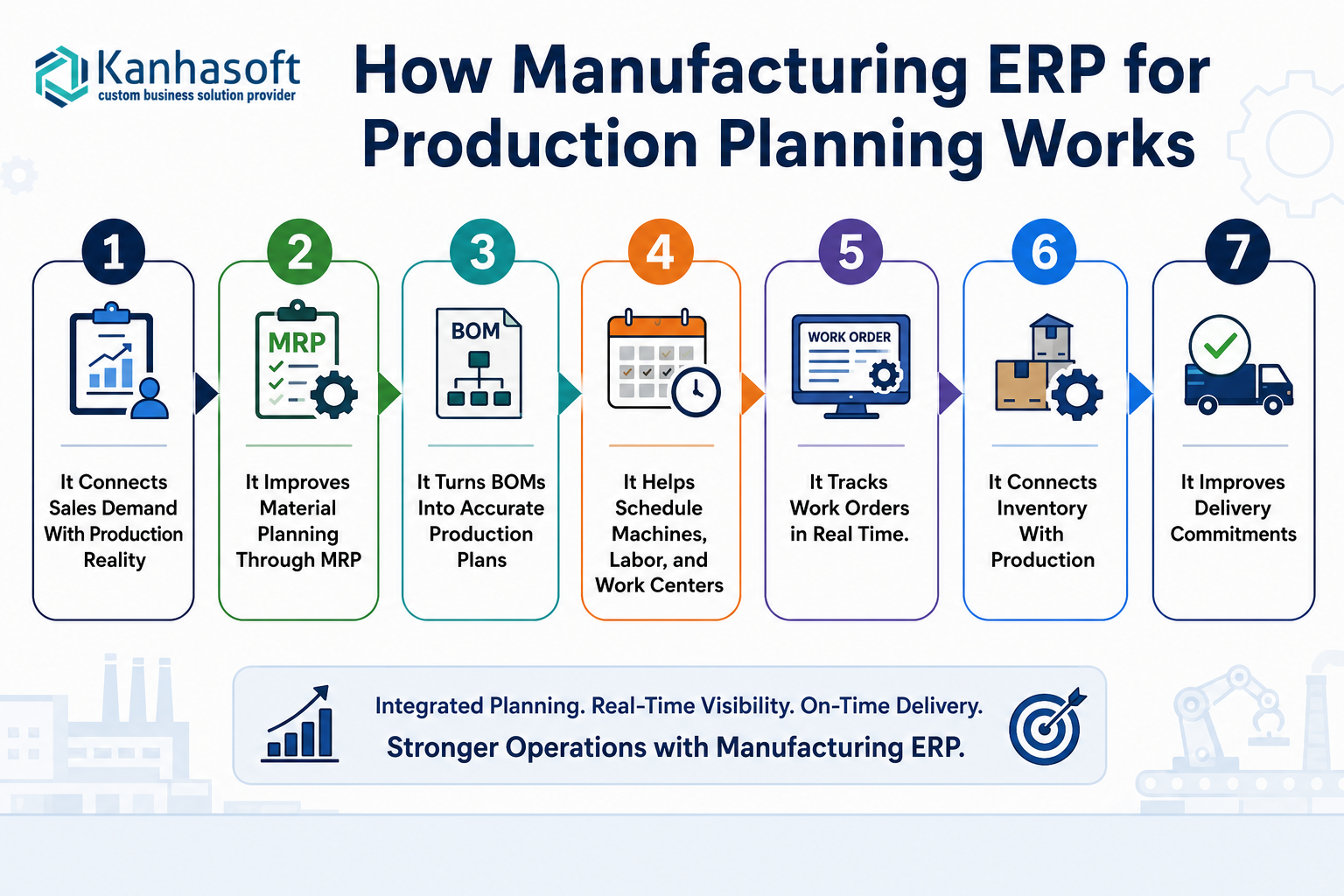
1. It Connects Sales Demand With Production Reality
A common issue in manufacturing is the gap between what sales promises and what production can actually deliver.
ERP helps close that gap by linking sales orders with inventory, production schedules, and available capacity. When a new order enters the system, the ERP can show whether finished goods are available, whether production is required, and whether raw materials are in stock.
This helps teams give more realistic delivery dates.
2. It Improves Material Planning Through MRP
Material shortages are one of the biggest causes of production delays.
ERP systems use MRP logic to calculate required raw materials based on sales orders, forecasts, BOMs, and current stock levels. The system can suggest purchase requests or procurement schedules before shortages occur.
For example, if 500 finished units require 1,000 components, the ERP checks available stock, reserved stock, pending purchase orders, and lead times. This gives the purchasing team a clearer view of what must be ordered and when.
3. It Turns BOMs Into Accurate Production Plans
Without accurate BOMs, production planning becomes guesswork.
ERP stores product structures, material quantities, wastage assumptions, alternate materials, and production steps. When a work order is created, the ERP uses the BOM to calculate material requirements and expected cost.
This is especially useful for manufacturers with multiple product variants, assemblies, or custom orders.
4. It Helps Schedule Machines, Labor, and Work Centers
Production planning is not only about materials. A company may have enough raw material but still fail to deliver because machines, skilled labor, or work centers are not available.
ERP supports capacity planning by showing available production resources.
This helps planners answer questions such as:
- Which machine is available?
- Which work center is overloaded?
- How many labor hours are required?
- Can this order be completed before the promised delivery date?
- Should production be split across shifts or locations?
5. It Tracks Work Orders in Real Time
Once production starts, ERP helps track each work order through different stages.
Depending on the setup, teams can track:
- Planned quantity
- Produced quantity
- Rejected quantity
- Material consumption
- Machine time
- Labor time
- Quality inspection status
- Production delays
- Completion percentage
This gives managers better shop floor visibility and reduces the need for constant manual follow-ups.
6. It Connects Inventory With Production
Inventory problems directly affect production planning.
If inventory data is inaccurate, the production plan will also be unreliable. ERP helps by updating inventory when materials are purchased, issued to production, consumed, returned, rejected, or transferred.
This improves control over raw materials, semi-finished goods, finished goods, and scrap.
7. It Improves Delivery Commitments
Customers care about delivery dates. ERP helps manufacturers plan production against realistic timelines rather than optimistic estimates.
When production, inventory, procurement, and dispatch data are connected, teams can identify delivery risks earlier. This allows them to adjust priorities, inform customers proactively, or replan production before delays become serious.
Also Read: How AI-Powered ERP & CRM Systems Are Solving the Top Challenges in Manufacturing
Before ERP vs After ERP in Production Planning
| Production Area | Before ERP | After ERP |
|---|---|---|
| Production schedule | Manual spreadsheet planning | Centralized schedule linked to orders and capacity |
| Material planning | Based on estimates and manual checks | MRP-driven material requirements |
| Inventory visibility | Delayed or inaccurate updates | Real-time stock movement tracking |
| Work orders | Paper-based or manually tracked | Digitally created and monitored |
| Machine planning | Based on experience and availability checks | Capacity-based scheduling |
| Delivery dates | Often promised without full visibility | Based on stock, production, and procurement data |
| Reporting | Manual reports after production issues occur | Dashboards showing live production status |
| Cost control | Difficult to track material and labor variance | Better visibility into planned vs actual cost |
Best ERP Choice by Manufacturing Situation
| Business Situation | Best Choice | Why |
|---|---|---|
| Small manufacturer with simple production | Basic ERP or MRP module | Covers inventory, BOM, and work orders without heavy complexity |
| Growing manufacturer using Excel | Phased ERP implementation | Reduces disruption while replacing manual planning step by step |
| Multi-stage production process | Manufacturing ERP with routing and capacity planning | Helps manage work centers, machines, and operation sequences |
| Custom or make-to-order manufacturing | Custom ERP or configurable ERP | Supports product variations, approvals, and order-specific planning |
| High-volume production | ERP with shop floor tracking and barcode/RFID support | Improves speed, traceability, and inventory accuracy |
| Regulated manufacturing | ERP with quality control, audit logs, and compliance reports | Supports traceability and documentation requirements |
| Multi-location manufacturing | Cloud-based ERP with centralized reporting | Gives leadership visibility across plants, warehouses, and teams |
Practical Business Examples
Example 1: Component Manufacturer
A component manufacturer receives monthly demand from multiple customers. Earlier, production planning was done using spreadsheets, and shortages were discovered only after work orders started.
With ERP, the company creates production plans based on confirmed orders and forecasted demand. MRP checks raw material needs, purchase lead times, and available inventory. Planners can see shortages before production begins.
The business impact is fewer urgent purchases and more predictable production schedules.
Example 2: Food or Chemical Manufacturer
A batch manufacturer needs to manage recipes, raw materials, expiry dates, quality checks, and batch traceability.
ERP helps plan batches based on demand, available ingredients, production capacity, and compliance requirements. It can also track which batch used which raw material.
This is important when quality issues, recalls, or regulatory audits occur.
Example 3: Machinery or Equipment Manufacturer
A make-to-order equipment manufacturer may have long production cycles, many parts, and multiple approval steps.
ERP helps connect customer orders with engineering, BOMs, procurement, production routing, and final dispatch. Teams can track whether each part is available, which operations are pending, and where production is delayed.
Expert Observation From ERP Implementation Work
In manufacturing ERP projects, the biggest challenge is often not the software. It is process clarity.
If BOMs are outdated, inventory counts are unreliable, or production stages are not clearly defined, ERP implementation becomes harder. The best results usually come when companies clean master data, standardize workflows, and implement ERP in practical phases instead of trying to digitize everything at once.
Main Benefits of ERP for Manufacturing Production Planning
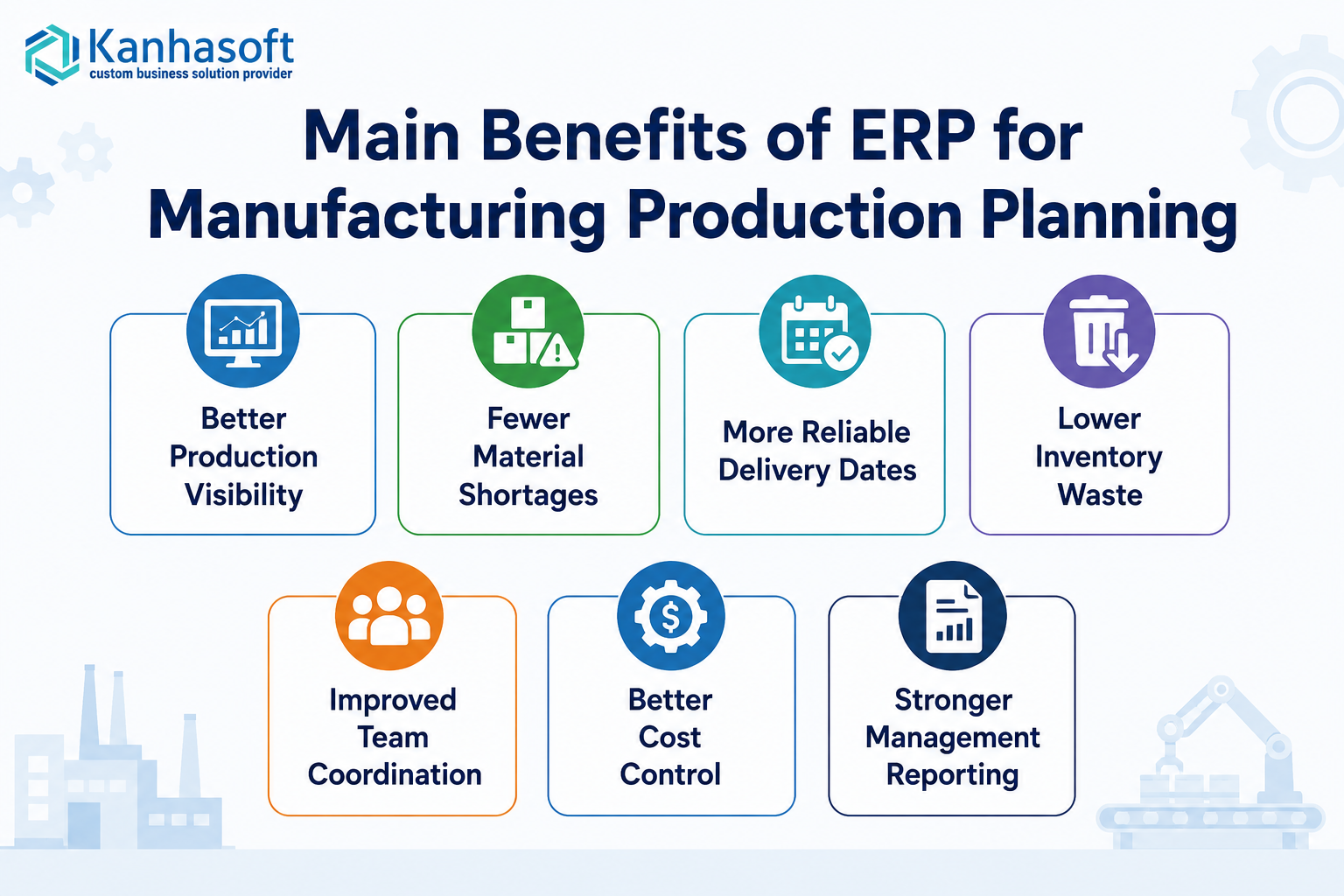
Better Production Visibility
ERP gives managers a clear view of production orders, work-in-progress, inventory, delays, and completion status.
Fewer Material Shortages
MRP helps purchasing teams plan raw material needs before production is blocked.
More Reliable Delivery Dates
Production teams can commit dates based on real capacity, material availability, and current workload.
Lower Inventory Waste
ERP helps reduce overstocking, duplicate purchases, expired materials, and unnecessary safety stock.
Improved Team Coordination
Sales, procurement, inventory, production, quality, and finance work from the same system.
Better Cost Control
Manufacturers can compare planned vs actual material usage, labor time, production cost, and wastage.
Stronger Management Reporting
Leadership can track production performance, order status, capacity utilization, inventory value, and delivery performance.
Limitations and Challenges of Manufacturing ERP
ERP can improve production planning, but it is not a quick shortcut. Companies should understand the challenges before implementation.
Data Accuracy Is Critical
If inventory, BOMs, suppliers, lead times, and production routes are incorrect, ERP planning outputs will also be incorrect.
User Adoption Takes Time
Production teams may resist new systems if they are used to paper-based or spreadsheet-based planning. Training and simple workflows are important.
Implementation Needs Business Involvement
ERP cannot be implemented only by the IT team. Production, inventory, purchasing, finance, and management must be involved.
Customization Should Be Controlled
Too much customization can increase cost and maintenance. Custom workflows are useful, but they should solve real operational needs.
Real-Time Tracking Requires Discipline
ERP works best when production updates are entered regularly. If teams delay updates, dashboards will not reflect reality.
Common Mistakes Manufacturers Make With ERP
Mistake 1: Starting Without Clean Master Data
Before ERP implementation, manufacturers should review item codes, BOMs, units of measure, supplier data, machine details, and inventory records.
Mistake 2: Copying Old Spreadsheet Logic Into ERP
ERP is a chance to improve the process, not just digitize old habits.
Mistake 3: Ignoring Shop Floor Users
If the system is difficult for operators, supervisors, or warehouse staff, adoption will suffer.
Mistake 4: Implementing Too Many Modules at Once
A phased rollout is often safer. Start with core areas such as inventory, BOM, purchasing, and work orders, then expand.
Mistake 5: Not Defining Production KPIs
ERP reports are useful only when the company knows what to measure. Common KPIs include on-time delivery, production variance, downtime, rejection rate, and inventory turnover.
Security, Compliance, and Risk Considerations
Manufacturing ERP systems often store sensitive operational and commercial data, including supplier pricing, customer orders, production formulas, inventory value, quality records, and financial information.
Companies should consider:
- Role-based access control for production, inventory, finance, and management teams
- Audit logs for changes in BOMs, work orders, inventory, and approvals
- Data backup and disaster recovery planning
- Secure cloud or on-premise hosting based on business requirements
- Compliance with industry-specific quality and traceability standards
- Approval workflows for purchase orders, production changes, and material issues
- Data privacy controls for employee, customer, and supplier information
For regulated industries, manufacturers should consult qualified compliance, legal, or technical advisors before finalizing ERP workflows.
Real-World Use Cases by Manufacturing Type
| Manufacturing Type | ERP Production Planning Use Case |
|---|---|
| Discrete manufacturing | Manage BOMs, assemblies, work orders, and routing |
| Process manufacturing | Plan batches, recipes, formulas, yield, and quality checks |
| Automotive parts | Track components, suppliers, production schedules, and dispatches |
| Electronics manufacturing | Manage multi-level BOMs, serial numbers, and quality inspection |
| Food manufacturing | Track batches, expiry dates, raw material lots, and compliance |
| Chemical manufacturing | Manage formulas, safety data, batch production, and traceability |
| Textile manufacturing | Plan fabric, dyeing, cutting, stitching, and finishing workflows |
| Packaging manufacturing | Plan material usage, machine schedules, and customer-specific orders |
| Equipment manufacturing | Manage make-to-order production, engineering changes, and procurement |
Practical Decision Checklist Before Choosing Manufacturing ERP
Use this checklist before selecting or building ERP for production planning:
- Do we have accurate BOMs for all major products?
- Are our inventory records reliable?
- Which production stages need to be tracked?
- Do we need batch tracking, serial number tracking, or lot traceability?
- Do we manufacture standard products, custom products, or both?
- How do sales orders currently become production plans?
- Which reports do plant managers and leadership need?
- Do we need barcode, QR code, or shop floor device integration?
- Should ERP connect with accounting, CRM, warehouse, or quality systems?
- Do we need cloud ERP, on-premise ERP, or a hybrid setup?
- Which workflows need approval controls?
- Can we implement ERP in phases to reduce risk?
- Who will maintain ERP data after launch?
Planning ERP for Your Manufacturing Operations?
If your production planning depends on spreadsheets, manual inventory updates, or disconnected tools, it may be useful to first map your current production workflow before choosing ERP software.
Kanhasoft helps manufacturing companies plan and build custom ERP systems for production planning, inventory, procurement, work orders, role-based access, dashboards, and integrations. A practical first step is an ERP discovery discussion to identify your planning gaps, core modules, reporting needs, and whether a standard ERP, Odoo-based setup, or custom ERP is the right fit.
Conclusion
ERP helps manufacturing companies improve production planning by connecting demand, materials, capacity, work orders, inventory, quality, and delivery timelines in one system. It reduces guesswork, improves visibility, and gives teams a more reliable way to plan factory operations.
For manufacturers dealing with delays, material shortages, manual planning, or poor shop floor visibility, manufacturing ERP for production planning can become a practical foundation for better control, stronger coordination, and more predictable growth.