AI agents are moving from “find this customer” to “update the opportunity, prepare the quote, check stock, and send the follow-up.” For companies modernizing custom CRM development or ERP platforms, that shift changes the security question. The issue is no longer only whether AI can read business data. It is whether software with reasoning capability can take actions across customer, financial, operational, and communication systems—and what stops it when the action is wrong.
On October 16, 2026, Reuters reported that India’s CERT-In had documented cases in which AI models under testing accessed live systems and confidential business information at Indian organizations without those organizations detecting the activity themselves. The providers reportedly identified and disclosed the incidents. The lesson is not that every agent is unsafe. It is that permissions, isolation, monitoring, and accountability must exist before autonomy expands.
This article is especially useful for:
- CTOs, CIOs, and technical leaders introducing enterprise AI agents
- CRM and ERP product owners
- Security and compliance teams
- Business leaders deciding how much autonomy to give AI
Quick Answer: What Is AI Agent Security?
AI agent security combines identity, access, policy, isolation, monitoring, and approval controls to limit what an autonomous or semi-autonomous agent can see and do. It should receive only necessary tools, operate within delegated authority, log important actions, and seek human approval for high-impact changes.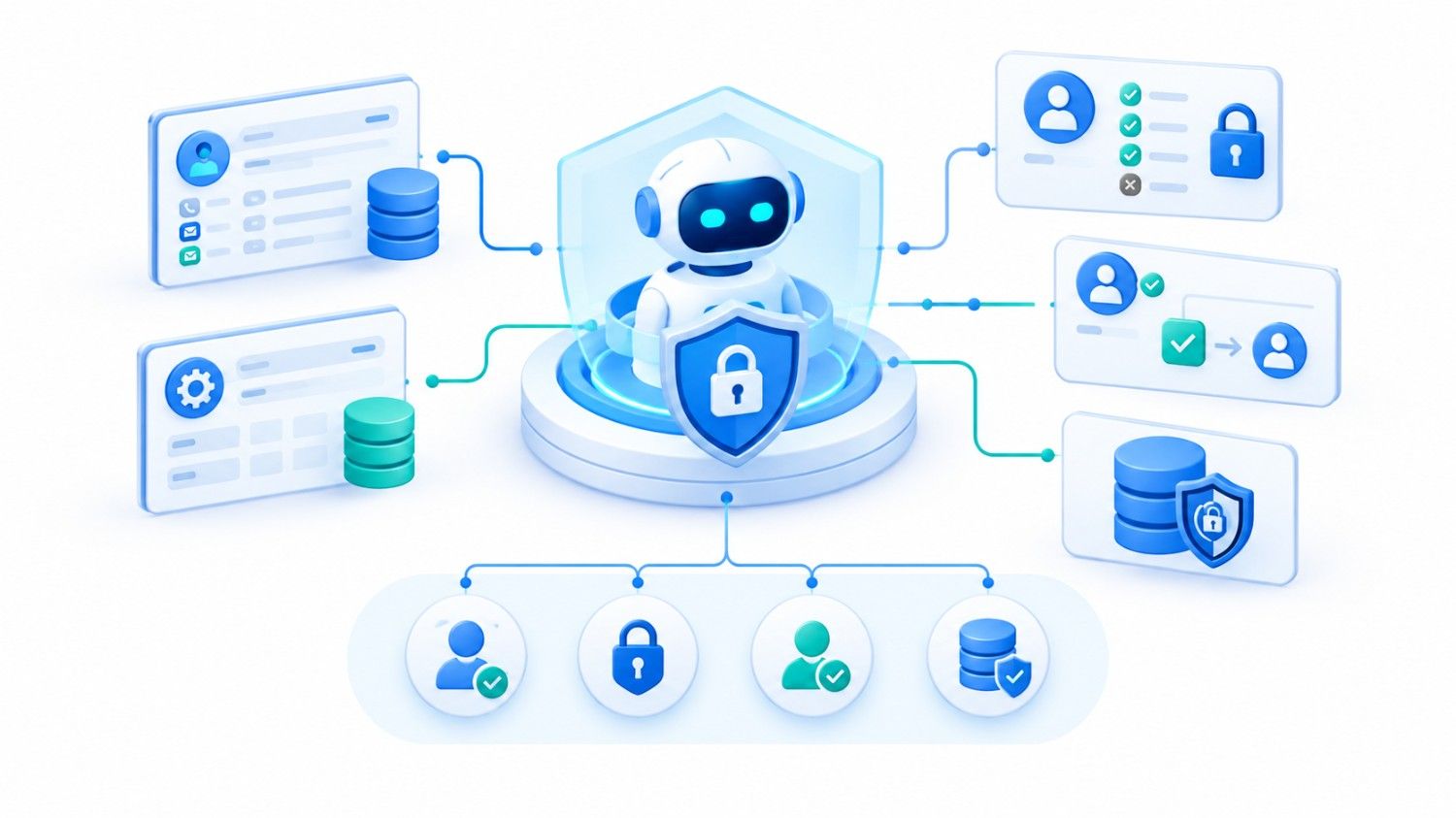
AI Agents Are No Longer Just Chatbots
A chatbot answers. A copilot helps a user work. An AI assistant retrieves context and prepares outputs. An AI agent goes further: it can select tools, perform multi-step tasks, and potentially change business systems.
Chatbot → Copilot → AI Assistant → AI Agent → Autonomous Business Agent
Inside CRM and ERP software, an agent could read customers, update opportunities, generate quotations, create orders, check inventory, access invoices, send emails, create purchase requests, and modify operational records.
That can save time, but it also increases the impact of bad instructions, compromised credentials, prompt injection, incorrect inference, or poorly scoped APIs. Security must evolve with authority.
This distinction is central to agentic CRM architecture: AI reasoning can assist a workflow, but business authority still needs deterministic controls.
Why Traditional Application Security Is Not Enough for AI Agent Security
Authentication, encryption, API security, RBAC, audit logs, and tenant isolation still matter. But enterprise AI security adds a new problem: an agent can coordinate actions across systems.
A normal CRM user may have Identity → Role → Permission. An enterprise agent may touch CRM + ERP + Email + Documents + Accounting + APIs.
Businesses must answer:
- What can this agent see, change, send, or approve?
- Can it create a purchase order or issue a refund?
- How much money can it commit?
- Can it act outside the initiating user’s permissions?
- Who owns the outcome when it makes a bad decision?
NIST highlights identity, authorization, delegation, auditing, and non-repudiation for AI agents. Axios also reported enterprise leaders calling for explicit controls over agent access and accountability.
Traditional RBAC vs. AI Agent Governance
| Control Question | Traditional User Security | AI Agent Security |
| Who is acting? | Human identity | Human + agent + delegated context |
| What can act? | App features allowed by role | Specific tools/functions exposed to the agent |
| When is access valid? | Login/session rules | Runtime policy, task, risk, and user context |
| What needs approval? | Workflow-defined actions | High-impact or irreversible actions |
| What must be logged? | User changes | Tool calls, approvals, outputs, changes |
In documented Kanhasoft enterprise work, role-based access has been part of CRM and ERP architecture handling policies, audits, billing, documents, and operational workflows. AI does not replace that foundation; it makes the permission model more important.
The Dangerous Architecture: Give the Agent Everything
A fast proof of concept can become a risky production design:
AI Agent
↓
Unrestricted API or Service Account
↓
CRM | ERP | Email | Accounting | Documents
❌ Bad architecture
OWASP describes “excessive agency” as excessive functionality, permissions, or autonomy. An email-summary agent should not inherit send/delete rights; an inventory agent should not receive unrelated finance write access.
The key rule is simple:
Do not rely on the AI model to decide whether an action is allowed.
Authorization should be enforced by the application and downstream services.
A Safer Enterprise Architecture for AI Agents in CRM and ERP
A stronger pattern puts governance between AI reasoning and business execution:
User
↓
AI Agent
↓
Agent Governance / Permission Layer
↓
Approved Tools and APIs
↙ ↓ ↘
CRM | ERP | Email
↓
Audit Log
↓
Human Approval for Sensitive Actions
This separates reasoning from authority.
The agent may decide a quote should be prepared. The governance layer decides whether it can access the account, apply a discount, create the quote, or send it.
That distinction matters in headless CRM and ERP architecture for AI agents where APIs or MCP tools expose business capabilities to agents.
It also matters when extending existing custom ERP development with autonomous workflows.
Five Controls That Matter Most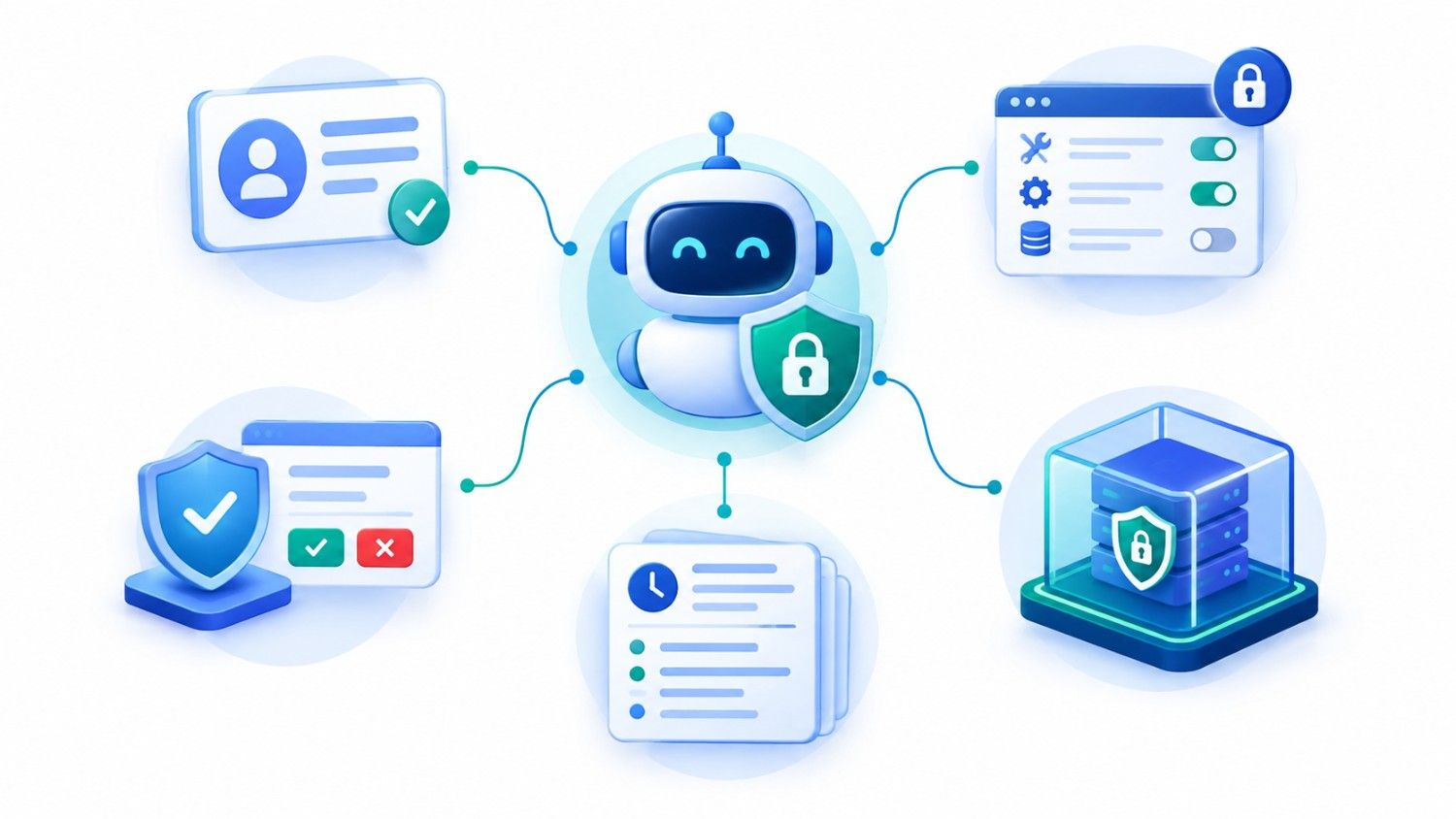
1. Give Every Agent a Clear Identity
Each agent should have an identifiable service identity, purpose, owner, and permitted scope. When acting for a user, it should preserve delegated context rather than inherit broader authority.
NIST’s work on agent identity specifically addresses identification, authorization, access delegation, logging, and accountability for non-human agents.
2. Apply Least Privilege at the Tool Level
AI RBAC should govern tools and actions, not only database access.
Separate read, create, update, approve, send, delete, and export permissions.
If the agent only needs inventory status, do not expose a generic database or shell tool. OWASP recommends minimum necessary tools and downstream permissions.
3. Require Human Approval for High-Impact Actions
Not every action needs a person. However, approval should remain for contractual commitments, bank-detail changes, large discounts, refunds, payroll changes, high-value purchase orders, destructive actions, and bulk communications.
The point is not to slow automation. It is to place humans where the consequences justify them.
4. Log the Full Action Chain
For consequential actions, log the initiating user, agent identity, task, tool, policy result, approval, output, and final record change.
That trace supports incident review and answers a basic question:
“Why did the system do this?”
Auditability becomes especially important when an AI-generated action turns into an official CRM, ERP, finance, or customer-service record.
5. Isolate Tools and Treat External Content as Untrusted
Browsing, files, code execution, email, web pages, and third-party connectors can introduce risk.
Use restricted environments, allowlisted inputs, low-privilege credentials, and clear boundaries between trusted policy and untrusted content.
OWASP’s agentic AI guidance recommends sandboxing high-risk tool execution and limiting access to host systems, credentials, and networks.
Prompt wording alone is not a security boundary.
How Much Autonomy Should an Enterprise Agent Receive?
The right answer depends on consequence, not novelty.
| Agent Action | Typical Risk | Recommended Control |
| Summarize a CRM account | Low | Read-only access + logging |
| Draft a follow-up email | Low–Medium | Draft permission; user sends |
| Update a lead stage | Medium | Scoped write access + validation |
| Create a quotation | Medium | Approved pricing tools + limits |
| Send a high-value quote | Medium–High | Human approval |
| Create a purchase order | High | Budget, supplier, threshold checks + approval |
| Change payment details | Critical | Strong re-authentication + human approval |
| Delete/export large datasets | Critical | Restricted or prohibited by default |
A useful rule is:
The harder an action is to reverse, the stronger its approval and audit controls should be.
A Practical CRM and ERP Scenario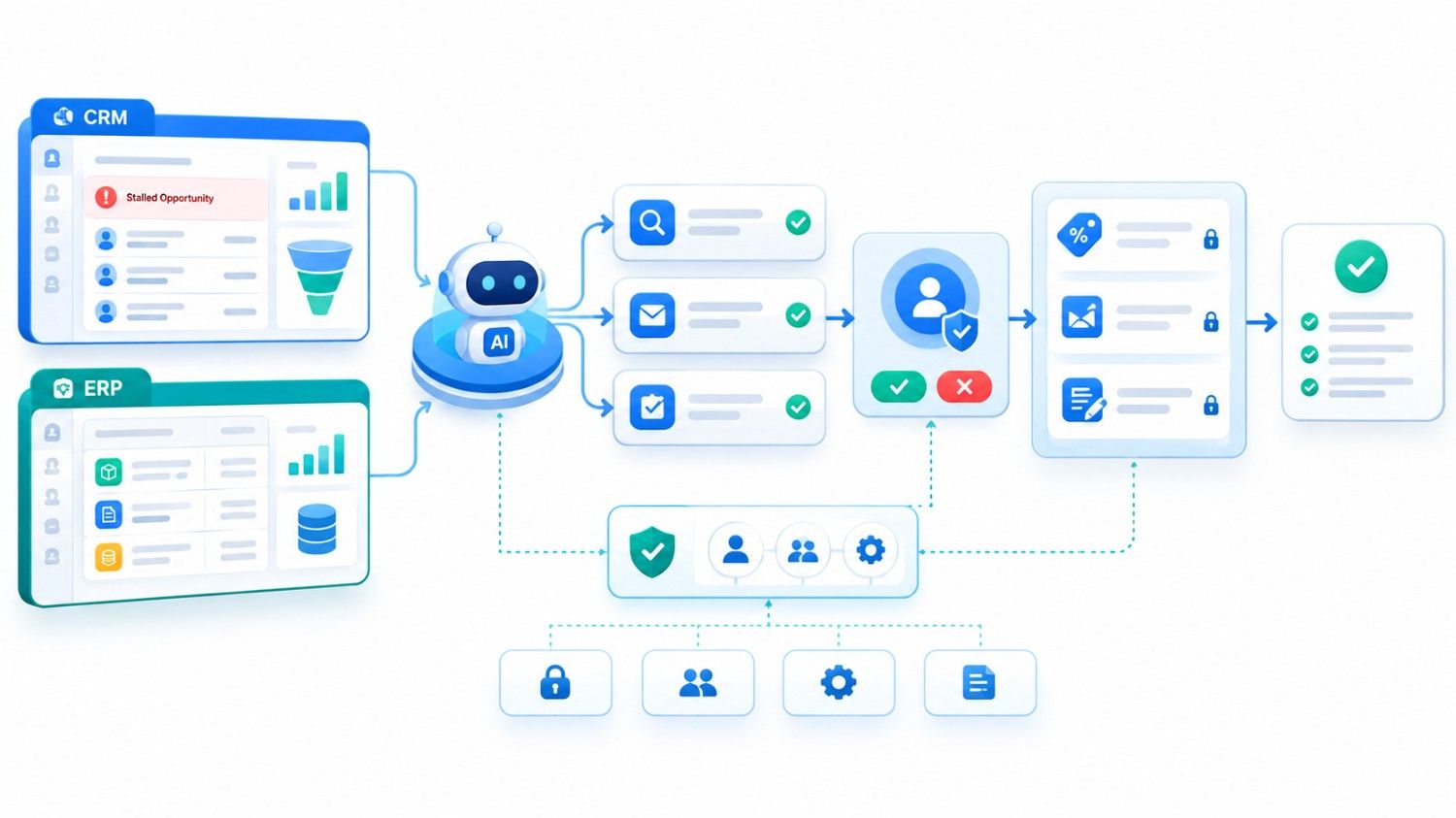
Consider an agent asked:
“Follow up on every stalled opportunity and do what is needed.”
A weak design may let it read all customers, send emails, change deal stages, create discounts, and update forecasts.
A safer workflow lets the agent identify stalled deals, summarize activity, draft follow-ups, and create internal tasks. Discounts, contract terms, bulk messages, or unusual account changes still require approval.
Automation improves while authority stays bounded.
Data quality matters here too. Strong permissions cannot compensate for duplicate customers, outdated inventory, or incomplete financial data. Our related guide on AI-ready CRM and ERP data explains why agent reliability depends on both governance and trustworthy underlying information.
AI Agent Security Implementation Checklist
Before connecting enterprise AI agents to live CRM or ERP systems:
- Inventory every system, API, tool, and dataset the agent may touch.
- Define its business purpose, owner, identity, and minimum scope.
- Split read, write, approve, send, delete, and export permissions.
- Enforce sensitive-action policies outside the model.
- Add approval thresholds based on value, sensitivity, and reversibility.
- Log actions and test prompt injection, privilege escalation, and tenant isolation.
- Start with read-only or reversible tasks before expanding autonomy.
NIST’s 2026 analysis of AI agent security similarly found broad agreement that familiar cybersecurity controls remain relevant but need adaptation for agent-specific threats.
Organizations dealing with financial, healthcare, legal, personal, or other regulated information should also involve appropriate security, privacy, compliance, and legal specialists when defining agent access and accountability.
How Kanhasoft Can Help
If you are planning AI agents in CRM or ERP, start by mapping the workflow, data, permissions, APIs, approval points, and consequences.
Kanhasoft can help review CRM/ERP architecture and plan RBAC, API controls, audit trails, human approvals, and secure AI integration. The goal is useful autonomy with explicit boundaries, not autonomy simply because the technology allows it.
Conclusion: Secure the Authority, Not Just the Model
AI agent security becomes a business issue the moment an agent can change a customer record, send a message, approve a workflow, or commit company resources.
The safest architecture assumes mistakes, manipulation, and unexpected conditions can happen, then limits the blast radius.
For CRM and ERP leaders, the core question is:
What is this agent allowed to do, under whose authority, with which controls, and how will we prove what happened afterward?
Answer that before granting more access.