To monitor competitor prices automatically, businesses need a repeatable system that collects product prices, stock status, discount changes, shipping details, and promotional offers from competitor websites or marketplaces. The data is then cleaned, matched against your own products, and delivered through dashboards, alerts, Excel, CSV, or API.
For retailers, eCommerce brands, distributors, manufacturers, and procurement teams, automated competitor monitoring saves time, reduces manual checking, and helps teams react faster to market changes.
The goal is not just to collect data. The real value comes from turning competitor data into useful pricing and inventory decisions.
This article is especially useful for:
- eCommerce business owners tracking competitor prices
- Retail pricing teams managing frequent price changes
- Procurement teams comparing supplier and competitor stock
- D2C brands monitoring discounts and promotions
- Auto parts, beauty, dental, electronics, fashion, and home goods sellers
- Marketplace sellers using Amazon, Walmart, Shopify, Magento, or WooCommerce
- Business teams still tracking prices manually in spreadsheets
- Decision-makers evaluating web scraping or price monitoring automation
How Do You Monitor Competitor Prices Automatically?
You can monitor competitor prices automatically by using software that collects competitor product data on a fixed schedule, matches it with your own catalog, tracks price, stock, discount, and promotion changes, then sends alerts or reports to your team.
A practical setup usually includes:
- A list of your products and competitor product URLs
- Product matching rules using SKU, UPC, model number, brand, size, or title similarity
- Automated data collection from competitor websites, marketplaces, APIs, or feeds
- Data cleaning and validation
- Price, stock, discount, and promotion tracking
- Alerts for important changes
- Dashboards or reports for pricing and purchasing decisions
For small catalogs, a ready-made price monitoring tool may be enough. For large catalogs, complex product matching, multiple competitors, or custom reporting needs, a custom automated price monitoring system is often more efficient.
What Is Automated Competitor Price Monitoring?
Automated competitor price monitoring is the process of collecting and tracking competitor pricing data without manually visiting each website.
It helps businesses answer questions like:
- Is our competitor selling this product cheaper?
- Did the competitor increase or reduce the price today?
- Is the product in stock or out of stock?
- Is there a new discount, coupon, or bundle offer?
- Are competitors changing prices by region?
- Which products need pricing review?
- Which competitors are more aggressive on promotions?
In practice, automated monitoring can track:
- Product title
- Product URL
- Regular price
- Sale price
- Discount percentage
- Coupon or promo code
- Stock status
- Availability by location
- Shipping cost
- Delivery estimate
- Seller name
- Marketplace ranking
- Review count and rating
- Product variants
- Pack size or quantity
- Timestamp of change
This information can then be used by pricing, sales, procurement, and category teams.
What Is Stock Availability Tracking?
Stock availability tracking means monitoring whether a competitor’s product is in stock, out of stock, limited stock, backordered, discontinued, or available only in selected locations.
This is important because price alone does not tell the full story.
For example, a competitor may show a lower price, but the product may be out of stock. In that case, your team may not need to reduce your price immediately.
Stock tracking helps answer:
- Is the competitor actually able to sell the item?
- Is the lower price connected to clearance stock?
- Are competitors running out of fast-moving products?
- Which products have supply pressure?
- Can we increase visibility or margin when competitors are out of stock?
For distributors and eCommerce businesses, stock status can be as important as price.
What Is Discount Tracking?
Discount tracking monitors promotional changes such as sale prices, coupon codes, bundle offers, clearance deals, loyalty discounts, and limited-time offers.
A product may have the same regular price for weeks, but the real selling price can change because of:
- Flash sales
- Cart discounts
- Coupon codes
- Quantity-based discounts
- Buy-one-get-one offers
- Free shipping thresholds
- Marketplace coupons
- Member-only pricing
- Seasonal promotions
If your monitoring system only tracks the visible price, it may miss the real competitive price.
That is why discount monitoring should capture both the listed price and the effective price where possible.
Why Manual Competitor Price Tracking Fails as You Grow
Manual tracking works when you have a small product list and only a few competitors. However, it becomes unreliable when products, variants, competitors, and price changes increase.
Most of us have seen this situation: someone opens ten competitor websites, copies prices into Excel, marks a few products as “checked,” and sends a report by email. By the time the report reaches the team, some prices have already changed.
Manual tracking usually creates five problems.
1. It takes too much time
Checking hundreds or thousands of products manually is not realistic. Even if your team checks prices weekly, competitors may change prices daily or hourly.
2. Data becomes outdated quickly
In fast-moving categories like electronics, fashion, beauty, auto parts, supplements, dental supplies, and marketplace retail, prices and stock can change often.
3. Product matching becomes messy
Competitors may use different titles, SKUs, pack sizes, images, and product descriptions. A small mismatch can lead to wrong pricing decisions.
4. Reports depend on human effort
If one person misses a product, enters a wrong price, or forgets a discount, the report becomes less reliable.
5. Teams cannot react fast enough
Pricing decisions need timely data. If the data is late, teams either react slowly or make decisions based on assumptions.
Manual Tracking vs Automated Price Monitoring
| Factor | Manual Tracking | Automated Monitoring |
|---|---|---|
| Time required | High | Low after setup |
| Data freshness | Weekly or irregular | Daily, hourly, or scheduled |
| Human error risk | High | Lower with validation |
| Product matching | Manual and inconsistent | Rule-based and reviewable |
| Stock tracking | Often missed | Can be tracked regularly |
| Discount tracking | Difficult | Can track sale prices and promotions |
| Scalability | Poor for large catalogs | Better for thousands of products |
| Reporting | Manual Excel updates | Dashboards, CSV, Excel, API, alerts |
| Best for | Very small product lists | Growing or competitive catalogs |
Automated monitoring is not perfect. It still needs setup, validation, and maintenance. However, it is usually more reliable than manual checking when the product catalog grows.
How to Monitor Competitor Prices Automatically: Step-by-Step
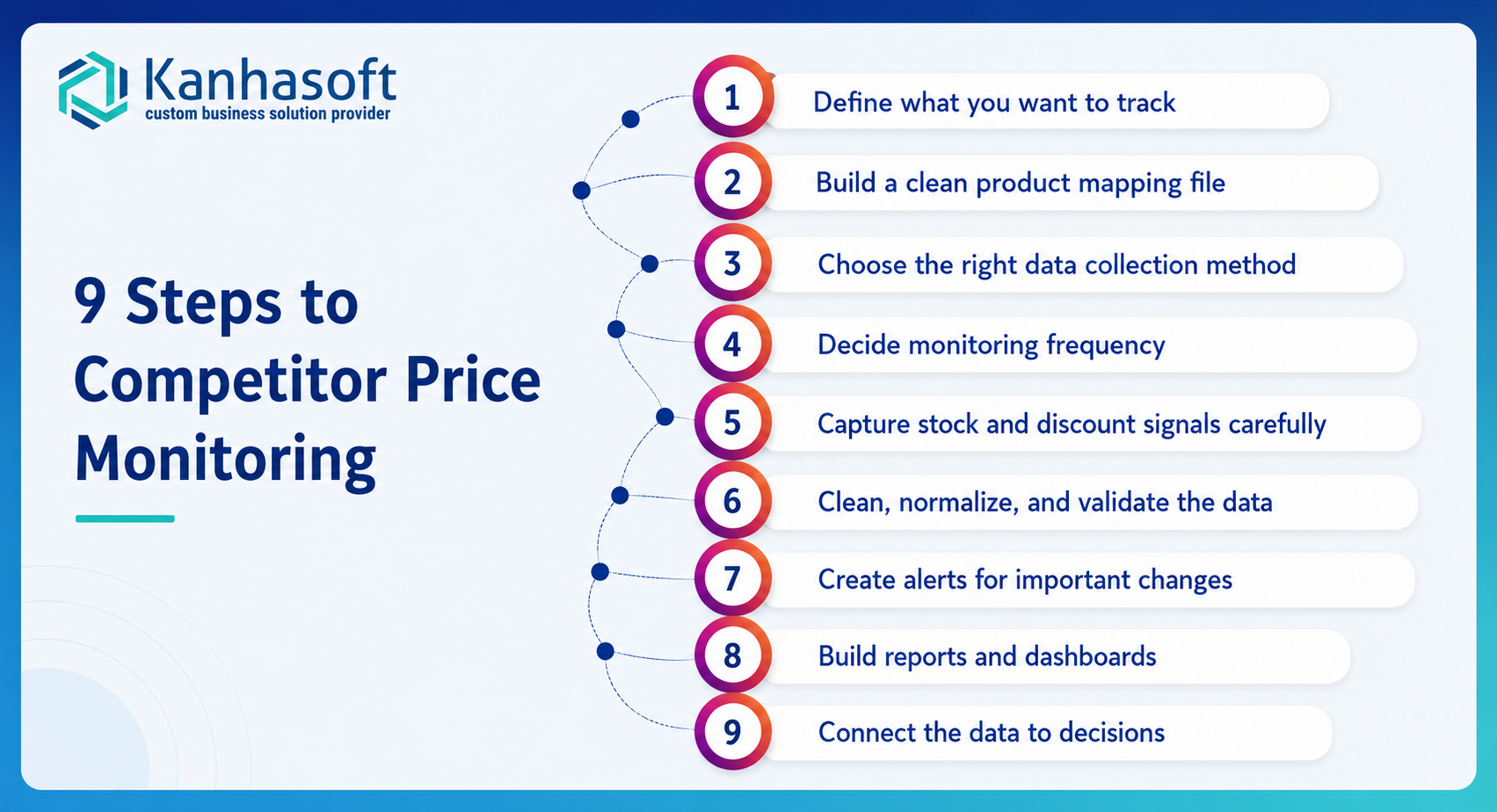
A strong competitor monitoring setup starts with clear business rules. The technology matters, but the planning matters more.
Step 1: Define what you want to track
Start by deciding which data points matter to your business.
Common fields include:
- Competitor name
- Product title
- Product URL
- SKU or product ID
- Regular price
- Sale price
- Discount percentage
- Coupon text
- Stock status
- Delivery estimate
- Shipping cost
- Review rating
- Review count
- Product image
- Pack size
- Variant details
- Timestamp
Do not track everything just because it is available. Track what your team will actually use.
For example, a pricing team may need price, discount, and shipping cost. A procurement team may care more about stock status and supplier availability.
Step 2: Build a clean product mapping file
Product matching is the foundation of price monitoring.
Your mapping file should connect your product with the matching competitor products.
Useful fields include:
- Your product name
- Your SKU
- Your product URL
- Competitor product URL
- Competitor SKU
- Brand
- Model number
- UPC, GTIN, or EAN
- Pack size
- Unit quantity
- Category
- Match confidence
- Notes
For example, a dental supplier may sell a product as a pack of 10, while a competitor sells the same product as a single unit. If your monitoring system does not normalize pack size, the price comparison will be misleading.
This is one of the most common issues in real-world price monitoring projects.
Step 3: Choose the right data collection method
There are several ways to collect competitor data automatically.
| Method | Best For | Limitations |
|---|---|---|
| Official APIs | Marketplaces or platforms with API access | Not all competitors provide APIs |
| Product feeds | Supplier or partner data | May not include real-time discounts |
| SaaS price monitoring tools | Standard eCommerce tracking | May be limited for custom rules |
| Custom web scraping | Competitor websites and custom catalogs | Needs technical setup and maintenance |
| Browser automation | Dynamic websites with JavaScript | Slower and more complex |
| Manual upload plus automation | Small teams starting gradually | Still needs human involvement |
A business may use more than one method. For example, marketplace data may come from APIs, while competitor website data may require custom web scraping.
Step 4: Decide monitoring frequency
Not every product needs hourly tracking.
Choose frequency based on category importance and price volatility.
| Product Type | Suggested Monitoring Frequency |
|---|---|
| Fast-moving marketplace products | Hourly or multiple times daily |
| High-margin products | Daily |
| Slow-moving products | Weekly |
| Seasonal promotional products | More often during campaigns |
| Critical stock items | Daily or near real-time if possible |
| Supplier comparison data | Weekly or monthly |
Tracking too often can increase cost and technical complexity. Tracking too rarely can make data less useful.
A practical approach is to prioritize top-selling products and high-risk competitors first.
Step 5: Capture stock and discount signals carefully
Stock status and discounts are not always shown in the same way.
A website may show:
- “In stock”
- “Out of stock”
- “Only 3 left”
- “Available soon”
- “Ships in 2–3 weeks”
- “Backorder”
- “Add to cart”
- “Notify me”
- “Unavailable in your location”
Discounts can also appear in different formats:
- Sale price
- Coupon badge
- Cart-level discount
- Product bundle
- Member price
- Quantity discount
- Free shipping offer
Your monitoring logic should define how each signal is captured and categorized.
For example, “Add to cart” may mean in stock on one website, but another website may still show “Add to cart” for backordered products. These details need testing.
Step 6: Clean, normalize, and validate the data
Raw competitor data is rarely decision-ready.
Data cleaning may include:
- Removing currency symbols
- Converting prices into numbers
- Normalizing pack size
- Standardizing stock values
- Handling missing prices
- Removing duplicate products
- Converting units
- Checking timestamp accuracy
- Flagging unusual price changes
For example, if a product price drops from $129 to $1.29, the system should flag it for review instead of treating it as a real price change.
Validation rules protect your team from bad pricing decisions.
Step 7: Create alerts for important changes
Automated monitoring becomes more useful when it sends alerts only for meaningful changes.
Useful alert examples:
- Competitor price drops below your price
- Competitor goes out of stock
- Competitor launches a discount
- Competitor removes a discount
- Price changes by more than 10%
- Product becomes unavailable
- Competitor adds a coupon
- Your product is priced higher than market average
- A high-priority SKU changes twice in one day
Avoid sending too many alerts. If every small change creates a notification, teams stop paying attention.
Step 8: Build reports and dashboards
Different teams need different views.
A pricing manager may need:
- Competitor price comparison
- Price gap by product
- Discount movement
- Lowest market price
- Product-level history
A procurement team may need:
- Competitor stock status
- Out-of-stock trends
- Supplier availability
- Fast-moving products
- Category shortages
A leadership team may need:
- Category-level price trends
- Margin risk
- Competitor behavior
- Top affected products
- Weekly summary
Reports can be delivered as:
- Excel files
- CSV files
- Google Sheets
- Power BI dashboards
- Looker Studio dashboards
- Custom web dashboards
- Email alerts
- API feeds
- Slack or Teams notifications
The best format depends on how your team already works.
Step 9: Connect the data to decisions
Collecting data is only half the job. The real value comes from action.
Your team should define rules such as:
- When should we match competitor prices?
- When should we ignore a competitor’s price?
- When should we raise prices because competitors are out of stock?
- When should procurement buy more inventory?
- When should sales receive an alert?
- When should management review margin impact?
Without decision rules, price monitoring becomes another report that nobody uses.
Best Ways to Monitor Competitor Prices Automatically
There is no single best method for every company. The right choice depends on catalog size, competitor count, budget, reporting needs, and technical complexity.
| Option | Best For | Pros | Cons |
|---|---|---|---|
| Manual spreadsheet tracking | Very small catalogs | Low cost, simple | Slow, error-prone, hard to scale |
| SaaS price monitoring tool | Standard eCommerce stores | Faster setup, ready dashboards | Limited customization |
| Marketplace tools | Amazon, Walmart, eBay sellers | Platform-specific insights | May not track external competitors well |
| Custom web scraping solution | Custom competitor sites and large catalogs | Flexible, scalable, custom reports | Requires setup and maintenance |
| API-based monitoring | Platforms with available APIs | Stable and structured data | APIs may be limited or unavailable |
| Hybrid system | Complex businesses | Combines APIs, scraping, reports, alerts | Needs planning and governance |
Best Choice by Situation
| Business Situation | Best Choice |
|---|---|
| You track fewer than 100 products monthly | Spreadsheet or simple SaaS tool |
| You track 500+ products across several competitors | SaaS or custom price monitoring |
| You need stock availability and discount tracking | Custom scraping or specialized monitoring |
| You sell on Amazon and Shopify together | Hybrid marketplace plus custom monitoring |
| You need reports in Excel, CSV, and API | Custom solution |
| Competitor websites have complex product pages | Custom web scraping |
| You need product matching by UPC, model, size, or variant | Custom or advanced SaaS |
| You need fast setup and standard features | SaaS price monitoring tool |
| You need full control over data and alerts | Custom monitoring system |
| You operate in a regulated industry | Custom solution with legal and security review |
Practical Business Examples
Example 1: Auto Parts Retailer
An auto parts retailer tracks competitor prices for tires, batteries, brake pads, and accessories. Competitors use different product titles and vehicle-fitment descriptions.
A basic tool may not match products accurately.
A better setup would use:
- SKU
- Brand
- Model number
- Vehicle compatibility
- Product URL
- Pack size
- Stock status
- Shipping time
The retailer can then identify which competitors are cheaper, which products are out of stock, and which SKUs need pricing action.
Example 2: Beauty and Personal Care Brand
A beauty brand sells through its own Shopify store and also competes with marketplace sellers.
The brand wants to know:
- Who is discounting products?
- Are unauthorized sellers undercutting prices?
- Which products are frequently out of stock?
- Are competitors offering bundle deals?
- Are seasonal promotions affecting sales?
Automated discount tracking can help the brand monitor promotions and protect pricing strategy.
Example 3: Dental Supplies Distributor
A dental distributor tracks competitor prices and stock for consumables, equipment, and brand-specific products.
Here, product matching is critical because competitors may sell:
- Single units
- Packs
- Kits
- Different quantities
- Slightly different variants
A reliable monitoring system should normalize unit price, not just compare visible product price.
Example 4: Electronics Seller
An electronics seller monitors laptops, accessories, monitors, and smart devices.
Prices may change often during campaigns.
The seller needs:
- Daily or hourly tracking
- Discount alerts
- Marketplace seller comparison
- Stock status
- Historical price movement
- Category-level dashboards
Automated monitoring helps the team avoid reacting too late.
Benefits of Automated Competitor Price, Stock, and Discount Monitoring
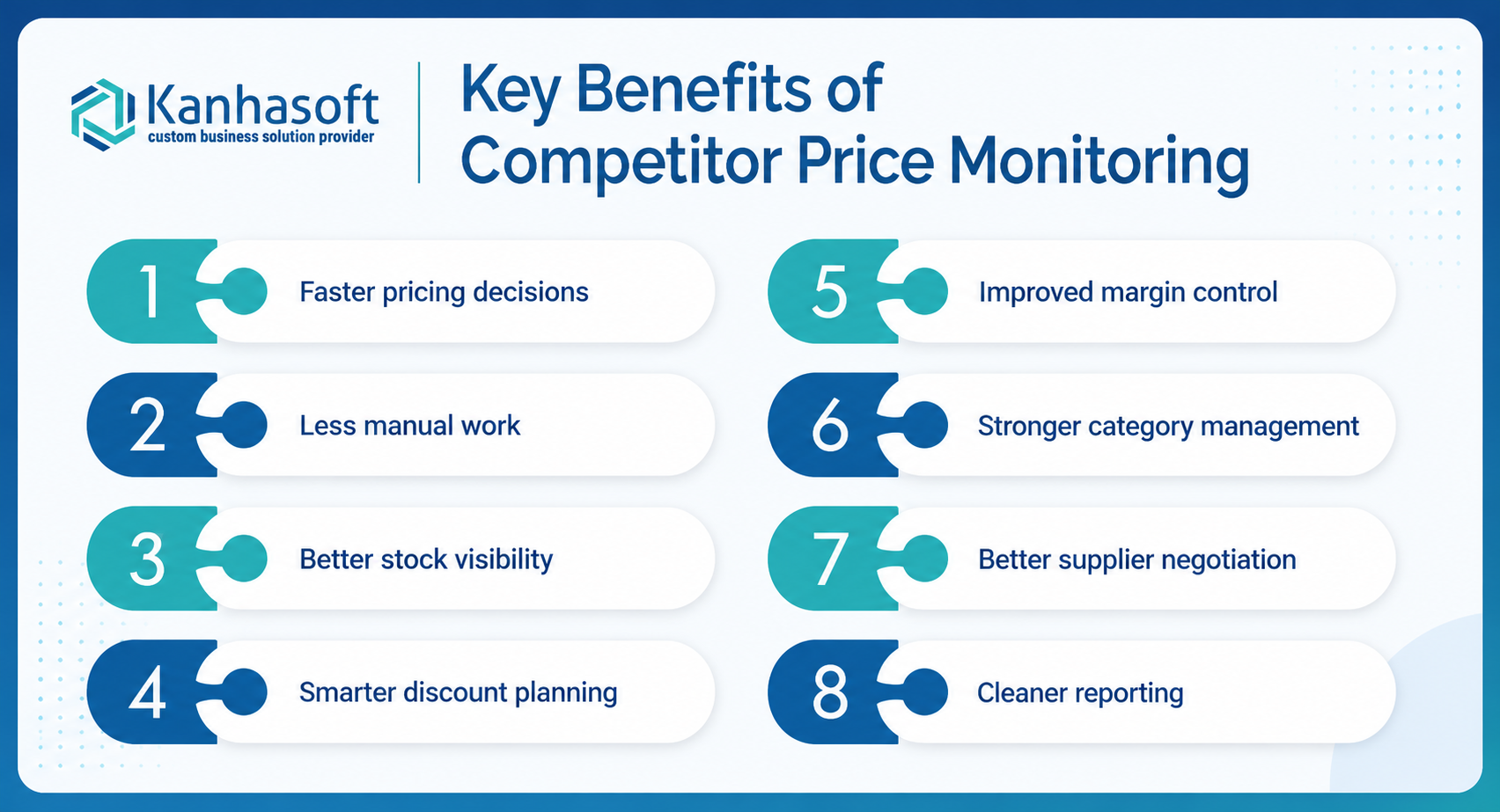
1. Faster pricing decisions
Your team can see competitor changes quickly and decide whether to adjust prices, hold margins, or promote selected products.
2. Less manual work
Automation reduces repetitive checking and spreadsheet updates. Teams can focus on analysis instead of data collection.
3. Better stock visibility
Competitor stock tracking shows when competitors are out of stock, low on inventory, or pushing clearance deals.
4. Smarter discount planning
Discount monitoring helps identify when competitors launch promotions, remove discounts, or use coupons to reduce effective prices.
5. Improved margin control
You can avoid unnecessary price cuts when competitor products are out of stock or not directly comparable.
6. Stronger category management
Category managers can monitor trends across brands, product groups, regions, and competitors.
7. Better supplier negotiation
Procurement teams can use market price and stock data during supplier discussions.
8. Cleaner reporting
Automated reports reduce the need for manual exports, screenshots, and last-minute spreadsheet work.
Limitations and Challenges
Automated monitoring is useful, but it is not magic. It needs realistic expectations.
Product matching can be difficult
Different titles, missing SKUs, variant changes, pack sizes, and duplicate listings can create confusion.
Websites change frequently
Competitor websites may update page layouts, product structures, scripts, or availability messages. Monitoring systems need maintenance.
Discounts can be hidden
Some discounts appear only after adding products to the cart, logging in, entering a location, or applying a coupon.
Stock status may vary by region
A product may be available in one ZIP code and unavailable in another. Location-based tracking requires extra setup.
Data may need review
Unusual price changes, missing values, or unexpected stock changes should be flagged before business action.
Automation cost depends on complexity
A small catalog is simple. A large catalog with thousands of products, multiple websites, variant matching, and frequent updates needs more planning.
Compliance, Security, and Ethical Considerations
Competitor monitoring should be planned carefully. The goal is to collect useful public business data responsibly, not to create legal, technical, or reputational risk.
Review website terms and robots.txt
Before collecting competitor website data, review the website’s terms of use and robots.txt guidance. Robots.txt is commonly used to manage crawler traffic, but it is not a complete security or legal permission system.
For sensitive cases, consult a qualified legal expert.
Avoid personal or sensitive data
Competitor price monitoring should focus on public product and commercial data. Avoid collecting personal data unless there is a clear legal basis and privacy review.
Do not overload websites
Responsible systems should use reasonable request rates, caching, retries, and monitoring. Poorly designed scraping can create unnecessary traffic and technical risk.
Respect access controls
Avoid collecting data behind logins, paywalls, private systems, or restricted areas without permission.
Secure your own monitoring system
Your internal system should protect data, API keys, reports, and dashboards. Use role-based access control, secure credential storage, audit logs, backups, and encryption where appropriate.
Keep decision logic transparent
If automated alerts influence pricing, procurement, or sales decisions, keep the rules clear. Teams should know why a product was flagged.
This is especially important when automation affects margins, supplier negotiations, or marketplace pricing.
Expert Observation: Product Matching Matters More Than Scraping
In real-world competitor monitoring projects, the hardest part is often not collecting prices. It is matching the right products.
A scraper can collect 50,000 product prices. But if Product A is compared with the wrong competitor product, the report becomes dangerous.
Good product matching uses multiple signals:
- SKU
- UPC or GTIN
- Brand
- Model number
- Product title
- Variant
- Pack size
- Image similarity
- Category
- Unit quantity
- Manual review for low-confidence matches
For business use, match confidence should be visible. A product with a 98% match can be used for automated reporting. A product with a 60% match may need human review.
This one step can make the difference between a useful pricing intelligence system and a confusing spreadsheet.
Common Mistakes to Avoid
Mistake 1: Tracking prices without stock status
A lower competitor price is less meaningful if the product is out of stock. Always track availability where possible.
Mistake 2: Ignoring pack size
A pack of 5 and a pack of 10 should not be compared as equal products. Normalize unit price.
Mistake 3: Monitoring too many products at once
Start with high-value, high-volume, or strategically important products. Then expand.
Mistake 4: Sending too many alerts
Alert fatigue is real. Send alerts only when the change requires attention.
Mistake 5: Not storing price history
A single price snapshot is useful, but price history is far more valuable. It helps identify patterns.
Mistake 6: Treating every competitor equally
Some competitors matter more than others. Prioritize direct competitors and high-impact categories.
Mistake 7: Ignoring website changes
Automated systems need monitoring. If a website changes its layout, data collection may fail or return incorrect values.
Mistake 8: Making automatic price changes without review
Automated repricing can be useful, but it should include margin rules, exception handling, and human oversight.
Practical Decision Checklist
Use this checklist before setting up automated competitor monitoring.
| Question | Why It Matters |
|---|---|
| Which competitors directly affect our sales? | Helps prioritize data sources |
| Which products should we monitor first? | Avoids unnecessary complexity |
| Do we have SKU, UPC, model, or product URL mapping? | Improves matching accuracy |
| Do we need price only, or stock and discounts too? | Defines data requirements |
| How often do prices change in our category? | Sets monitoring frequency |
| Do we need alerts, dashboards, Excel, CSV, or API? | Defines output format |
| Who will use the reports? | Shapes dashboard design |
| What pricing decisions will this data support? | Prevents unused reports |
| Do we need legal or compliance review? | Reduces risk |
| How will we handle failed pages or missing data? | Improves reliability |
| Do we need historical price trends? | Supports deeper analysis |
| Can our team review low-confidence product matches? | Improves data quality |
Real-World Use Cases by Industry
eCommerce and Retail
Retailers use competitor price monitoring to track similar products, market prices, discounts, stock gaps, and promotional movement.
Common outputs:
- Daily price reports
- Price gap alerts
- Category dashboards
- Competitor discount summaries
- Out-of-stock alerts
Auto Parts and Tires
Auto parts sellers often need detailed matching by brand, model, fitment, size, and part number.
Useful tracking fields:
- Product price
- Stock status
- Vehicle compatibility
- Warranty notes
- Shipping cost
- Location-based availability
Health, Beauty, and Personal Care
Beauty brands and retailers track discounts, unauthorized sellers, bundles, product availability, and marketplace pricing.
Useful outputs:
- Promotion monitoring
- Seller tracking
- Product availability alerts
- MAP pricing review support
- Discount trend reports
Dental and Medical Supplies
Distributors may track consumables, equipment, branded products, kits, and bulk packs.
Key challenge:
- Correct unit comparison across packs, kits, and quantity differences.
Useful outputs:
- Unit price comparison
- Competitor stock reports
- Product match review sheets
- Supplier negotiation reports
Electronics and Appliances
Prices change often in electronics. Discount timing matters.
Useful monitoring includes:
- Flash sale alerts
- Price history
- Stock movement
- Marketplace seller changes
- Bundle and warranty offer tracking
Wholesale and Distribution
Wholesalers use competitor monitoring to understand market pressure, supplier availability, and pricing gaps.
Useful outputs:
- Weekly market reports
- Inventory risk signals
- Category-level pricing trends
- Supplier comparison data
What Should a Good Competitor Monitoring Report Include?
A useful report should be simple enough for business users and detailed enough for pricing decisions.
Recommended columns:
| Field | Purpose |
|---|---|
| Your SKU | Connects data to your catalog |
| Your product name | Makes reports readable |
| Competitor name | Identifies the source |
| Competitor product URL | Supports verification |
| Competitor price | Shows current market price |
| Sale price | Tracks discounts |
| Discount percentage | Highlights promotion level |
| Stock status | Adds context to price |
| Shipping cost | Helps compare effective price |
| Pack size | Prevents wrong comparison |
| Match confidence | Shows data reliability |
| Last checked date | Shows data freshness |
| Change from previous check | Highlights movement |
| Recommended review flag | Helps teams prioritize |
For dashboards, include filters by brand, category, competitor, stock status, price gap, and discount type.
Should You Use SaaS Tools or a Custom Monitoring System?
Both can work.
A SaaS tool is usually better when your needs are standard. For example, you want to monitor common eCommerce products and need a quick dashboard.
A custom monitoring system is usually better when:
- You have complex product matching
- You monitor niche competitor websites
- You need custom fields
- You need Excel, CSV, API, or dashboard outputs
- You need location-based availability
- You need stock and discount logic
- You need integration with ERP, CRM, Shopify, Magento, or internal tools
- You need data ownership and flexible reporting
Many businesses start with a small custom pilot. This helps confirm product matching, data availability, monitoring frequency, and report usefulness before scaling.
Need Help Planning Competitor Price Monitoring?
If your team is still checking competitor prices, stock, and discounts manually, Kanhasoft can help you evaluate what is practical before you invest in a full system.
A useful first step is often a small pilot: select 20–100 important products, map them against direct competitors, collect price and stock data, and deliver a sample Excel, CSV, dashboard, or API output.
This helps you validate product matching, data quality, monitoring frequency, and business usefulness before scaling to thousands of products.
Kanhasoft supports custom web scraping, competitor price monitoring, stock tracking, discount tracking, dashboard development, and data automation for eCommerce, retail, distribution, and B2B companies.
The goal is simple: help your team replace manual checking with reliable, decision-ready competitor data.
Final Words
Learning how to monitor competitor prices automatically is not only about collecting prices. It is about building a reliable process for tracking competitor price changes, stock availability, discounts, promotions, and product-level market movement.
Manual tracking may work for a small catalog, but it becomes slow and unreliable as products and competitors increase. Automated competitor monitoring helps pricing, procurement, sales, and management teams make faster, better-informed decisions.
The best approach is to start with your most important products, create accurate product mapping, choose the right data collection method, validate the data, and deliver reports in a format your team will actually use.
For many businesses, the most practical path is a focused pilot first, then a scalable monitoring system once the data quality and business value are proven.