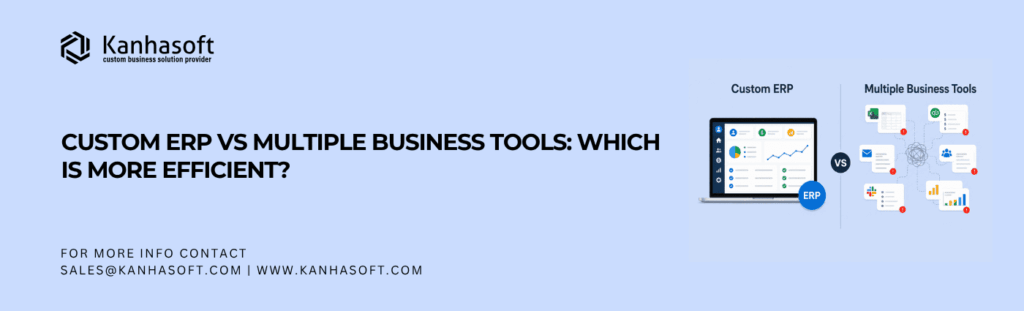
When comparing custom ERP vs multiple business tools, the more efficient choice depends on how complex your operations have become. Multiple tools can work well for small teams that need speed, flexibility, and low upfront cost. However, a custom ERP is usually more efficient when departments depend on shared data, approvals, inventory, finance, reporting, HR, sales, procurement, or operations workflows.
The real question is not “Which software is better?” It is “Which setup reduces manual work, data errors, duplicate entry, reporting delays, and operational confusion for your business?”
This article is especially useful for:
- Business owners deciding whether to replace scattered software
- Operations leaders managing disconnected workflows
- Finance teams struggling with manual reports and reconciliation
- Manufacturers, distributors, logistics firms, and service companies
- IT managers evaluating ERP integration and data migration
- Companies using spreadsheets plus several SaaS tools
- Decision-makers comparing short-term flexibility with long-term efficiency
Quick Answer: Custom ERP vs Multiple Business Tools
A custom ERP is usually more efficient when your business needs one connected system for finance, inventory, sales, procurement, HR, operations, reporting, and approvals. It reduces duplicate work, improves visibility, and supports process control.
Multiple business tools are more efficient when your company is smaller, your workflows are simple, and each department can work independently without frequent data exchange.
In simple terms:
| Situation | More Efficient Option |
|---|---|
| Small team with simple workflows | Multiple business tools |
| Growing business with cross-department work | Custom ERP |
| Heavy reporting and approval dependency | Custom ERP |
| Limited budget and quick setup need | Multiple tools |
| Complex inventory, finance, operations, or compliance | Custom ERP |
| Experimental or early-stage business model | Multiple tools first |
The best choice depends on process maturity, team size, data flow, reporting needs, compliance risk, and long-term operating cost.
What Is a Custom ERP?
A custom ERP is a business management system built around your company’s specific processes. ERP stands for Enterprise Resource Planning. It connects important functions such as sales, inventory, procurement, accounting, HR, production, logistics, customer management, and reporting.
Unlike off-the-shelf software, a custom ERP is designed around how your business actually works.
For example, a manufacturing company may need ERP modules for:
- Raw material planning
- Production scheduling
- Vendor purchase orders
- Quality checks
- Inventory movement
- Dispatch planning
- Finance approvals
- Management dashboards
A custom ERP can bring these workflows into one controlled system.
What Are Multiple Business Tools?
Multiple business tools are separate software applications used for different business functions.
For example:
- HubSpot or Zoho for CRM
- QuickBooks or Xero for accounting
- Trello, Asana, or ClickUp for project management
- Google Sheets or Excel for reporting
- Shopify or WooCommerce for eCommerce
- Slack or Teams for communication
- BambooHR or another HRMS for employee management
This setup works well when each tool solves a clear problem. However, it can become difficult when teams need shared data, approvals, and real-time reporting across systems.
We have all seen this happen: sales updates one tool, finance checks another, operations uses a spreadsheet, and management waits for someone to “combine everything” before making a decision. That is usually the point where tool convenience starts becoming operational drag.
Custom ERP vs Multiple Business Tools: Core Difference
The main difference is centralization vs specialization.
Multiple tools are usually specialized. Each tool does one job well. A custom ERP is centralized. It connects many business functions into one system.
| Factor | Custom ERP | Multiple Business Tools |
|---|---|---|
| Main purpose | Centralized business operations | Department-specific productivity |
| Setup time | Longer | Faster |
| Upfront cost | Higher | Lower |
| Workflow fit | Can be highly customized | Limited by each tool |
| Data visibility | Centralized dashboards | Scattered reports |
| Integration needs | Built into the system | Requires third-party integrations |
| Scalability | Strong for complex operations | Good until workflows become tangled |
| User training | Requires structured rollout | Usually easier per tool |
| Control and permissions | More unified | Tool-by-tool permissions |
| Reporting accuracy | Better when implemented well | Depends on integrations and manual updates |
Neither approach is automatically better. The more efficient option depends on your operating model.
When Multiple Business Tools Are More Efficient
Multiple tools can be the smarter option when your business needs speed, flexibility, and low implementation effort.
1. Your business is still early-stage
If your process is still changing every few weeks, building a custom ERP too early can create unnecessary cost and rework.
For example, a startup selling a small product line may not need a custom ERP. It can use Shopify, QuickBooks, Google Sheets, and a simple CRM until the workflow becomes more stable.
2. Each department works independently
If sales, finance, HR, and operations do not need frequent shared workflows, separate tools may work fine.
For example, a small consulting company may use:
- CRM for leads
- Accounting software for invoices
- Project management software for delivery
- Google Drive for documents
This can remain efficient if data sharing is minimal.
3. You need fast deployment
Most SaaS tools can be set up quickly. That makes them useful when a team needs an immediate solution.
For example, if your support team needs ticket tracking this week, a dedicated helpdesk tool may be better than waiting for a full ERP module.
4. You want best-in-class features
Specialized tools often offer strong features in their category. A standalone CRM may provide advanced sales automation. A dedicated accounting system may provide strong tax and invoicing features.
In this case, multiple tools may be better if the business values specialized depth over unified control.
When Custom ERP Is More Efficient
A custom ERP becomes more efficient when business operations are connected, repetitive, and data-heavy.
1. Your teams enter the same data in many places
Duplicate data entry is one of the clearest signs that multiple tools are becoming inefficient.
For example:
- Sales enters the order in the CRM
- Operations copies it into a spreadsheet
- Inventory checks stock manually
- Finance creates an invoice separately
- Management receives a weekly report later
A custom ERP can turn this into one connected workflow.
2. Reporting takes too long
If your team spends hours or days preparing reports, the issue is not only reporting. It is usually fragmented data.
A custom ERP can create dashboards for:
- Sales pipeline
- Order status
- Inventory levels
- Purchase requests
- Production progress
- Delivery status
- Revenue and cost tracking
- Team productivity
This helps decision-makers act faster.
3. Approvals are stuck in email or chat
Approval workflows become messy when purchase requests, discounts, leave approvals, vendor payments, and project changes move through email or chat.
A custom ERP can define approval rules by department, amount, role, and business condition.
For example:
- Purchase below $1,000 goes to the department manager
- Purchase above $1,000 goes to finance
- Purchase above $10,000 goes to leadership
- Every approval creates an audit trail
That level of control is hard to maintain across disconnected tools.
4. Inventory, finance, and operations depend on each other
This is common in manufacturing, logistics, wholesale, healthcare, construction, and eCommerce.
For example, a distributor may need to know:
- What stock is available
- Which purchase orders are pending
- Which customer orders are confirmed
- Which invoices are unpaid
- Which products are delayed
- Which warehouse has inventory
If that information lives in five tools, efficiency drops.
5. Your process is unique
Many businesses do not fit neatly into standard SaaS workflows.
A custom ERP is useful when your business has:
- Custom pricing rules
- Multi-location inventory
- Complex approval flows
- Industry-specific compliance needs
- Vendor-specific procurement logic
- Production or dispatch dependencies
- Custom reporting requirements
In this case, forcing your business into generic tools can create more friction than value.
Efficiency Comparison: Custom ERP vs Multiple Business Tools
Efficiency is not only about software speed. It also includes human effort, process clarity, data accuracy, reporting time, and long-term maintainability.
| Efficiency Area | Custom ERP | Multiple Business Tools |
|---|---|---|
| Data entry | Lower duplication when centralized | Often repeated across systems |
| Reporting | Real-time or near real-time dashboards | Manual exports and combined reports |
| Workflow automation | Built around business logic | Limited by tool capabilities |
| User adoption | Needs training and change management | Easier for small teams |
| Cost control | Higher upfront, lower tool sprawl | Lower upfront, rising subscriptions |
| Integration complexity | Planned inside architecture | Many APIs, connectors, and sync rules |
| Process visibility | Strong across departments | Fragmented by tool |
| Compliance tracking | Easier with unified audit logs | Harder across separate tools |
| Customization | High | Limited or costly |
| Long-term scalability | Strong for complex operations | Depends on integration quality |
Best Choice by Situation
| Business Situation | Better Choice | Why |
|---|---|---|
| You have fewer than 10 users and simple processes | Multiple business tools | Faster and cheaper to manage |
| You are validating a new business model | Multiple business tools | Easier to change quickly |
| You have 25+ users across departments | Custom ERP | Better control and visibility |
| You manage inventory, purchasing, sales, and finance together | Custom ERP | Reduces manual coordination |
| You rely heavily on Excel for operations | Custom ERP | Centralizes live business data |
| You need advanced CRM features only | Dedicated CRM tool | Specialized tool may be stronger |
| You need department-wide reporting | Custom ERP | Reduces reporting delays |
| You have strict access and approval rules | Custom ERP | Easier to enforce permissions |
| Your current tools already work well together | Multiple tools | No need to replace what works |
| Your integration costs are rising every year | Custom ERP | May reduce long-term complexity |
Practical Business Examples
Example 1: Manufacturing Company
A manufacturing company uses Excel for production planning, QuickBooks for accounting, WhatsApp for approvals, and a CRM for sales. The sales team promises delivery dates without real-time production visibility.
This creates delays, missed commitments, and stock confusion.
A custom ERP can connect:
- Sales orders
- Raw material inventory
- Production planning
- Vendor purchases
- Dispatch
- Invoicing
- Management dashboards
In this case, custom ERP is usually more efficient because every department depends on the same operational data.
Example 2: Small Marketing Agency
A small agency uses HubSpot for leads, ClickUp for projects, Slack for communication, and Xero for accounting. The team has 12 people and simple workflows.
A custom ERP may not be necessary.
The agency can improve efficiency by integrating existing tools and standardizing reporting.
Example 3: eCommerce and Distribution Business
An eCommerce company sells on its own website, Amazon, and marketplaces. It manages stock in spreadsheets and tracks supplier purchases separately.
Problems appear when:
- Stock is oversold
- Price updates are delayed
- Purchase planning is reactive
- Returns are not connected to finance
- Customer service lacks order visibility
A custom ERP or centralized operations platform can be more efficient here.
Example 4: Healthcare Service Provider
A healthcare service provider may use separate tools for appointments, billing, staff scheduling, patient communication, inventory, and reports.
Because healthcare workflows may involve sensitive data, access control and audit logs become important.
A custom ERP or carefully integrated system can improve control, but the company should involve legal, compliance, and data privacy experts before designing workflows around protected or sensitive information.
Benefits of a Custom ERP
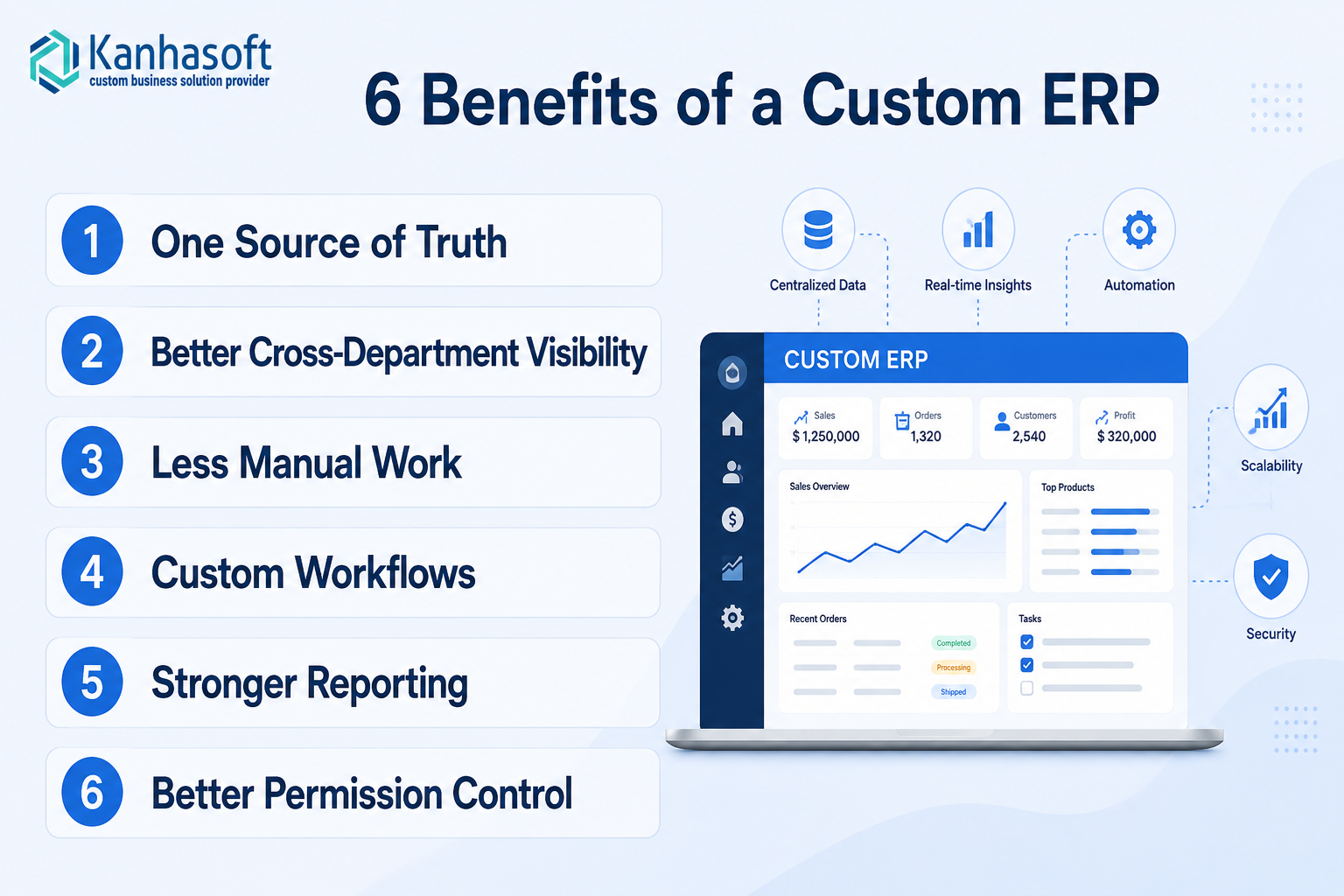
1. One source of truth
A custom ERP gives teams one place to view and update business data. This reduces confusion and improves accountability.
2. Better cross-department visibility
Sales, operations, finance, HR, and management can work from the same data. As a result, decisions become faster and more reliable.
3. Less manual work
ERP automation can reduce repetitive tasks such as approvals, status updates, report preparation, invoice checks, and stock tracking.
4. Custom workflows
A custom ERP can match your actual business process instead of forcing your team into a generic workflow.
5. Stronger reporting
Dashboards can be built around the metrics that matter most to your company.
For example:
- Order aging
- Sales conversion
- Vendor delays
- Inventory turnover
- Production bottlenecks
- Payment status
- Employee workload
- Department-wise performance
6. Better permission control
A centralized system can define who can view, edit, approve, export, or delete information.
This is especially useful for companies with finance, HR, vendor, customer, or sensitive operational data.
Benefits of Multiple Business Tools
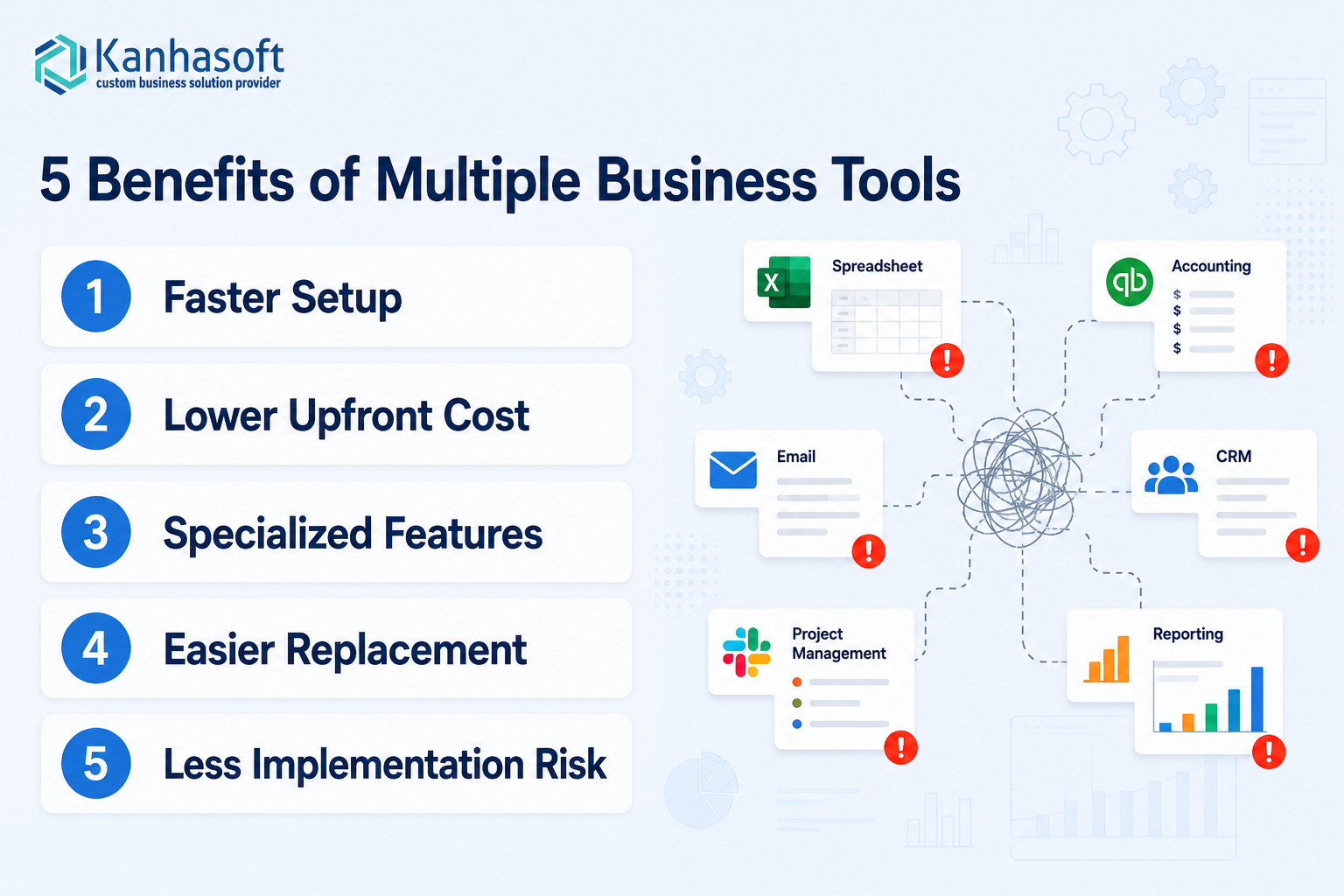
1. Faster setup
Most SaaS tools are ready to use quickly. This helps teams solve urgent problems without waiting for custom development.
2. Lower upfront cost
Subscription tools usually cost less at the beginning. This is helpful for small businesses and startups.
3. Specialized features
Dedicated tools may offer deeper functionality in one area, such as CRM automation, accounting, email marketing, or support ticketing.
4. Easier replacement
If one tool no longer works, the company can replace it without rebuilding the entire system.
5. Less implementation risk
A full ERP project requires planning, user training, testing, and change management. Multiple tools can feel easier because each tool solves a smaller problem.
Limitations and Challenges of Custom ERP
Custom ERP can be powerful, but it is not always the right first step.
Higher upfront investment
A custom ERP needs discovery, planning, design, development, testing, data migration, and training.
Longer implementation time
Unlike ready-made tools, a custom ERP takes time to build and roll out.
Change management is required
Employees may resist a new system if they are comfortable with spreadsheets or existing tools.
Poor planning can create a bad ERP
A custom ERP is only useful when the business process is clearly understood. If requirements are vague, the system may become confusing or overbuilt.
Maintenance is part of the decision
A custom ERP needs ongoing support, updates, security monitoring, and feature improvements.
This is not a one-time decision. It is a long-term business system.
Limitations and Challenges of Multiple Business Tools
Multiple tools can also create hidden problems.
Tool sprawl
As the business grows, each department may add its own software. Over time, no one knows which tool is the source of truth.
Integration gaps
APIs and connectors can help, but they may not cover every business rule. Sync delays and failed integrations can create errors.
Rising subscription costs
The monthly cost of many tools can become significant, especially when user-based pricing increases.
Manual reporting
Teams often export data from several tools and combine it in spreadsheets. This creates delay and risk of human error.
Inconsistent permissions
Each tool has its own access settings. That makes security harder to manage.
Vendor dependency
If a key tool changes pricing, removes features, limits API access, or suffers downtime, your workflow may be affected.
Compliance, Risk, Security, and Ethical Considerations
Whether you choose custom ERP or multiple tools, security and governance should be part of the decision.
Data privacy
If your system stores customer, employee, financial, healthcare, or vendor data, define how that data is collected, stored, processed, shared, and deleted.
For businesses operating across the USA, UK, EU, UAE, Switzerland, or Israel, data protection requirements may vary. It is wise to consult a qualified legal or privacy expert when handling regulated or sensitive information.
Role-based access control
Users should only access the data they need. Finance data, HR records, customer contracts, supplier pricing, and approval rights should not be open to everyone.
Audit trails
A good system should record important actions such as approvals, changes, exports, deletions, and financial updates.
Data migration risk
Moving data from spreadsheets and tools into ERP requires careful validation. Poor migration can create duplicate records, missing values, or incorrect reports.
Backup and recovery
Both ERP and SaaS-based systems need clear backup, recovery, and business continuity planning.
Ethical automation
Automation should improve control, not hide responsibility. For example, automated approvals, AI-based recommendations, or employee productivity reports should be transparent and fair.
Real-World Use Cases by Industry
Manufacturing
A custom ERP can connect production planning, BOM, inventory, procurement, quality control, dispatch, and finance.
Best fit: Custom ERP when production and inventory data affect delivery commitments.
Logistics and Transportation
ERP can help manage fleet operations, dispatch, driver records, fuel, route updates, billing, and customer reporting.
Best fit: Custom ERP or integrated platform when operations are time-sensitive.
Wholesale and Distribution
ERP helps track inventory across warehouses, purchase orders, supplier delays, customer pricing, and invoicing.
Best fit: Custom ERP when stock accuracy affects revenue.
Healthcare and Clinics
A centralized system can manage appointments, staff allocation, billing, inventory, patient communication, and reporting.
Best fit: Custom ERP or specialized healthcare software, depending on compliance needs.
Professional Services
Agencies and consulting firms may use project management, CRM, time tracking, and accounting tools.
Best fit: Multiple tools unless reporting, billing, and delivery workflows become complex.
eCommerce
Businesses selling through multiple channels may need inventory sync, pricing, order processing, returns, supplier planning, and analytics.
Best fit: Custom ERP or centralized operations software when marketplace, warehouse, and finance data must stay aligned.
Construction and Field Services
ERP can connect project estimates, materials, job scheduling, contractor work, approvals, invoicing, and site progress.
Best fit: Custom ERP when field activity and finance must be tightly connected.
Common Mistakes to Avoid
Mistake 1: Choosing an ERP just because the business is growing
Growth alone does not mean you need ERP. You need ERP when operational complexity creates measurable inefficiency.
Mistake 2: Keeping too many tools because “they are cheap”
Cheap tools can become expensive when they cause duplicate work, errors, delays, and poor decisions.
Mistake 3: Ignoring user adoption
Even the best ERP can fail if employees do not understand why it matters or how to use it.
Mistake 4: Rebuilding every feature from every tool
A custom ERP does not need to copy every SaaS feature. It should focus on workflows that are unique, important, and inefficient today.
Mistake 5: Not calculating total cost of ownership
Compare the full cost, including licenses, integrations, manual work, support, errors, training, and future changes.
Mistake 6: Migrating bad data into a new system
If your spreadsheets are messy, your ERP will inherit the mess unless data cleanup happens first.
Mistake 7: Building without process owners
Each department should have a process owner who can explain real workflows, exceptions, approvals, and reporting needs.
Practical Decision Checklist
Use this checklist before deciding between custom ERP vs multiple business tools.
| Question | If Yes, What It Indicates |
|---|---|
| Do teams enter the same data more than once? | ERP may improve efficiency |
| Are reports delayed because data is scattered? | ERP may be useful |
| Do approvals happen through email, chat, or spreadsheets? | Workflow automation is needed |
| Are subscription and integration costs rising? | Compare long-term ERP cost |
| Do departments disagree on the correct data? | A single source of truth is needed |
| Are current tools working well with minimal manual effort? | Multiple tools may still be fine |
| Are workflows still changing every month? | Delay custom ERP or start with MVP |
| Do you need strong audit logs and access control? | ERP may offer better governance |
| Can your team commit to training and rollout? | ERP success becomes more realistic |
| Do you have clear process owners? | ERP planning will be easier |
If you answered “yes” to several ERP-related questions, it may be time to evaluate a custom ERP system.
Expert Observation: The Real Efficiency Problem Is Usually Not the Tool
In practice, the biggest issue is rarely one bad tool. It is usually the gap between tools.
A company may have good CRM, good accounting software, and good project management software. However, if order data, payment status, inventory, and delivery updates do not move cleanly between them, the business still feels inefficient.
That is why the decision should start with process mapping.
Before building ERP or buying more tools, map:
- Where data is created
- Who updates it
- Where it is duplicated
- Which reports take the longest
- Which approvals slow down work
- Which errors cost money
- Which teams depend on each other
This exercise often makes the right software decision much clearer.
Should You Replace All Tools with Custom ERP?
Not always.
A good Custom ERP strategy does not mean replacing every tool. In many cases, the best setup is hybrid.
For example, a company may use:
- Custom ERP for operations, inventory, approvals, and reporting
- QuickBooks or Xero for accounting
- HubSpot for marketing automation
- Shopify for eCommerce
- Google Workspace or Microsoft 365 for documents and email
The custom ERP becomes the operational backbone, while specialized tools continue doing what they do best.
This approach can reduce risk and cost.
Need Help Evaluating Your ERP Readiness?
If your team is comparing multiple tools with a custom ERP system, Kanhasoft can help you review the practical side before you commit to development.
A useful first step is not always “build ERP.” Sometimes it is process mapping, integration review, data cleanup, or an ERP MVP plan.
Kanhasoft works with businesses to evaluate workflows, identify manual bottlenecks, plan ERP modules, and decide whether custom ERP, tool integration, or a hybrid approach makes the most sense.
If your current tools are slowing down reporting, approvals, inventory, finance, or operations, a focused ERP discovery discussion can help you choose the right next step with less risk.
Final Words
The decision between custom ERP vs multiple business tools should be based on operational efficiency, not software preference.
Multiple tools are useful when your business needs speed, flexibility, and specialized features. They work well for smaller teams, early-stage companies, and simple workflows. However, as operations grow, disconnected tools can create duplicate work, slow reporting, data errors, and weak visibility.
A custom ERP becomes more efficient when your business needs one connected system for sales, finance, inventory, procurement, HR, approvals, operations, and reporting.
The best path is often practical and phased: map your workflows, measure the cost of current inefficiencies, keep the tools that still work, and consider a custom ERP where centralization will create real business value.