A purchase request can sit untouched for three days, even when everyone agrees the equipment is needed. The department head is traveling, finance needs one more detail, and nobody knows who should take over. ERP approval workflows address this kind of delay, which is why companies exploring custom ERP development often start by examining how decisions move between teams.
Instead of passing requests between email, spreadsheets, and chat, teams can see who needs to decide, what information is missing, and what happens after approval.
Quick Answer: How Do ERP Approval Workflows Save Time?
ERP approval workflows send purchase requests, quotations, expenses, invoices, and other decisions to the right person based on company rules. They keep documents together, show each request’s status, and remind people when action is overdue. Teams spend less time chasing updates. Managers still make the decisions that require judgment.
For finance, purchasing, operations, sales, and HR leaders.
The Real Reason Approvals Take So Long
Imagine a purchasing officer requesting 20 replacement laptops. The manager approves the purchase in an email, but finance cannot find the quotation. The vendor sends an updated price, so purchasing starts the conversation again.
The delay often comes from finding information, checking authority, and forwarding documents—not from the decision itself.
An ERP keeps the request and its history in one place. A workflow is simply the set of rules that determines who reviews it next. An approval matrix defines who can authorize requests by amount, department, or type.
The most useful question is not “Can we automate every approval?” It’s “Which requests shouldn’t need five emails to get one answer?”
Where ERP Approval Workflows Make a Difference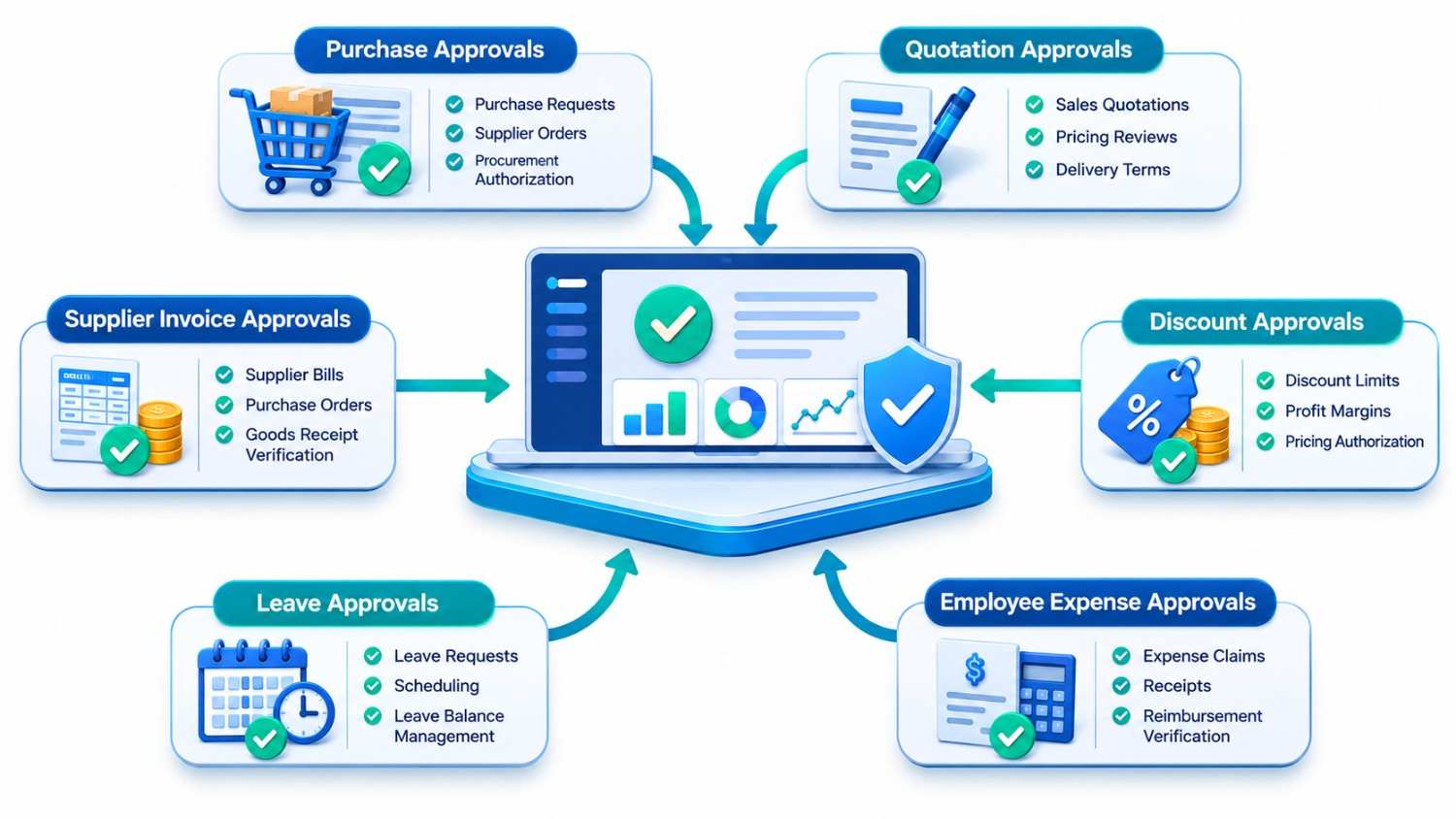
Purchase approvals: Stop chasing signatures
Purchasing has a simple goal: get needed goods or services without bypassing budgets. In practice, staff may need permission from a department head, finance, or both.
An ERP can check that a purchase request includes an amount, supplier, purpose, and budget code. It then sends the request to the appropriate manager. If the approver is away, a designated backup can step in rather than leaving the purchase stranded.
Consider a fictional manufacturer. Routine supplies under an agreed spending limit go to the plant manager. A new machine needs finance and leadership approval. The business defines these limits.
After approval, purchasing can prepare the purchase order from the existing record. No one needs to type the same details again.
Quotations: Help sales respond while interest is high
A salesperson may be ready to send a quotation but needs approval for unusual payment terms or a delivery commitment. If the quote moves through several inboxes, the customer may receive it too late.
A well-set-up workflow sends standard quotations through quickly and flags only the exceptions. The manager sees the proposed terms and customer requirements together.
There is one detail worth protecting: the version approved must be the version sent. If the price or delivery date changes afterward, the quote may need another review.
Discounts: Look beyond the percentage
A 10% discount doesn’t carry the same risk on every sale. Product cost, contract terms, order size, and expected margin matter.
ERP rules can allow a salesperson to offer discounts within agreed limits and send unusual requests to a manager. The reviewer sees the proposed price and its likely effect on margin. That keeps routine negotiations moving.
Still, the system needs reliable cost information. An automated margin check built on outdated costs creates false confidence.
Employee expenses: Keep receipts with the claim
Expense approvals often become a hunt for missing documents. Someone submits a travel claim, a manager asks for the receipt, and finance finds that the amount differs from the original request.
The employee attaches a receipt to the claim. A manager reviews the purpose, and finance checks the accounting details. Incomplete claims can go back for correction.
For a practical example of supported approval and rejection steps, see Odoo’s expense approval documentation.
Leave requests: Give managers a clear staffing picture
A leave request may look straightforward until three people from the same shift request the same Friday off.
An ERP-linked leave process can show dates, available balances, and the responsible manager. If shift coverage is tracked, the manager can check it too. Approved leave then updates HR records.
Human judgment remains important. Sensitive leave categories and local employment rules need careful handling, not a blanket automatic rejection.
Supplier invoices: Resolve mismatches before payment
Picture this: the purchase order covers 100 units, the warehouse records delivery of 80, and the supplier invoices all 100. Finance needs to investigate before paying.
A connected ERP can put the purchase order, received quantity, and invoice together. This comparison is commonly called three-way matching. Matching records may follow a straightforward review; mismatches go back to the right team for clarification.
Keep invoice approval separate from permission to release payment. The person confirming a bill is correct does not always need authority to move money.
A Simple Approval Journey, Before and After
Here is an illustrative example of a $6,500 equipment request. The amount is just for demonstration.
| Without a connected process | With an ERP workflow |
| Employee emails the request and attachments separately | Employee submits one request with supporting documents |
| Manager forwards it to finance | The system routes it based on company rules |
| Purchasing asks whether approval is complete | Everyone can see the current status |
| Changed figures trigger another email chain | Revised amounts return for review with a record of changes |
The ERP removes the searching around the decision; people still decide.
Faster Doesn’t Mean Approving Everything Automatically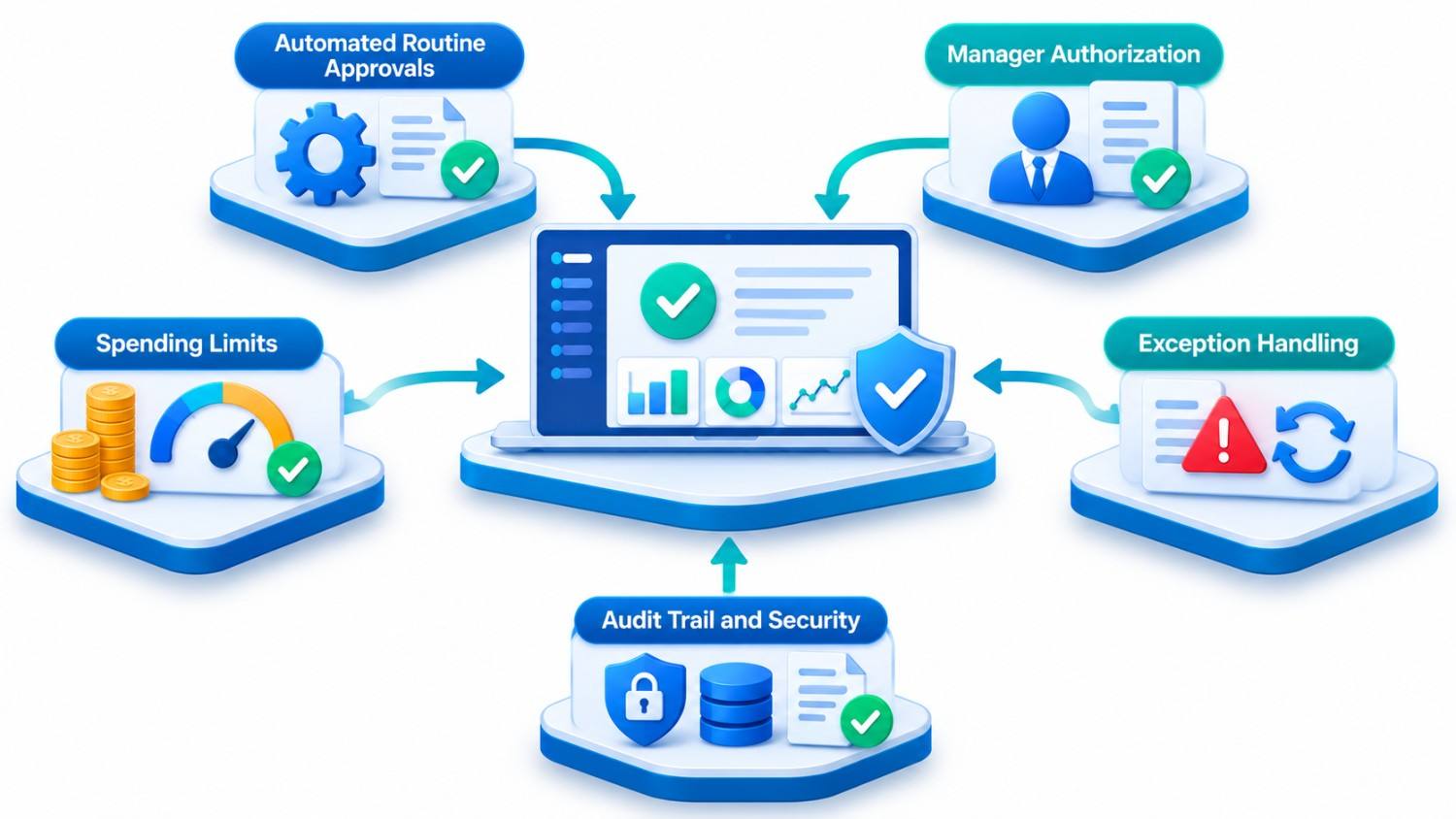
Too many approval steps slow businesses down. Too few can expose them to poor purchases, unauthorized discounts, or payment fraud.
A sensible approach is to make routine, low-risk requests easier while keeping important checks. A manager may approve ordinary office supplies quickly but still review a new supplier, a high-value invoice, or changed bank details personally.
Set clear rules for absences, rejected requests, and urgent exceptions. Record who approved each request. Prevent people from approving their own sensitive requests.
Microsoft’s Business Central approval workflow guidance describes approvers, backup approvers, spending limits, and notifications. The principles apply beyond Microsoft’s products.
Do You Need Custom ERP Approval Workflows?
Not necessarily. A simple business with a handful of monthly approvals might be perfectly comfortable with its existing tools. And many ERP platforms already include approval settings.
| Your situation | Practical starting point |
| Occasional requests with one approver | Improve the current process first |
| Standard purchasing and expense rules | Configure built-in ERP approvals |
| Several departments using separate systems | Review integrations and shared records |
| Complex pricing, locations, or exception rules | Assess targeted custom development |
First check whether the software or the company policy is the real problem. Kanhasoft’s article on custom ERP versus multiple business tools covers the wider system choice; approval delays deserve their own closer examination.
What We Can Learn From an ERP Project
A production and logistics ERP developed by Kanhasoft connected procurement, inventory, sales, and logistics for a manufacturing business. Its documented features include approvals for inventory transfers, along with purchase orders, goods receipt records, and supplier invoice handling.
An approval matters only if it connects to the next action. The warehouse must know what was authorized, move the right goods, and update stock. An email saying ‘approved’ cannot do all three.
How to Start Without Creating Another Complicated Process
Pick one approval type that regularly causes delays. Ask staff to show you how a request moves today, including the workarounds nobody wrote into the procedure.
List the information reviewers need, name a backup approver, and test changes and rejections. Pilot one department first.
Measure time to approval, missing details, and follow-up messages. A faster process that creates invoice disputes isn’t an improvement.
Conclusion: Make the Decision Easy to Reach
ERP approval workflows reduce manual work when they make requests complete, put them in front of the right person, and give everyone a clear answer. Purchase approvals, quotations, discounts, expenses, leave, and invoices all benefit from that clarity. The aim isn’t to remove managers from the process. It’s to stop wasting their time getting to the decision.
How Kanhasoft Can Help
If approval requests repeatedly get stuck between departments, Kanhasoft can help review the process and decide whether your current ERP needs better configuration, an integration, or a custom workflow. Our ERP development services can support changes without assuming you need a new system.