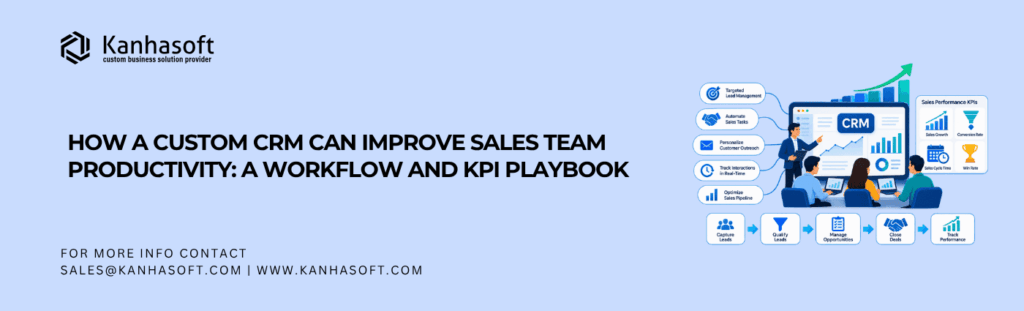
A promising inquiry arrives at 9 a.m. By lunchtime, nobody knows who owns it. Custom CRM sales productivity starts by fixing situations like these. A well-designed custom CRM system gives every lead an owner, every important conversation a next step, and every manager a clearer view of what needs attention.
The goal is less administration and more useful customer conversations.
Quick Answer: How Does a Custom CRM Make Sales Teams More Productive?
A custom CRM improves sales productivity by connecting lead capture, assignment, follow-up tasks, reminders, deal stages, and reporting in one workflow. It can reduce duplicate entry, flag overdue actions, and help managers spot stalled deals. Unlike a fixed process, a custom CRM can reflect the team’s actual sales cycle. Results depend on data quality, adoption, and sensible automation.
Especially useful for sales directors, business owners, revenue operations leaders, and B2B teams managing multiple reps, territories, or approval steps.
Custom CRM Sales Productivity: Measure Outcomes, Not Just Activity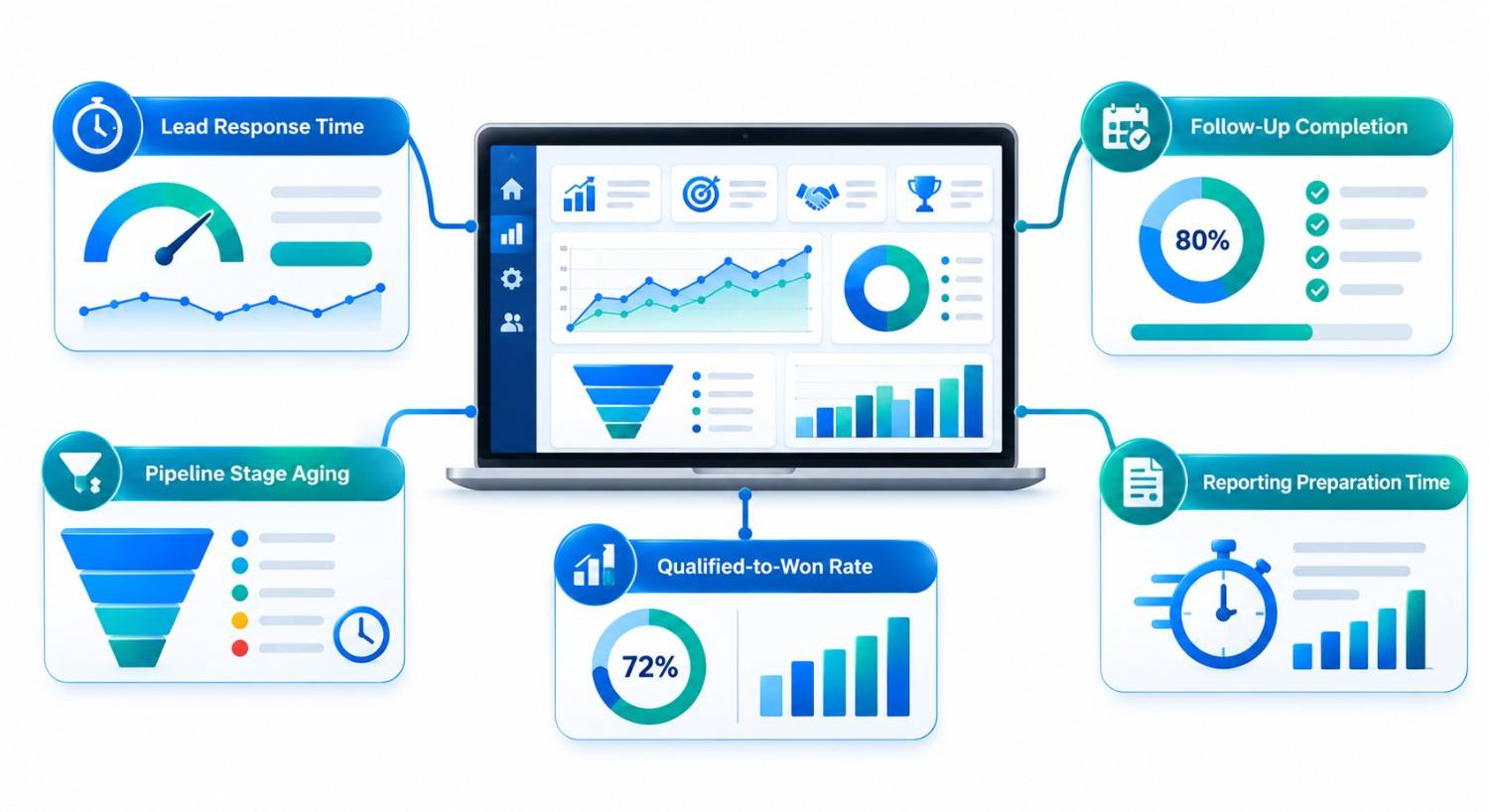
Sales productivity is the useful selling progress a team produces relative to the time and resources it uses. More logged calls do not necessarily mean better sales performance. A team can be busy while qualified prospects wait for answers.
For a practical assessment, separate activity from outcome. Measure response time and completed follow-ups alongside qualified meetings, stage progression, and won revenue. This prevents dashboards from rewarding busywork.
| Signal | Question it answers | Warning sign |
| Lead response time | How quickly do owners contact new inquiries? | Leads sit unassigned |
| Follow-up completion | Are promised next steps happening on time? | Overdue tasks accumulate |
| Stage aging | How long do opportunities remain at each step? | Deals linger without evidence |
| Qualified-to-won rate | Are suitable opportunities moving to purchase? | Activity rises while wins stagnate |
| Reporting preparation time | How much manual effort goes into reviews? | Managers rebuild spreadsheets |
Choose measures before buying software; otherwise, you risk automating busywork. For a broader introduction to customization and interface design, read our guide to tailored CRM systems.
1. Lead Management: Give Every Inquiry a Clear Owner
Leads arrive through forms, referrals, calls, and campaigns. Without routing, two sellers may respond—or neither may.
A custom CRM can validate contact details, check duplicates, record lead source, and assign ownership using geography, product expertise, workload, or account relationships. It can also create an initial response task when an inquiry arrives.
For a regional distributor, existing customers might go to their account owner; new inquiries follow territory rules.
Design rule: If a lead cannot be assigned, send it to a monitored exception queue. Silent routing failures are worse than a visible backlog. Also define what happens when an owner leaves the company, takes vacation, or already manages a related opportunity. These exceptions often reveal whether routing rules work in daily operations.
2. Follow-Ups and Reminders: Turn Promises Into Next Actions
Sales follow-up automation should support commitments, not send indiscriminate messages. After meetings, reps record next actions and due dates.
A Tuesday proposal might trigger a Thursday reminder. If the prospect replies first, the reminder should close or change.
A useful reminder workflow includes:
- A named task owner, due time, and customer context.
- An escalation path for overdue high-priority actions.
- A stop condition when a prospect responds, declines, or opts out.
- A history showing what happened, not just what was scheduled.
Automated email and SMS sequences need appropriate consent, preference controls, and compliance review for the markets served. Automation should never replace the judgment needed for sensitive or complex deals.
3. Sales Pipeline Management: Make Progress Verifiable
A sales pipeline represents opportunities moving through defined stages toward a decision. Typical stages include discovery, proposal, negotiation, and closure. These labels matter only when everyone uses them consistently.
A custom pipeline can require relevant evidence before a deal advances. For example, a proposal-stage opportunity might need a confirmed decision-maker, a documented requirement, and an expected decision date. A deal with no next activity can appear in a manager’s exception view.
Complex processes may also require quotation approvals, product checks, or delivery handoffs.
A useful distinction: A pipeline is the current view of opportunities; a sales forecast is an estimate of likely future revenue. Moving a deal into negotiation should not automatically make its revenue certain.
4. Reporting: Show Managers Where Help Is Needed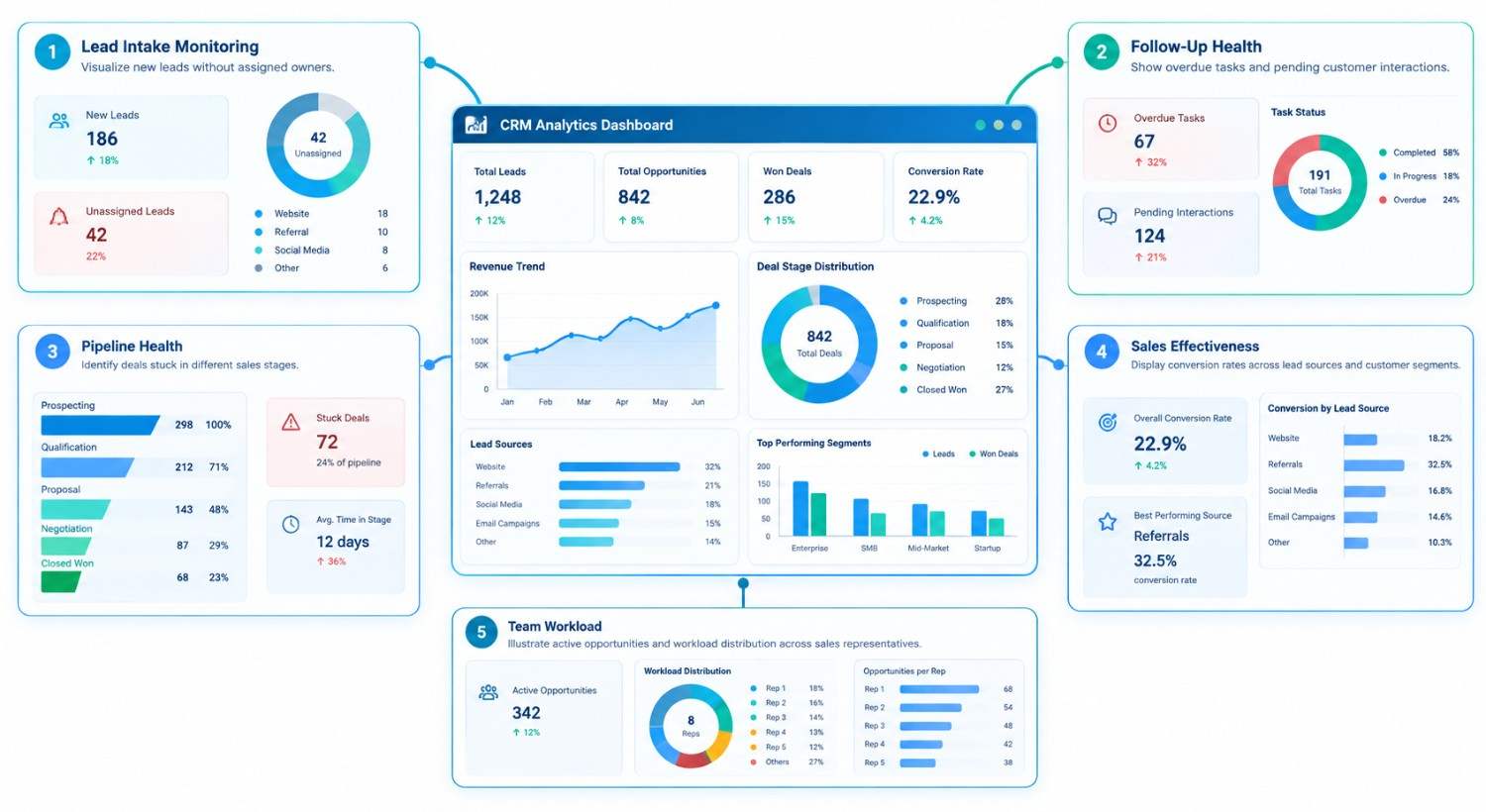
Sales leaders need answers: Which deals stalled? Who missed follow-ups? Where are approvals delayed?
Role-based reporting gives reps action queues, managers exceptions, and leaders conversion trends.
A practical sales productivity dashboard might show:
| View | Useful metric | Management action |
| Lead intake | New leads without an owner | Fix routing or staffing |
| Follow-up health | Overdue actions by priority | Reassign or unblock tasks |
| Pipeline health | Deals older than stage guidelines | Review next steps |
| Sales effectiveness | Conversion by source and segment | Adjust qualification or coaching |
| Team workload | Active opportunities per rep | Rebalance coverage |
Avoid ranking employees by activity alone. Territory quality and deal complexity distort comparisons.
A Real CRM Implementation Example
In a documented Kanhasoft franchise CRM project, a US multi-location business needed consistent lead handling without removing local control. The platform connected lead and deal management with Twilio-based SMS campaigns, configurable message templates, multiple deal views, and role-based permissions. HubSpot integration supported existing lead flows.
The lesson is central governance with local responsibility. Documented capabilities are not guaranteed outcomes for other businesses.
A separate lead and project management CRM case study shows why connecting deal activity with later operational work matters when sales and service teams share customer responsibility.
Custom CRM or Off-the-Shelf CRM: Which Is More Practical?
Custom development is not the automatic answer. Many companies can solve follow-up and reporting problems through configuration, user training, or integrations in an existing CRM.
| Situation | Usually the better starting point |
| Small team with standard lead stages | Configure a ready-made CRM |
| Basic reminders and email sequences | Use existing CRM automation |
| Complex territories or multi-level approvals | Evaluate custom workflows |
| Specialized customer, contract, or product relationships | Consider custom CRM modules |
| Marketing tools work well but sales workflows do not | Consider a hybrid integration |
Compare workaround costs against migration, development, maintenance, licensing, and training. The custom CRM versus HubSpot comparison offers a broader view of that decision.
A 60-Day Plan for Improving Sales Team Efficiency
Days 1–15: Observe. Review missed follow-ups, lead sources, baseline response times, and work done outside the CRM.
Days 16–30: Define. Set lead ownership, qualification criteria, stage rules, and overdue thresholds.
Days 31–45: Pilot. Test routing, reminders, duplicates, integrations, and manual overrides with one team.
Days 46–60: Refine. Compare results with baseline measures, interview users, and adjust rules. This is a planning framework, not a full-build deadline.
Practical Implementation Note
A surprisingly useful CRM question is: “What happens when the assigned rep is unavailable?” If nobody can answer, the workflow has a gap. Build backup ownership, reassignment rules, and an auditable handoff before adding advanced AI features.
Protect records with permissions, audit logs, appropriate encryption, and retention policies. Seek professional advice on regional privacy and messaging rules.
How to Know the Investment Is Paying Off
Compare consistent pre- and post-rollout measures, including response time, overdue tasks, stage aging, and reporting effort.
Also check customer experience. Faster tasks mean little if messages become repetitive or replies go unanswered.
Conclusion: Build a Sales Process People Can Actually Follow
Custom CRM sales productivity improves when leads have clear ownership, follow-ups become reliable, pipelines reflect real buyer progress, and reports reveal decisions rather than noise. The best system is not necessarily the one with the most features. It is the one your team can use consistently to move qualified opportunities forward.
How Kanhasoft Can Help
If your team loses inquiries or rebuilds reports manually, Kanhasoft can review the workflow before recommending software. Our custom CRM development services cover lead management, automation, integrations, and reporting. Discuss whether configuration, integration, or custom development fits your needs.