
Technology modernization is the process of upgrading outdated systems, applications, infrastructure, and workflows so a business can operate faster, safer, and more efficiently. A strong technology modernization roadmap helps leaders decide what to replace, what to rebuild, what to integrate, and what to leave alone for now.
For many companies, modernization is not about chasing trends. It is about reducing operational risk, improving decision-making, supporting growth, and making technology easier to manage.
This Article Is Especially Useful For:
- CEOs, founders, and business owners planning digital transformation
- CTOs, CIOs, and IT heads managing legacy systems
- Operations leaders facing manual workflows and disconnected tools
- Finance teams evaluating modernization budgets
- Companies preparing for automation, AI, cloud migration, or ERP/CRM upgrades
- Mid-sized businesses deciding whether to rebuild, replace, or integrate existing software
Quick Answer: What Is a Technology Modernization Roadmap?
A technology modernization roadmap is a structured plan that helps a business move from outdated systems to more scalable, secure, and efficient technology. It usually includes system assessment, business goal mapping, risk analysis, modernization priorities, architecture planning, phased implementation, data migration, security controls, user training, and success measurement.
The best roadmap does not modernize everything at once. It focuses first on systems that create the highest business risk, cost, delay, or growth limitation.
Why Technology Modernization Matters Now
Many businesses still run critical operations on spreadsheets, legacy databases, outdated ERP systems, old CRM tools, or heavily customized software that only one or two people understand.
At first, these systems feel manageable. Then the cracks appear.
Reports take too long. Teams duplicate data. Customer information sits in different tools. Approvals depend on email chains. Integrations break. Security updates become harder. Eventually, the business starts adjusting its process around software limitations instead of the other way around.
That is the real cost of outdated technology.
Technology modernization helps leaders solve these issues before they become expensive failures.
Key Terms Business Leaders Should Know
Legacy System
A legacy system is an older application, database, or platform that still supports business operations but is difficult to maintain, scale, secure, or integrate.
Application Modernization
Application modernization means improving an existing software application through refactoring, replatforming, rebuilding, API integration, cloud migration, or replacing outdated components.
Technical Debt
Technical debt is the hidden cost created when software is built quickly, patched repeatedly, or maintained without long-term architecture planning.
Cloud Modernization
Cloud modernization means moving systems or workloads to cloud infrastructure and improving scalability, reliability, security, and cost control.
The Strategic Technology Modernization Roadmap
A useful technology modernization roadmap should connect business goals with technical decisions. Here is a practical sequence.
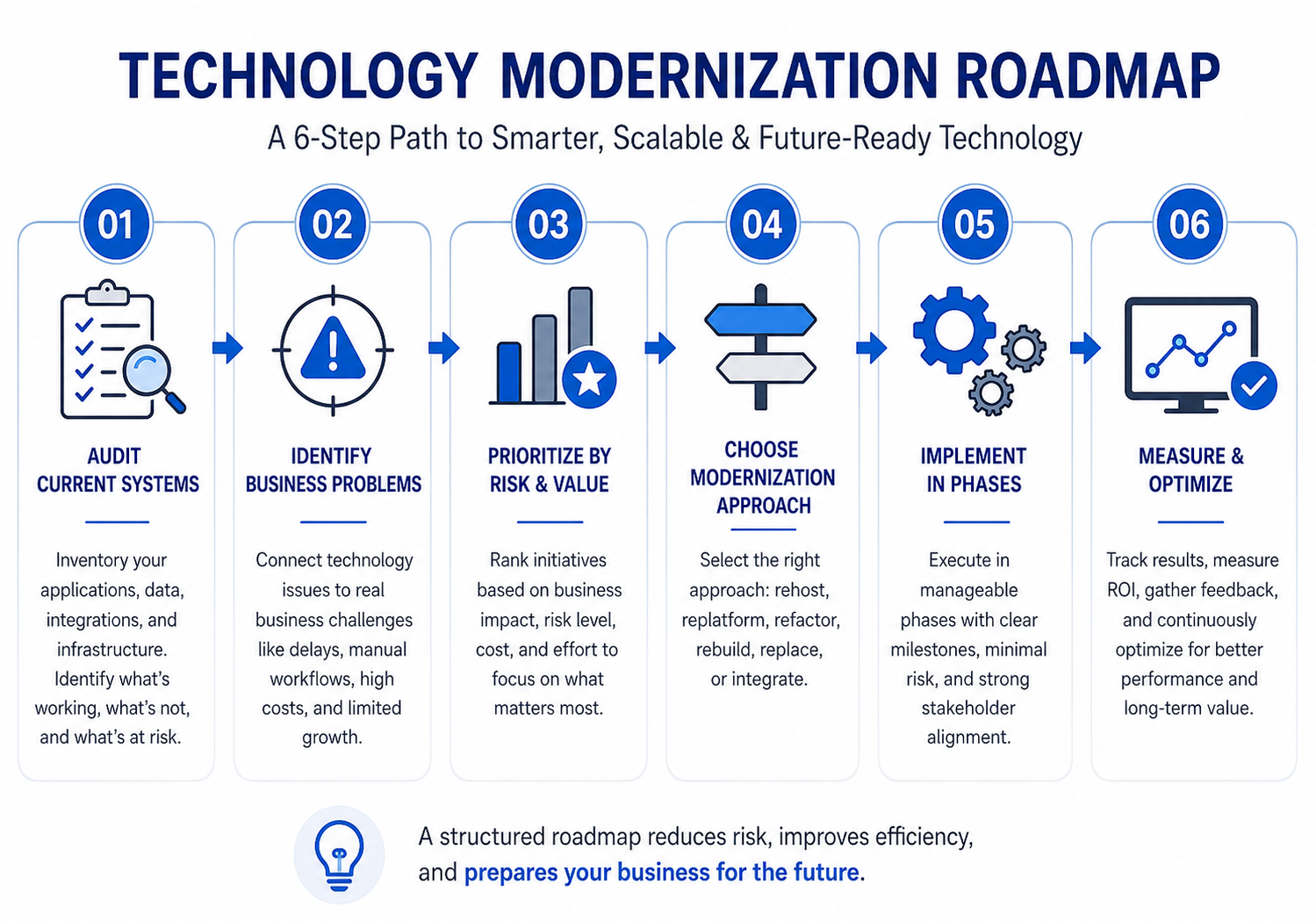
Step 1: Audit Current Systems
Start with a clear inventory.
Document all major applications, databases, integrations, reports, workflows, hosting environments, vendors, and user groups. Also identify which systems are mission-critical.
Ask:
- Which systems slow down operations?
- Which tools require duplicate data entry?
- Which applications have security or compliance concerns?
- Which workflows depend on one person’s knowledge?
- Which systems block growth, automation, or reporting?
A modernization plan without an audit often becomes guesswork.
Step 2: Connect Technology Issues to Business Problems
Do not modernize only because software is old. Modernize because the current system creates measurable business friction.
For example, a manufacturing company may not need a new ERP just because the existing one looks outdated. It may need modernization because production planning, inventory tracking, procurement, and dispatch are disconnected.
In one real implementation pattern, a mid-sized manufacturer improved operations by moving from fragmented spreadsheets and disconnected tools to a role-based ERP that unified production, inventory, procurement, sales, and logistics. The value was not “new software.” The value was better visibility, faster planning, and fewer manual delays.
Step 3: Prioritize by Risk and Business Value
Not every system deserves immediate attention. Rank each modernization opportunity by impact.
| Modernization Area | Business Impact | Risk Level | Priority |
|---|---|---|---|
| Customer-facing portal with poor performance | High | High | Immediate |
| Legacy CRM with manual follow-ups | High | Medium | High |
| Internal reporting spreadsheet | Medium | Low | Medium |
| Old but stable back-office tool | Low | Medium | Later |
| Unsupported database with sensitive data | High | High | Immediate |
The strongest business case usually sits where high operational impact meets high risk.
Modernization Options Compared
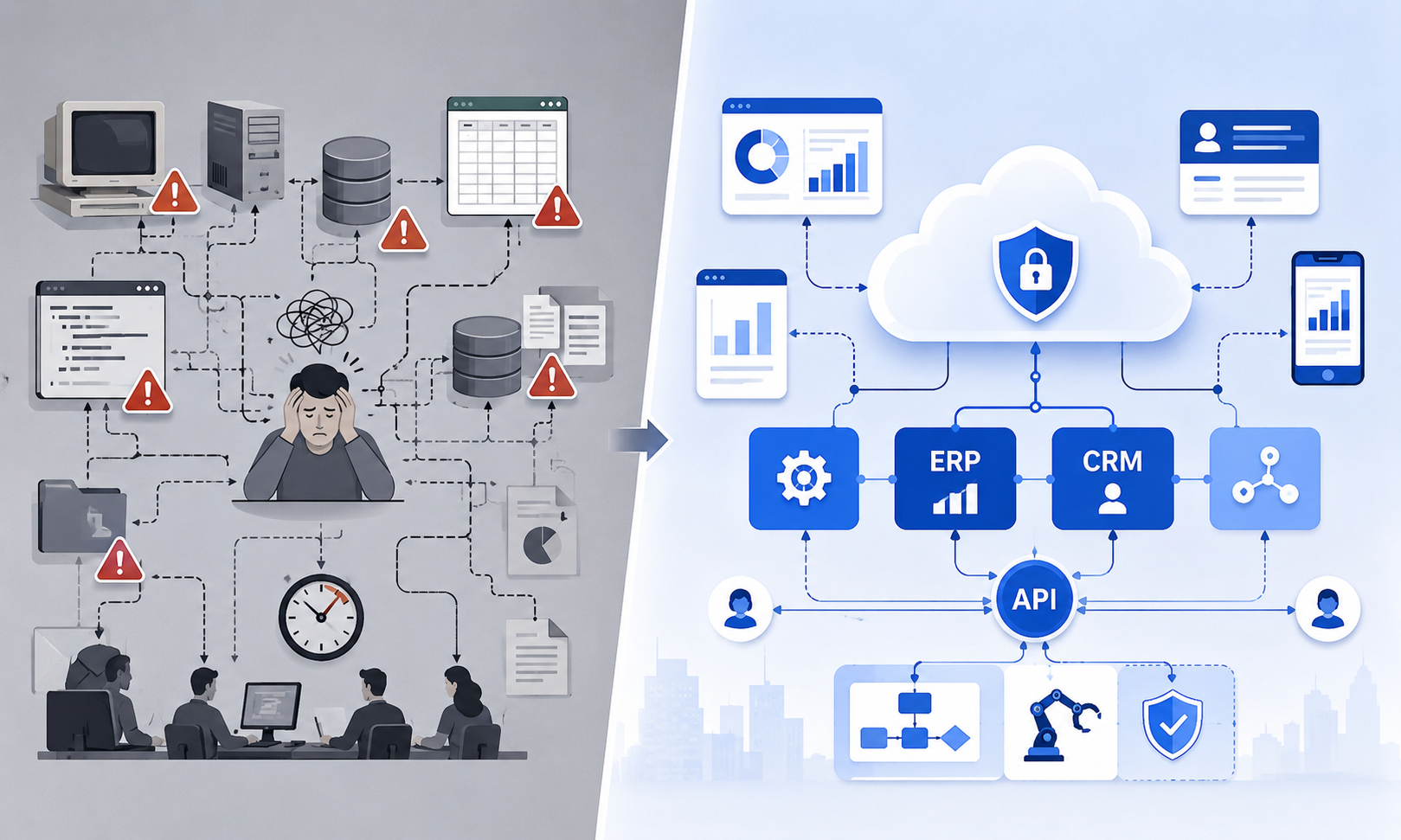
There is no single best modernization method. The right option depends on budget, risk, timeline, and long-term business needs.
| Option | What It Means | Best For | Watch Out For |
|---|---|---|---|
| Rehost | Move existing system to new infrastructure | Quick infrastructure improvement | Does not fix poor architecture |
| Replatform | Move to a better platform with small changes | Better scalability and hosting | Limited workflow improvement |
| Refactor | Improve internal code structure | Systems that still work but need scaling | Requires strong technical review |
| Rebuild | Build a new system from scratch | Outdated systems blocking growth | Higher upfront planning effort |
| Replace | Buy an off-the-shelf platform | Standard business workflows | Custom needs may become costly |
| Integrate | Connect existing tools through APIs | Good tools with data silos | Poor APIs can limit results |
Best Choice by Situation
| Business Situation | Best Modernization Approach |
|---|---|
| System works but hosting is unreliable | Rehost or replatform |
| Software is useful but slow and hard to maintain | Refactor |
| Legacy system cannot support new workflows | Rebuild |
| Business process is standard and widely supported | Replace with SaaS |
| Teams use many good tools but data is scattered | Integrate through APIs |
| Compliance and reporting are weak | Modernize architecture, data access, and audit logs |
| Leadership wants AI or automation | First clean data, workflows, and integrations |
Benefits of Technology Modernization
Technology modernization can create value across the business when it is planned correctly.
Common benefits include:
- Faster operational workflows
- Reduced manual data entry
- Better reporting and real-time dashboards
- Improved customer and employee experience
- Stronger security and access control
- Easier integrations with CRM, ERP, payment, analytics, and AI tools
- Lower long-term maintenance risk
- Better scalability for new markets, products, or locations
The most important benefit is control. Leaders get better visibility into how the business actually runs.
Limitations and Challenges
Modernization also comes with challenges. Ignoring them can damage the project.
Common challenges include:
- Poor documentation of old systems
- Hidden dependencies between applications
- Data migration errors
- User resistance
- Budget overruns due to unclear scope
- Downtime risk during rollout
- Security gaps during transition
- Over-customization of new platforms
A practical observation: modernization projects fail less often because of coding and more often because no one clearly defines ownership, decision rules, data cleanup responsibility, and rollout priorities.
Common Mistakes to Avoid
Modernizing Everything at Once
Large “big bang” projects create risk. A phased roadmap is usually safer.
Choosing Technology Before Defining Business Outcomes
A cloud platform, AI tool, or ERP system will not fix unclear workflows.
Ignoring Data Quality
Bad data moved into a new system is still bad data.
Underestimating User Adoption
If teams do not understand the new process, they will return to spreadsheets.
Treating Security as a Final Step
Security, privacy, access control, audit logs, and compliance should be designed from the start.
Compliance, Risk, and Security Considerations
Technology modernization often touches sensitive customer, financial, operational, or employee data. Business leaders should include security and compliance early in the roadmap.
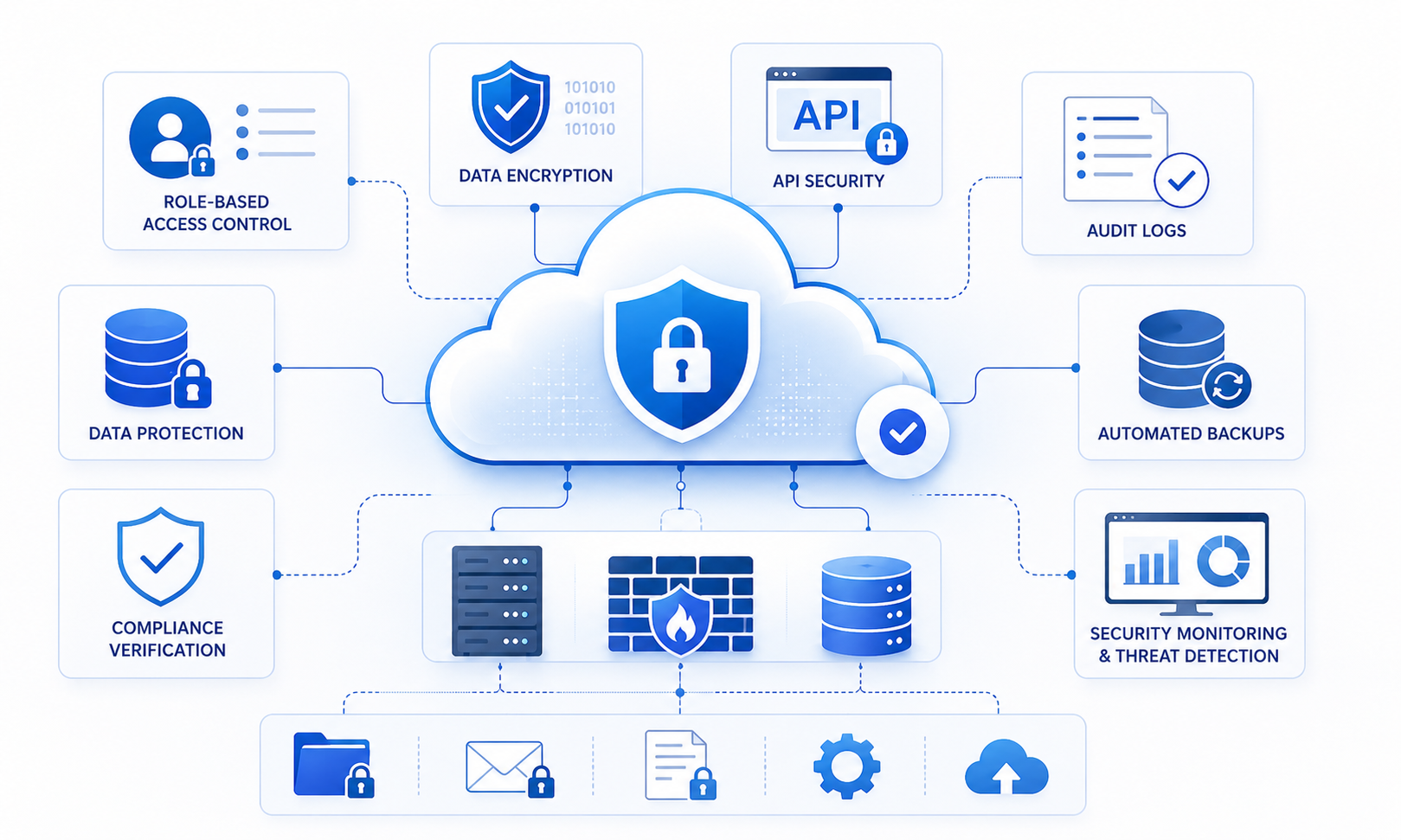
Important areas include:
- Role-based access control
- Data encryption
- Audit trails
- Backup and disaster recovery
- Vendor risk review
- API security
- Regulatory requirements such as GDPR, HIPAA, SOC 2, or industry-specific rules
- Secure software development practices
- Data retention and deletion policies
For regulated industries, leaders should consult qualified legal, compliance, and cybersecurity professionals before major system changes.
Real-World Use Cases by Industry
Manufacturing
Modernization often focuses on ERP, production planning, BOM management, inventory accuracy, procurement workflows, and logistics visibility.
Healthcare
Healthcare organizations may modernize appointment systems, EMR workflows, patient portals, billing, compliance tracking, and secure data access.
Retail and E-Commerce
Retail teams often modernize inventory, pricing, marketplace integrations, order management, customer support, and analytics dashboards.
Professional Services
Service businesses may modernize CRM, project management, proposal workflows, document management, billing, and client communication portals.
Logistics and Field Services
Modernization may include route planning, mobile apps, dispatch management, proof of delivery, real-time tracking, and automated notifications.
Need Help Planning Technology Modernization?
If your business is running on outdated systems, disconnected tools, or manual workflows, a small discovery exercise can save months of confusion later.
Kanhasoft can help you assess current systems, identify modernization priorities, compare rebuild vs replace options, and create a phased technology modernization roadmap. The goal is not to push unnecessary development. It is to help you make a practical, low-risk decision before investing heavily.

Conclusion
Technology modernization is not just an IT upgrade. It is a business strategy for reducing risk, improving visibility, and preparing the company for future growth.
The best approach starts with a clear audit, business-first priorities, honest risk assessment, and phased execution. Whether the right path is rebuilding, replacing, integrating, or refactoring, a practical technology modernization roadmap helps leaders invest with confidence instead of reacting to problems after they become expensive.

