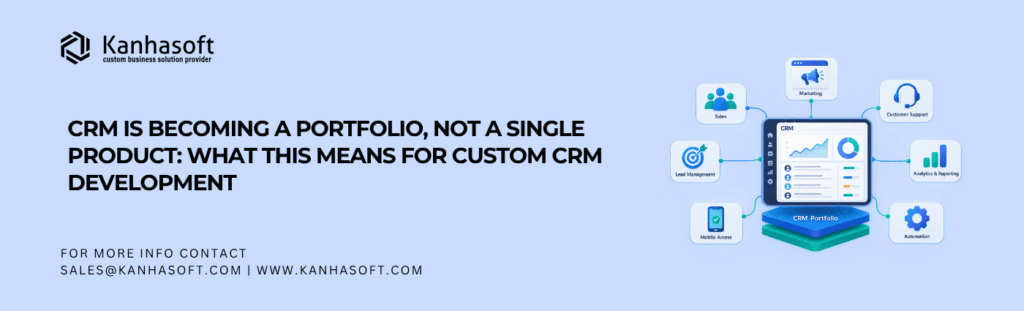
For years, companies treated CRM as one application: contacts went in, salespeople updated opportunities, managers checked reports, and everyone hoped the pipeline was reasonably current. That model is changing. Businesses evaluating custom CRM development services now need to think beyond a single application and consider a broader CRM portfolio architecture connecting sales, service, marketing, customer data, revenue workflows, integrations, analytics, and AI.
This does not mean the traditional CRM is disappearing. It means the customer relationship layer is expanding. The practical question for CTOs and business leaders is no longer only, “Which CRM should we use?” It is increasingly, “Which capabilities belong in our customer technology portfolio, and how should they work together?”
Quick Answer: What Does It Mean for CRM to Become a Portfolio?
A CRM portfolio is a group of connected applications, services, data layers, integrations, and AI capabilities that collectively support management of the customer lifecycle. Instead of forcing sales, marketing, support, billing, analytics, and automation into one large application, businesses can combine shared CRM foundations with specialized modules and existing platforms.
For custom CRM development, this means architecture matters as much as features.
This Article Is Especially Useful For
- CEOs and founders planning CRM modernization
- CTOs and CIOs designing customer-facing architecture
- Sales and operations leaders managing disconnected systems
- SaaS and enterprise teams outgrowing a traditional CRM
- Businesses considering custom CRM alongside existing SaaS tools
- Organizations introducing AI agents into customer workflows
What Is CRM Portfolio Architecture?
CRM portfolio architecture is an approach in which customer relationship management is delivered through several coordinated capabilities rather than one tightly bundled application.
A portfolio may include:
| Capability | Typical Responsibility |
| Core CRM | Accounts, contacts, leads, opportunities |
| Sales workspace | Pipeline, forecasting, tasks, activities |
| Customer service | Tickets, cases, knowledge, SLA workflows |
| Marketing | Campaigns, segmentation, journeys |
| Customer data layer | Identity, profiles, data quality |
| Revenue operations | Quotes, contracts, subscriptions, billing |
| Communication | Email, SMS, WhatsApp, calling |
| Analytics | Dashboards, forecasting, customer intelligence |
| AI layer | Agents, summaries, recommendations, automation |
| Integration layer | ERP, accounting, ecommerce, external APIs |
This approach is evident in major commercial platforms.
Salesforce describes Customer 360 as a suite of capabilities spanning sales, service, marketing, commerce, IT, industries, partners, data, and AI—not as a single CRM application.
HubSpot now organizes its customer platform around Marketing Hub, Sales Hub, Service Hub, Content Hub, Data Hub, Revenue Hub, Smart CRM, and Agent Hub.
Microsoft follows a similar pattern across Dynamics 365 Sales, Customer Service, Contact Center, Field Service, Customer Insights, Project Operations, and other applications built around shared business data and services. Its 2026 release roadmap continues to expand AI capabilities across these separate workloads.
So, “CRM portfolio” is not simply another name for CRM software. It describes how customer technology is increasingly being assembled.
Why CRM Is Moving Beyond One Product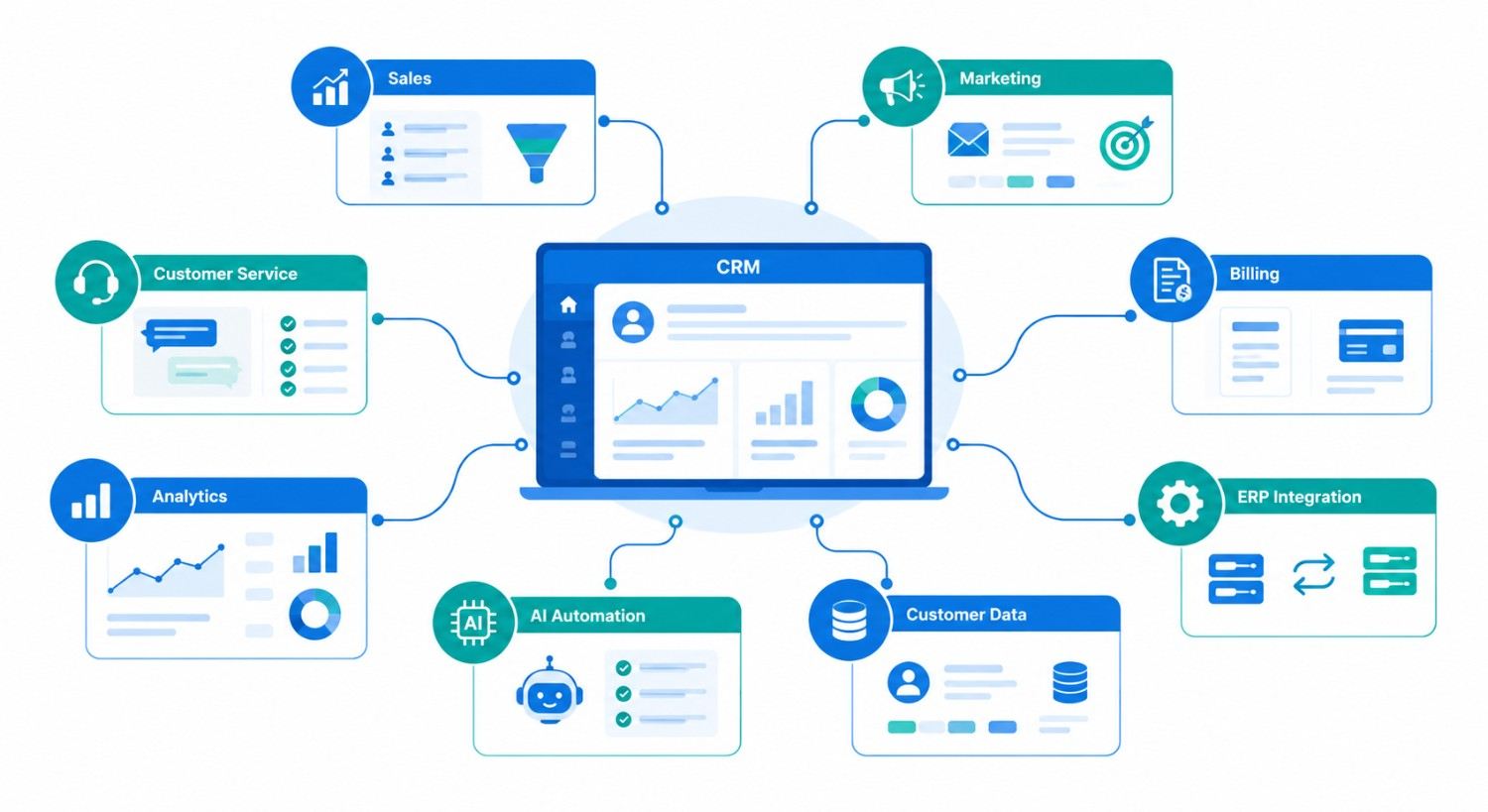
Three forces are pushing CRM in this direction.
1. The Customer Journey Now Crosses Too Many Functions
A customer may interact with marketing before becoming a lead, sales during evaluation, finance during contracting, operations during delivery, and customer service after purchase.
Trying to put every workflow inside one CRM often creates an oversized application full of screens that most users never need.
A portfolio model allows each team to use the capabilities it needs while sharing customer context.
2. Businesses Already Have Useful Systems
A company may already rely on Stripe for payments, QuickBooks or Xero for accounting, HubSpot for marketing, Twilio for communication, an ERP for inventory, and a support platform for service.
Replacing all of them simply because a new CRM is being developed rarely makes sense.
A better approach can be to make the CRM the customer and workflow layer while integrating specialist systems. Kanhasoft’s guide to CRM integration challenges discusses why data ownership, synchronization, APIs, and workflow boundaries become critical when multiple systems participate in the same business process.
3. AI Needs Context From More Than CRM Records
An AI sales assistant may need opportunities from CRM, emails from Microsoft 365 or Gmail, invoices from accounting, contracts from document storage, and support history from a ticketing platform.
This changes how CRM architecture needs to be designed.
The system must provide trusted context across several sources while still respecting permissions and business rules. This is also why AI-ready CRM and ERP data matters before businesses give AI agents greater autonomy.
What CRM Portfolio Architecture Changes in Custom CRM Development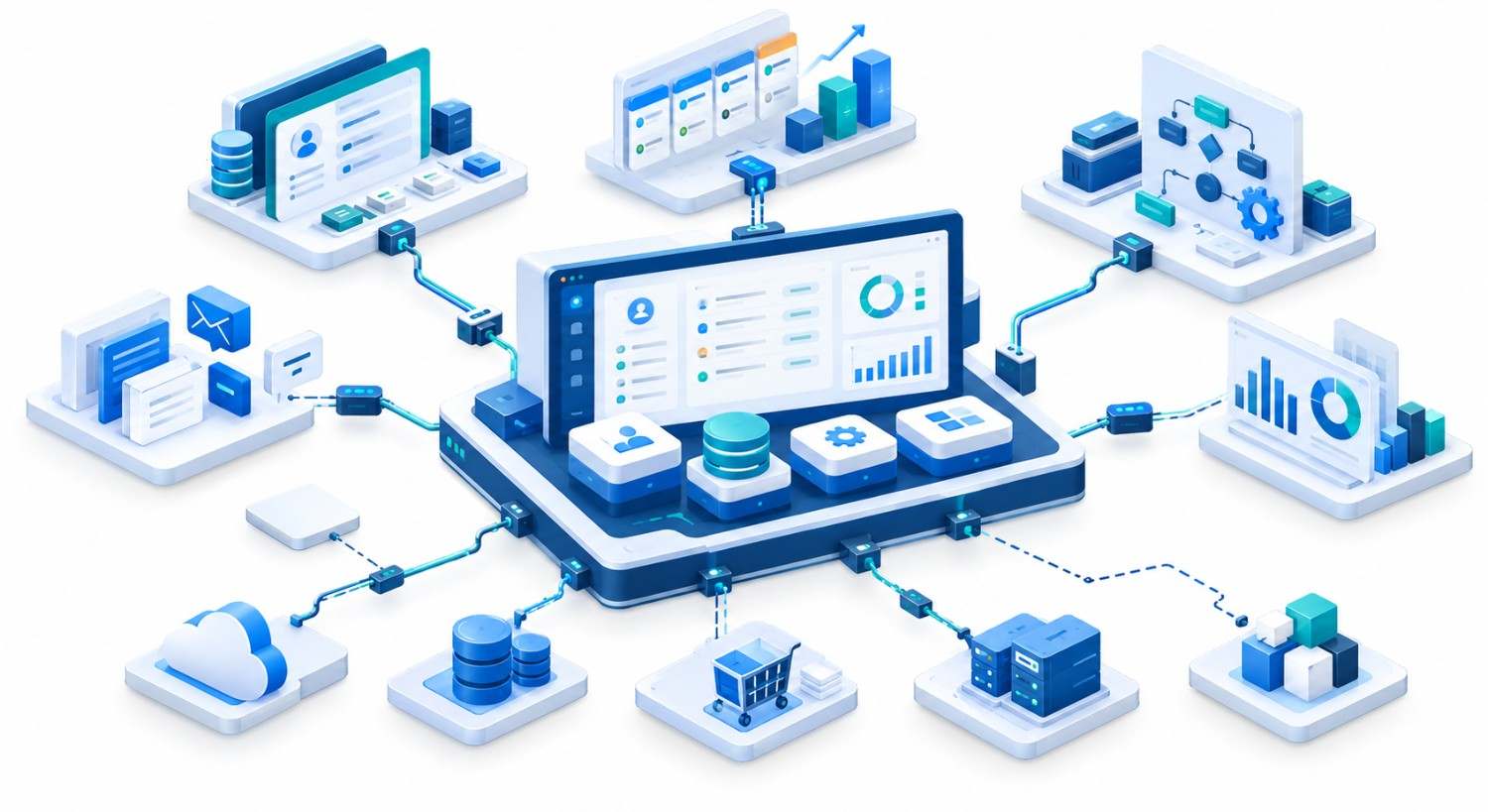
The biggest change is that development should no longer begin with a giant feature list.
It should begin with boundaries.
Build the Core Around Shared Business Entities
The core CRM should usually own stable entities such as customers, companies, contacts, opportunities, activities, territories, and relationships.
However, it does not automatically need to own every adjacent process.
Inventory may remain in ERP. Billing may stay in an accounting platform. Marketing execution may remain in HubSpot. The architecture should define which system is authoritative for each type of data.
Without that decision, integration quickly turns into “every system updates every other system,” which is approximately as peaceful as it sounds.
Design API-First, Not Integration-Later
APIs, webhooks, queues, event streams, and integration services should be part of the initial architecture.
For example:
Website lead → CRM → qualification → quotation → ERP order → invoice → CRM customer timeline
Each handoff needs defined fields, IDs, validation, retry handling, permissions, and ownership.
An API-first CRM architecture can also allow individual portfolio components to be replaced later without rebuilding the entire customer platform.
Separate User Experience From System Boundaries
Employees should not need to understand your architecture diagram to serve a customer.
A sales representative may need one screen showing:
- Customer profile
- Open opportunities
- Recent emails
- Outstanding invoices
- Support issues
- Product usage
- Next recommended action
Some information may come from the CRM database. Other information may be retrieved from ERP, accounting, support, and analytics systems.
The user sees one workflow even though the architecture behind it is modular.
Single CRM vs CRM Portfolio vs Custom Hybrid Architecture
| Area | All-in-One CRM | CRM Portfolio | Custom Hybrid CRM |
| Deployment | Usually fastest | Moderate | More planning required |
| Core functionality | Broad prebuilt features | Specialized modules | Designed around workflows |
| Integration flexibility | Depends on vendor | Usually strong | Can be purpose-built |
| Data ownership | Mostly centralized | Distributed | Explicitly designed |
| UX | Vendor-defined | Multiple interfaces possible | Can provide unified UX |
| AI integration | Vendor capabilities | Multiple AI services possible | Business-specific controls |
| Vendor dependency | Higher | Spread across vendors | Lower platform dependency, higher ownership |
| Maintenance | Mostly vendor-managed | Multiple vendors | Requires development ownership |
| Best fit | Standard processes | Complex multi-team operations | Differentiated or unusual workflows |
An all-in-one CRM remains a sensible choice when business processes are standard and the available features fit well.
A portfolio becomes useful when different departments need specialist capabilities.
A custom hybrid approach becomes more attractive when the business needs a unified workflow while retaining selected commercial systems.
For businesses deciding between configuration and ownership, the Custom CRM vs HubSpot comparison provides a useful additional decision framework.
A Real Example: Custom CRM as the Coordination Layer
One Kanhasoft project involved a US franchise business where individual locations handled leads, SMS follow-ups, and deals through fragmented processes.
The implemented CRM provided centralized governance while allowing each franchise location to retain flexibility. It included custom deal views and messaging workflows, while Twilio handled SMS and HubSpot remained connected for external lead synchronization. The application used React, Next.js, Node.js, PostgreSQL, REST APIs, AWS Lambda, Twilio, and HubSpot.
The architectural lesson is more important than the specific technology stack.
The business did not need to recreate every external capability inside the CRM. The custom system could own specialized franchise workflows while established platforms continued handling selected functions.
That is CRM portfolio thinking in practice.
The Hidden Risk: A Portfolio Can Become Another Form of Fragmentation
Modularity is useful, but more systems do not automatically produce better architecture.
A poorly designed CRM portfolio can create:
- Duplicate customer records
- Conflicting account ownership
- Delayed synchronization
- Multiple reporting definitions
- Permission gaps
- Integration failures
- Subscription sprawl
- Difficult troubleshooting
Five well-integrated applications can be better than one overloaded CRM. Ten poorly integrated applications can be considerably worse.
Data governance therefore becomes central.
Businesses should define a system of record for each important entity. Customer identity may belong to CRM. Invoice truth may belong to accounting. Inventory truth may belong to ERP.
When data moves between them, preserve stable identifiers, timestamps, source information, and synchronization status.
If older customer information is being consolidated, a controlled CRM data migration process should happen before the portfolio expands further.
Where AI Agents Fit into a CRM Portfolio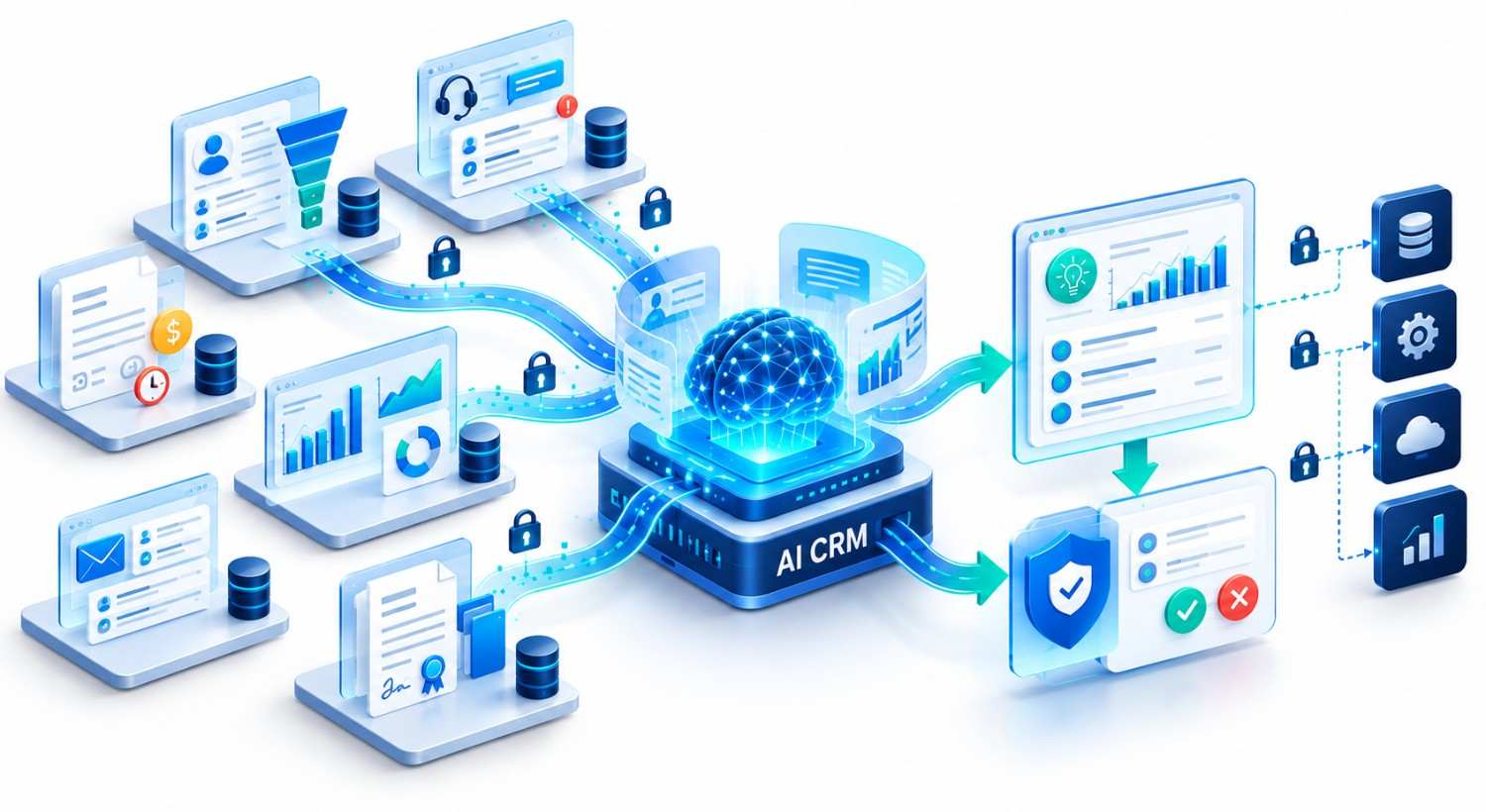
AI makes the portfolio model even more relevant.
An AI agent may sit above several applications rather than inside one CRM module.
Consider an account-management agent asked:
“Which customers need attention this week?”
To answer well, it may need to consider:
CRM: Open opportunities and relationship history.
Support platform: Escalations and unresolved tickets.
Billing system: Overdue invoices.
Product analytics: Usage changes.
Email: Recent conversations.
Knowledge base: Contract or service context.
The AI layer therefore needs controlled access to multiple sources.
However, access should not equal authority.
An agent can recommend a discount while pricing rules decide whether it is permitted. It can draft a renewal email while a human approves high-value negotiations. It can identify an overdue account without being allowed to change financial records.
That distinction between AI reasoning and application authority is increasingly important in custom CRM architecture.
A Practical CRM Portfolio Architecture
A useful architecture can be thought of in five layers:
- Experience layer
Sales, service, management, mobile, and customer interfaces. - Business capability layer
CRM, marketing, support, CPQ, billing, workflow automation, and specialized operational modules. - Integration layer
REST APIs, GraphQL, webhooks, queues, middleware, event processing, and third-party connectors. - Data and context layer
Customer master data, operational databases, analytics, documents, search, knowledge bases, and AI context. - Governance layer
Authentication, RBAC, audit logs, encryption, consent, data retention, approval rules, and monitoring.
The exact technologies matter less than clearly defining responsibilities between these layers.
When Should You Consider a CRM Portfolio Approach?
A portfolio architecture deserves serious consideration when:
- Sales, service, marketing, and operations have materially different workflows.
- Several existing systems already work well.
- The CRM needs deep ERP or accounting integration.
- Different regions or business units need different capabilities.
- Customer information comes from many channels.
- AI agents need cross-system context.
- The organization expects requirements to change frequently.
A simpler CRM may still be better when one team owns most customer interactions, workflows are straightforward, integrations are limited, and a standard platform covers most requirements.
Architecture should reflect actual complexity, not manufacture it.
Expert Observation: Design Around Capabilities, Not Vendor Menus
One practical mistake in CRM projects is starting with a vendor’s feature catalog and then trying to redesign the business around it.
Start with capabilities instead.
Ask:
What must sales accomplish?
What information does service require?
Where should pricing live?
Define the processes that require human approval.
Identify the capabilities that differentiate the business.
Only then decide whether each capability should be built, configured, integrated, or left in an existing product.
This approach keeps the architecture tied to business value rather than software labels.
CRM Portfolio Architecture Changes the Custom CRM Question
The future of CRM is unlikely to be a contest between “one giant custom system” and “one giant SaaS platform.”
For many businesses, the more practical model will sit between them.
The CRM may provide customer identity, workflows, permissions, dashboards, and specialized processes. Commercial platforms may continue handling marketing, payments, accounting, communication, or support. APIs connect those capabilities. AI works across them under controlled permissions.
That is the real implication of CRM portfolio architecture for custom CRM development: the goal is no longer to build everything. The goal is to design the right system boundaries and make the customer experience feel connected despite them.
Planning Your CRM Architecture?
If your CRM is becoming surrounded by marketing tools, ERP systems, support platforms, data services, and AI agents, adding another integration may not be the best first step.
Kanhasoft can help map your customer workflows, current systems, data ownership, integration requirements, AI opportunities, and security boundaries before deciding what should be built, retained, integrated, or replaced. The result can be a practical roadmap rather than another layer of software.