
In the ever-evolving world of web development, React.js continues to be a leading front-end library, providing developers with the tools to build dynamic and interactive user interfaces. If you’re just starting your journey with React.js in 2024 or looking to level up your skills, you’re in the right place. In this blog post, we’ll explore 15 React.js hacks that are tailored to beginners but can also be valuable for developers at any level. Let’s dive in!
1. Master the Fundamentals 📘
Before diving into hacks and advanced techniques, it’s crucial to have a solid understanding of the fundamentals. Make sure you’re comfortable with concepts like components, state, props, and JSX. Familiarize yourself with React’s component lifecycle methods, such as componentDidMount and componentDidUpdate.
Example:
import React, { Component } from 'react';

class MyComponent extends Component {
  componentDidMount() {
    // This lifecycle method is called after the component is mounted.
    // You can perform initial setup and data fetching here.
  }
  // ... rest of your component
}
2. Create a React Environment Quickly ⚙️
Setting up a React project can be a daunting task for beginners. To streamline this process, you can use tools like Create React.js App or Vite. These tools create a project structure with all the necessary configurations, allowing you to focus on writing code rather than setting up your environment.
Example:
npx create-react-app my-react-app
3. Learn ES6 and Beyond 🚀
React relies heavily on JavaScript, and understanding the latest JavaScript features is essential. Familiarize yourself with ES6 and beyond, including concepts like arrow functions, destructuring, spread/rest operators, and classes. This knowledge will make your React.js code cleaner and more efficient.
Example:
// Arrow function
const add = (a, b) => a + b;

// Destructuring
const { firstName, lastName } = person;

// Spread operator
const newObj = { ...oldObj, newProp: 'value' };

// ES6 class
class MyComponent extends React.Component {
  // ...
}
4. Use Functional Components 🧬
In React, you have two types of components: class components and functional components. In 2024, functional components have gained prominence, thanks to hooks. Hooks, like useState and useEffect, allow you to manage state and side effects in functional components, making your code more concise.
Example:
import React, { useState, useEffect } from 'react';

function FunctionalComponent() {
  const [count, setCount] = useState(0);

  useEffect(() => {
    document.title = `Count: ${count}`;
  }, [count]);

return (<div>
<p>Count: {count}</p> <button onClick={() => setCount(count + 1)}>Increment</button>
</div>
);
}5. Master JSX 🎨
JSX (JavaScript XML) is an essential part of React.js development. It allows you to write HTML-like code within your JavaScript. Understanding JSX and its syntax is crucial for building React components.
Example:
const element = <h1>Hello, React!</h1>;

6. Use Props for Reusability 🔄
Props (short for properties) are a way to pass data from parent components to child components. They are a fundamental concept in React, and utilizing them effectively makes your components more reusable and maintainable.
Example:
function Welcome(props) {
return <h1>Hello, {props.name}</h1>;
}
const element = <Welcome name="Alice" />;7. Manage State Properly 📊
State management is a core part of React. It allows your components to be dynamic and interactive. Using useState hook for functional components or this.state for class components, you can manage your component’s internal state.
Example:
import React, { useState } from 'react';
function Counter() { const [count, setCount] = useState(0);
return (
<div>
<p>Count: {count}</p> <button onClick={() => setCount(count + 1)}>Increment</button>
</div>
);
}8. Avoid Direct State Mutation 🚫
When updating state, always use the setState function (for class components) or the updater function (for functional components). Directly modifying state can lead to unexpected behavior in your application.
Example:
// Incorrect way
this.state.count = this.state.count + 1;
// Correct way
this.setState({ count: this.state.count + 1 });
Also Read: What Is ERP’s Key Role in the Digital Transformation of Modern Businesses?
9. Conditional Rendering 🧐
React allows you to conditionally render components based on certain conditions. This is powerful for creating dynamic user interfaces.
Example:
function Greeting(props) {
if (props.isLoggedIn) {
return <h1>Welcome back!</h1>;
} else {
return <h1>Please sign up.</h1>;
}
}
10. Use Lists and Keys for Dynamic Content 📝
When rendering lists of elements, always include a unique key prop for each item. This helps React identify which items have changed and optimize rendering.
Example:
const numbers = [1, 2, 3, 4, 5];
const listItems = numbers.map((number) => (
<li key={number}>{number}</li>
));
11. Destructuring Props 🚧
Destructuring props can make your component code cleaner and more readable. Instead of accessing props properties directly, you can destructure them in the function parameters.
Example:
// Without destructuring
function Welcome(props) {
return <h1>Hello, {props.name}</h1>;
}
// With destructuring function
Welcome({ name }) {
return <h1>Hello, {name}</h1>;
}
12. Use React DevTools 🛠️
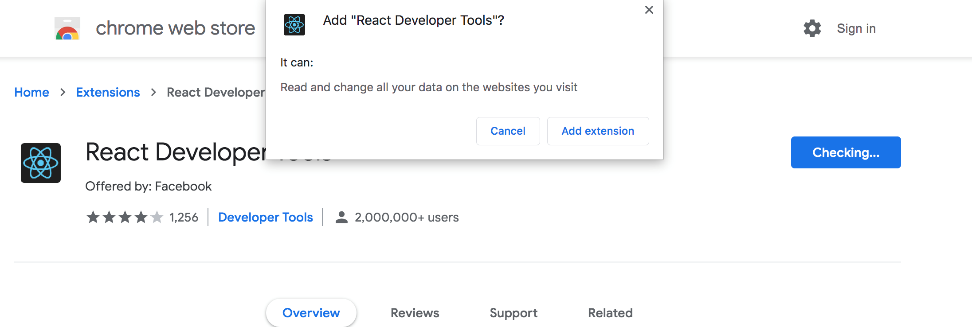
React DevTools is a browser extension that provides a set of debugging tools for React applications. It helps you inspect and debug the component hierarchy, view state and props, and track component updates.
Example:
13. Code Splitting for Performance ⚡
Code splitting is a technique that allows you to split your JavaScript bundle into smaller chunks. This can significantly improve your application’s load time, especially for larger projects.
Example:
import dynamic from 'next/dynamic';
const MyComponent = dynamic(() => import('./MyComponent'));
14. Error Boundary Component 🚧
Create an error boundary component to catch errors in your application and provide a fallback UI instead of crashing the entire app.
Example:
class ErrorBoundary extends React.Component {
constructor(props) {
super(props);
this.state = { hasError: false };
}
componentDidCatch(error, errorInfo) {
this.setState({ hasError: true });
// You can log the error to an error reporting service
}
render() {
if (this.state.hasError) {
// Render a fallback UI
return <h1>Something went wrong.</h1>;
}
return this.props.children;
}
}
15. Testing with Jest and Enzyme 🧪
Writing tests for your React components is essential for maintaining code quality. Tools like Jest and Enzyme make it easier to write and run tests for your components.
Example:
import React from 'react';
import { shallow } from 'enzyme';
import MyComponent from './MyComponent';

it('renders without crashing', () => {
const wrapper = shallow(<MyComponent />);
expect(wrapper).toMatchSnapshot();
});
Final Words 🚀
React.js is a powerful library that can help you build modern, interactive web applications. These 15 hacks for beginners in 2024 should equip you with the knowledge and tools to make your React journey a successful one. Remember to start with the fundamentals, practice your skills, and keep up with the latest trends in web development. Happy coding! 🖥️👩💻👨💻