Custom Enterprise CRM & Sales Force Automation Platform for Manufacturing
Managing sales across several divisions, territories, dealers, distributors, depots, and management levels calls for much more than a standard lead-management system.
We are developing a custom enterprise CRM and Sales Force Automation platform for a large manufacturing business with a broad field-sales and channel network.
The system is designed to bring Inquiries, Leads, Projects, Sales Orders, dealer operations, field activity, forecasting, agriculture compliance, depot information, Tasks, notifications, and management reporting into one connected working environment.
SAP HANA continues to manage the client’s core ERP transactions. The CRM adds the sales workflow, field execution, approvals, compliance context, planning, and management visibility required around that information.

12 Months

United Kingdom
What Is a Custom Enterprise CRM & Sales Force Automation Platform?
A custom enterprise CRM connects sales activity with the organization’s actual hierarchy, field operations, channel-partner processes, approval rules, and back-office systems.
Instead of stopping at Leads and Follow-ups, the platform can support the journey from an initial Inquiry through qualification, Project or Opportunity management, Sales Orders, field execution, and management reporting.
For this project, CRM access follows the client’s real business structure.
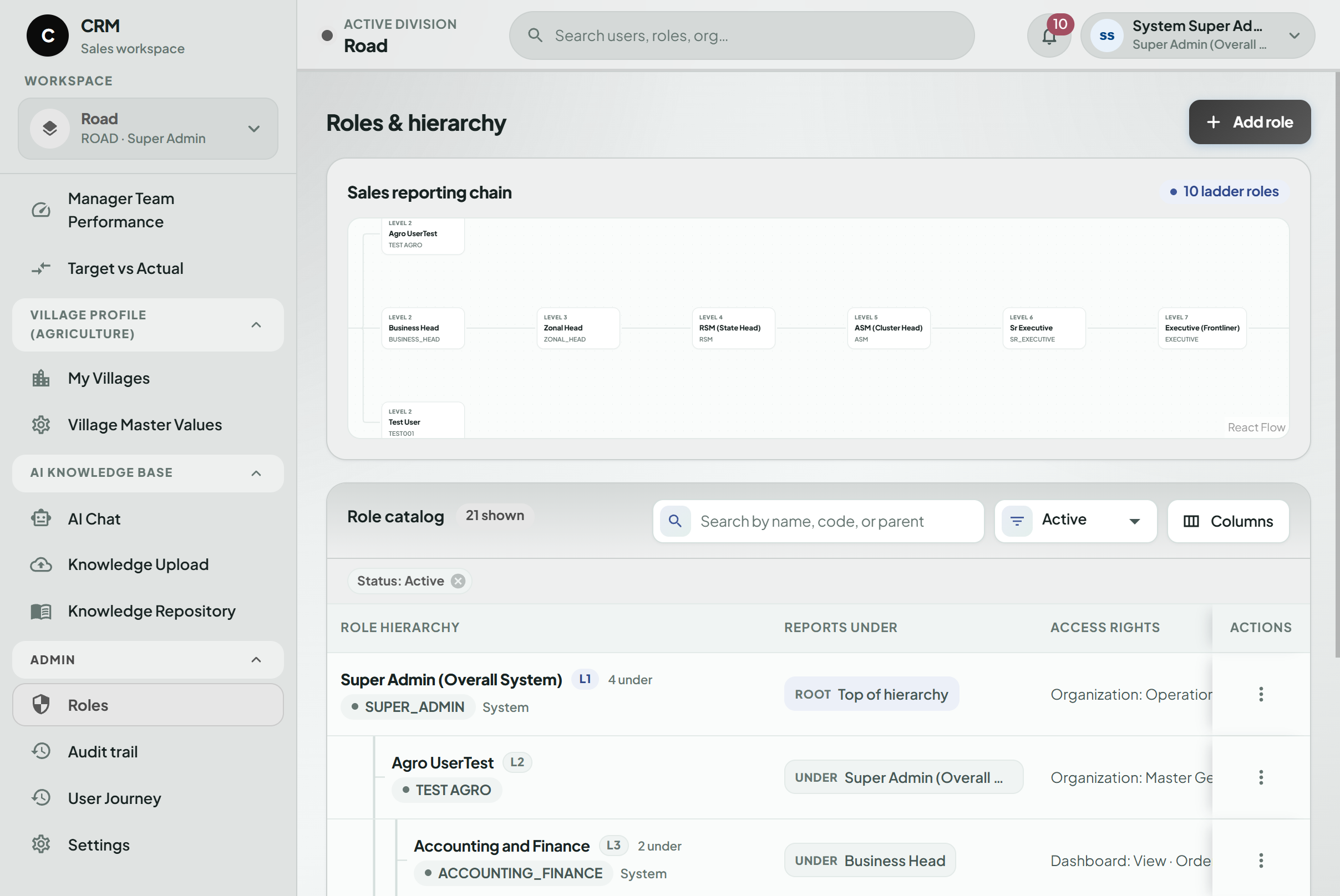
A Sales Executive works with information relevant to assigned customers and activities. Managers see a broader team-level view, while Regional, Zonal, and Business Head users receive increasingly consolidated information based on their responsibilities.
The same platform also supports dealer and distributor workflows, agriculture compliance, depot planning, product forecasting, and relevant SAP-linked business information.
Project Brief
The client operates through multiple business divisions and a wide sales hierarchy.
Sales activity does not happen only from an office. Employees work with customers, dealers, distributors, villages, project locations, and depots. Managers need timely visibility into that activity without depending on phone calls, spreadsheets, or manually prepared reports.
The CRM is therefore being developed as both a web application and a mobile Sales Force Automation platform.
The solution is designed to connect:
- Inquiries and Leads
- Follow-ups and Tasks
- Projects and Opportunities
- Sales Orders
- Field Visits
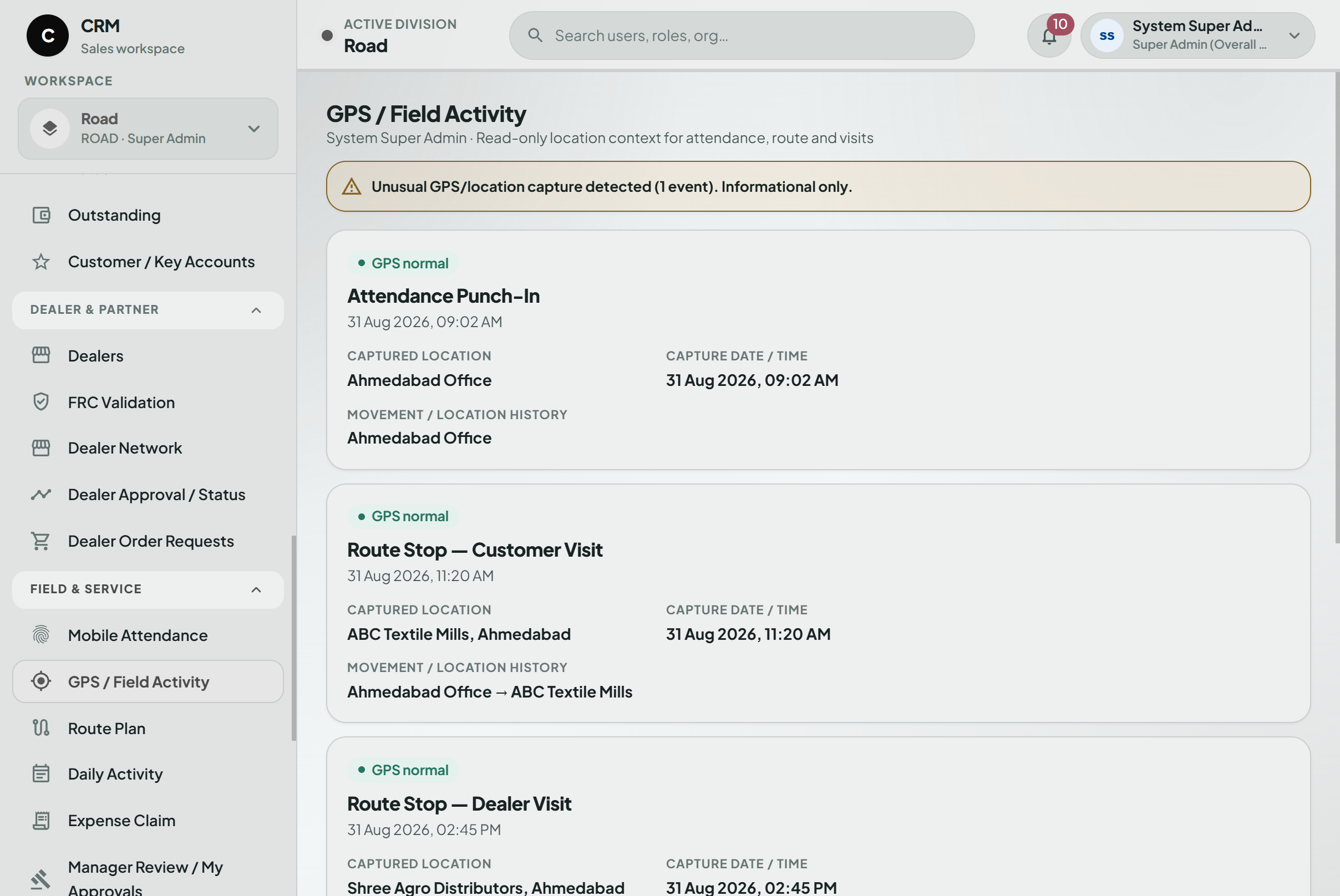
- Attendance and Routes
- Dealer and Distributor operations
- Product Forecasting
- Depot and Inventory visibility
- Agriculture Compliance
- Samples, Complaints, and Warranty activities
- Notifications and approvals
- Management dashboards
- SAP-linked business information
Data visibility follows the company’s actual division, geography, role, and reporting hierarchy.
Core ERP transactions remain in SAP HANA. The CRM provides the customer-facing sales workflow, field execution, planning, compliance, and management context around that information.
Technologies
-

Next.js
-

React.js
-

Node.js
-

Flutter
-

Python
-

AI/ML
-

Tableau
-

REST APIs
-

SAP HANA Integration
-

MongoDB
-

AWS
AI/ML is included in the documented technology foundation. However, the current project brief does not define a specific production AI use case, so this case study does not add AI functionality that is not supported by the source material.
Client’s Need
The client needed one connected system that could reflect the way its sales organization actually operates.
Centralized Business View
Inquiries, Leads, Projects, Sales Orders, field activity, stock context, compliance information, and management reporting needed to be easier to access from one place.Multi-Division Operations
Different divisions needed to work within the same CRM while retaining the workflows and visibility appropriate to each business area.Hierarchy-Based Access
Sales Executives, Managers, Regional teams, Zonal users, and Business Heads required different levels of data visibility.Better Lead Follow-Up
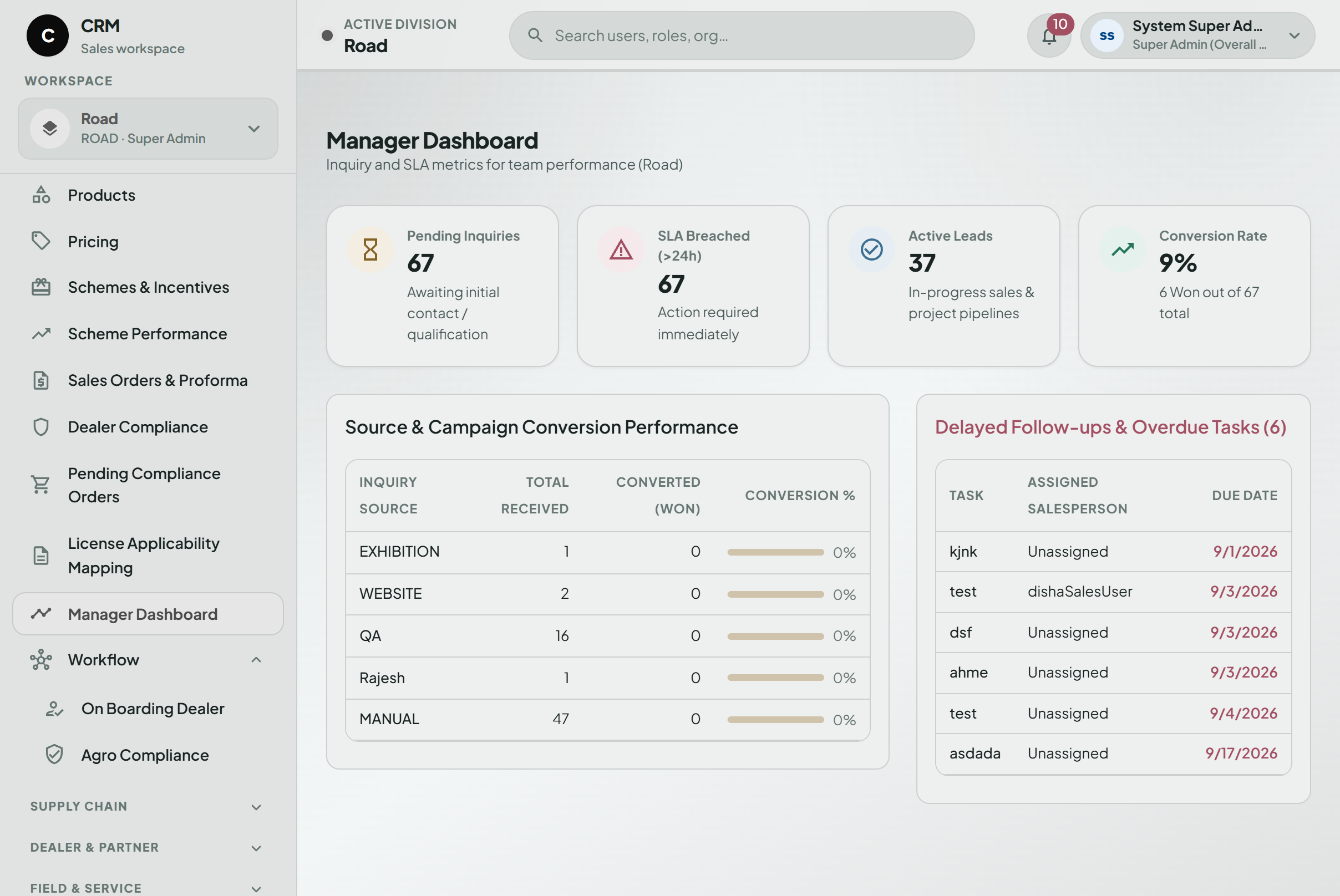
Managers needed a clearer view of unattended Leads, overdue Follow-ups, Tasks, and missing next actions.Field Sales Mobility
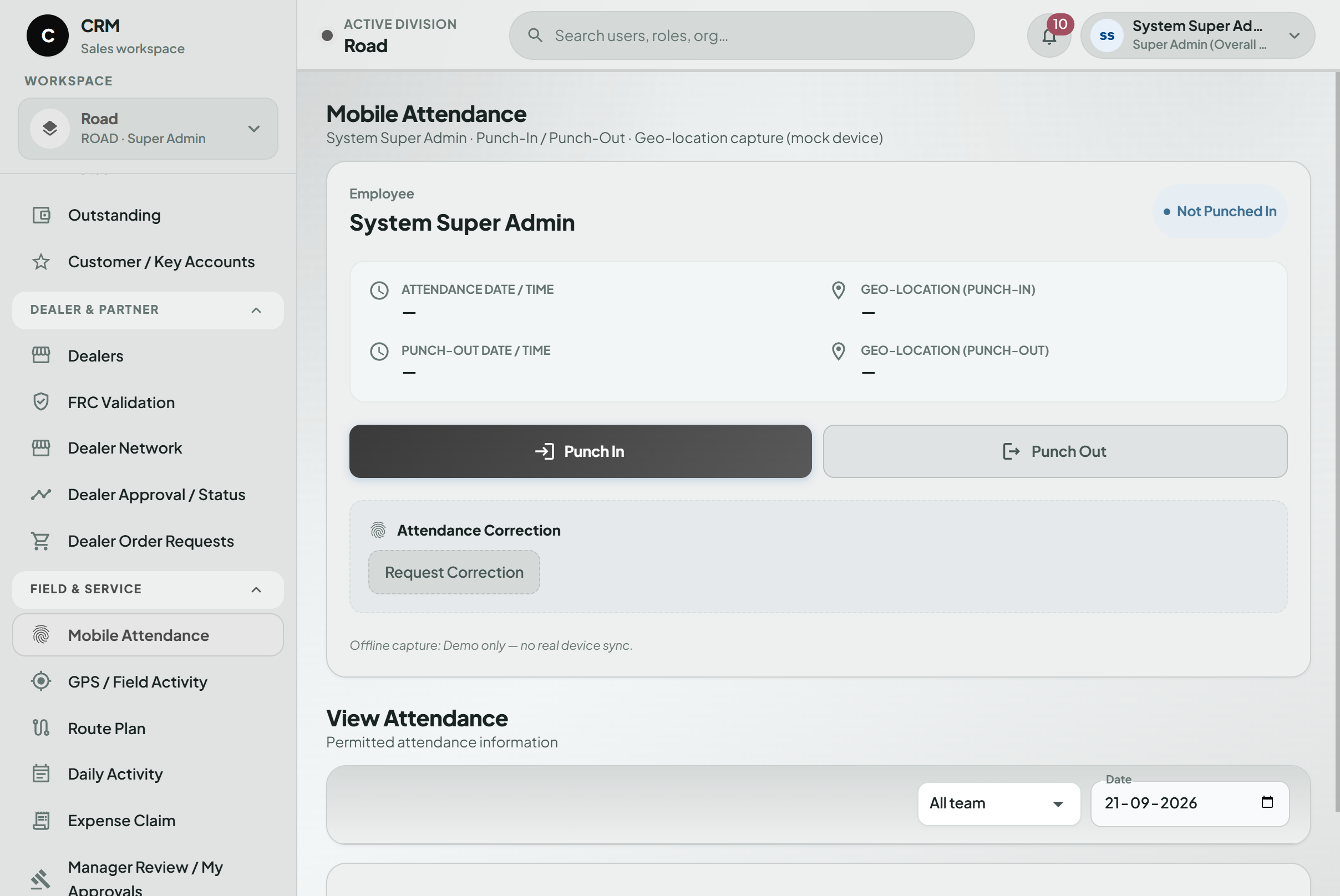
Employees working outside the office needed to manage Attendance, Visits, Routes, Follow-ups, Expenses, and day-to-day field activity through mobile.Offline Field Support
Stable internet access could not be assumed in villages, remote territories, or project locations.Agriculture Compliance
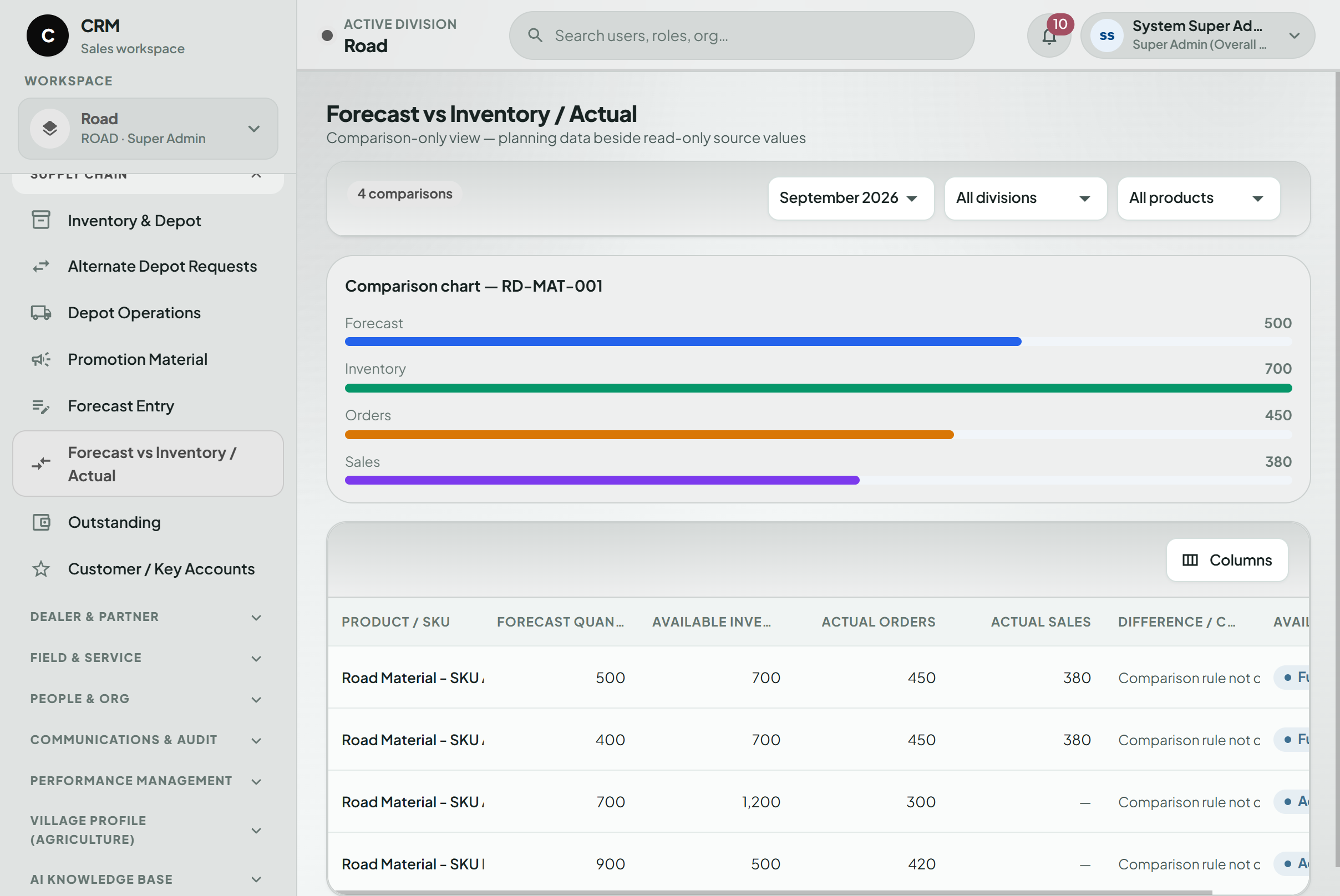
Required licences and expiry information needed to be visible before compliance issues affected Sales Order processing.Forecast & Depot Visibility
Product Forecasts needed to be considered together with Depot Stock, pending STO, pending Sales Orders, and related planning information.Dealer & Distributor Operations
Different channel partners required different onboarding flows and controlled access.Management Reporting
Managers needed role-based dashboards and pending-action visibility without repeatedly asking teams to prepare separate reports.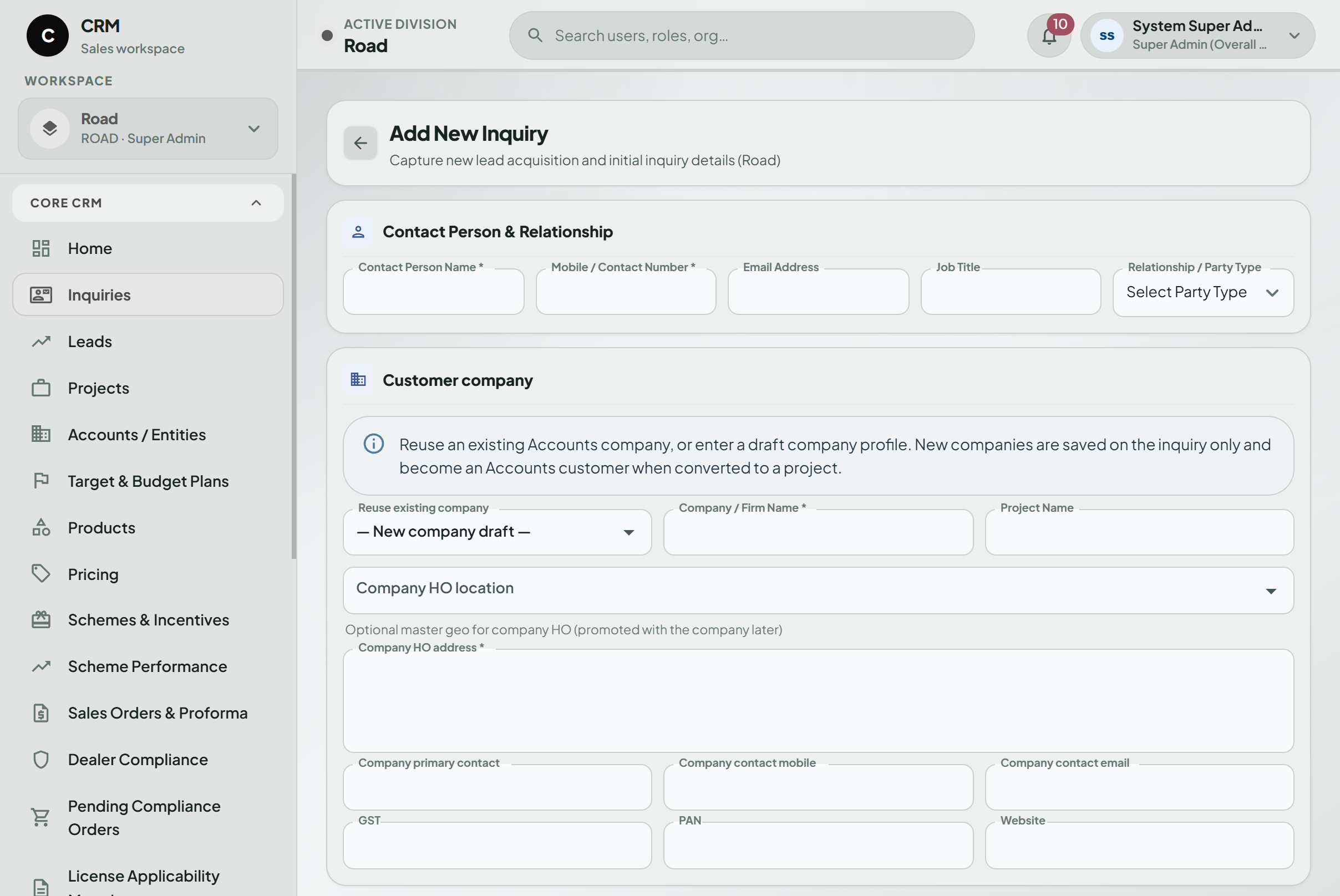
Build a CRM Around the Way Your Manufacturing Business Works
For a manufacturing organization, CRM often extends far beyond Leads and Opportunities.
Sales teams may work across several territories and divisions. Dealers and Distributors follow different processes. Field users need mobile access. Compliance can affect order processing, while Forecasting and Depot Stock influence planning.
A custom CRM can connect those activities without trying to replace the ERP system already handling core transactions.
Kanhasoft can help businesses build custom CRM software, ERP-connected business applications, custom software platforms, mobile Sales Force Automation applications, workflow systems, and SAP-integrated business solutions.

Challenges
Business Information Was Scattered
Customer, sales, order, project, field, and operational information existed across different systems, reports, and teams.
Follow-Ups Were Difficult to Monitor
Unassigned Inquiries, overdue activities, and Leads with no recent action needed to become more visible.
The Sales Hierarchy Was Complex
Information had to move through several management levels without exposing data outside the user’s responsibility.
Field Connectivity Could Not Be Guaranteed
Sales employees often work in territories where mobile internet is inconsistent.
Compliance Could Affect Orders
Missing or expired agriculture-related licences could create problems late in the sales process.
Forecast and Stock Information Were Separate
Planning becomes harder when Forecasts, Depot Stock, pending STO, and pending orders are viewed independently.
Dealer Journeys Were Different
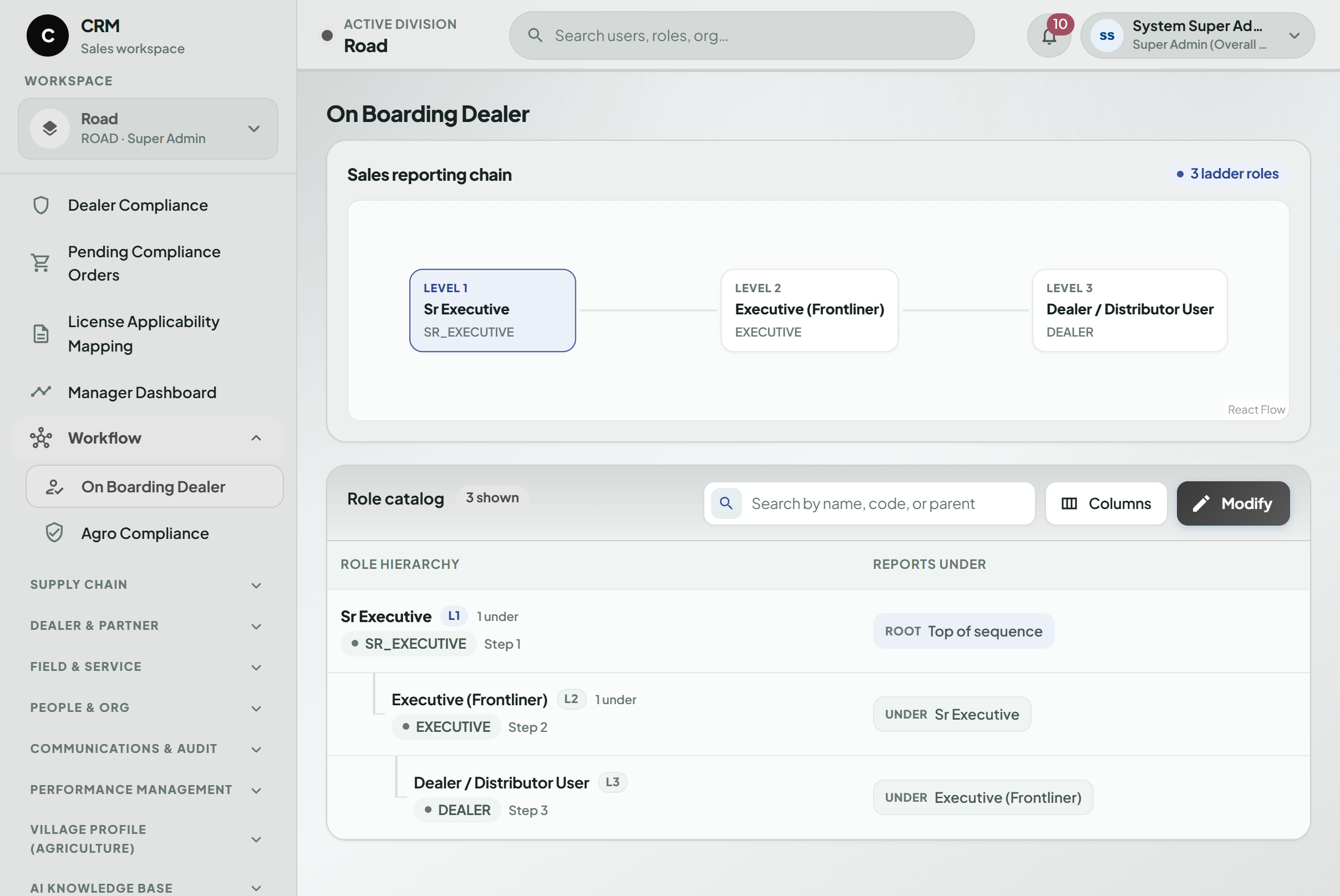
Prospective Dealers, Direct Dealers or Distributors, and Sub Dealers could not follow one identical onboarding path.
Too Much Depended on Memory
Follow-ups, Tasks, approvals, compliance expiry, and Forecast deadlines could easily rely on individual users remembering what had to happen next.
The requirement was not simply to replace spreadsheets with screens.
The CRM needed to connect sales execution with field activity, dealer operations, compliance, planning, and SAP information while still respecting the way each division works.
Solutions
Role-Based CRM
A common CRM environment supports multiple business users while controlling information through division, geography, role, and reporting hierarchy.
Inquiry & Lead Management
Business can be tracked from the first Inquiry through assignment, qualification, Follow-up, Lead management, and conversion.
Project & Opportunity Tracking
Larger opportunities can continue through a structured Project workflow rather than becoming disconnected once a Lead is qualified.
Sales Order Visibility
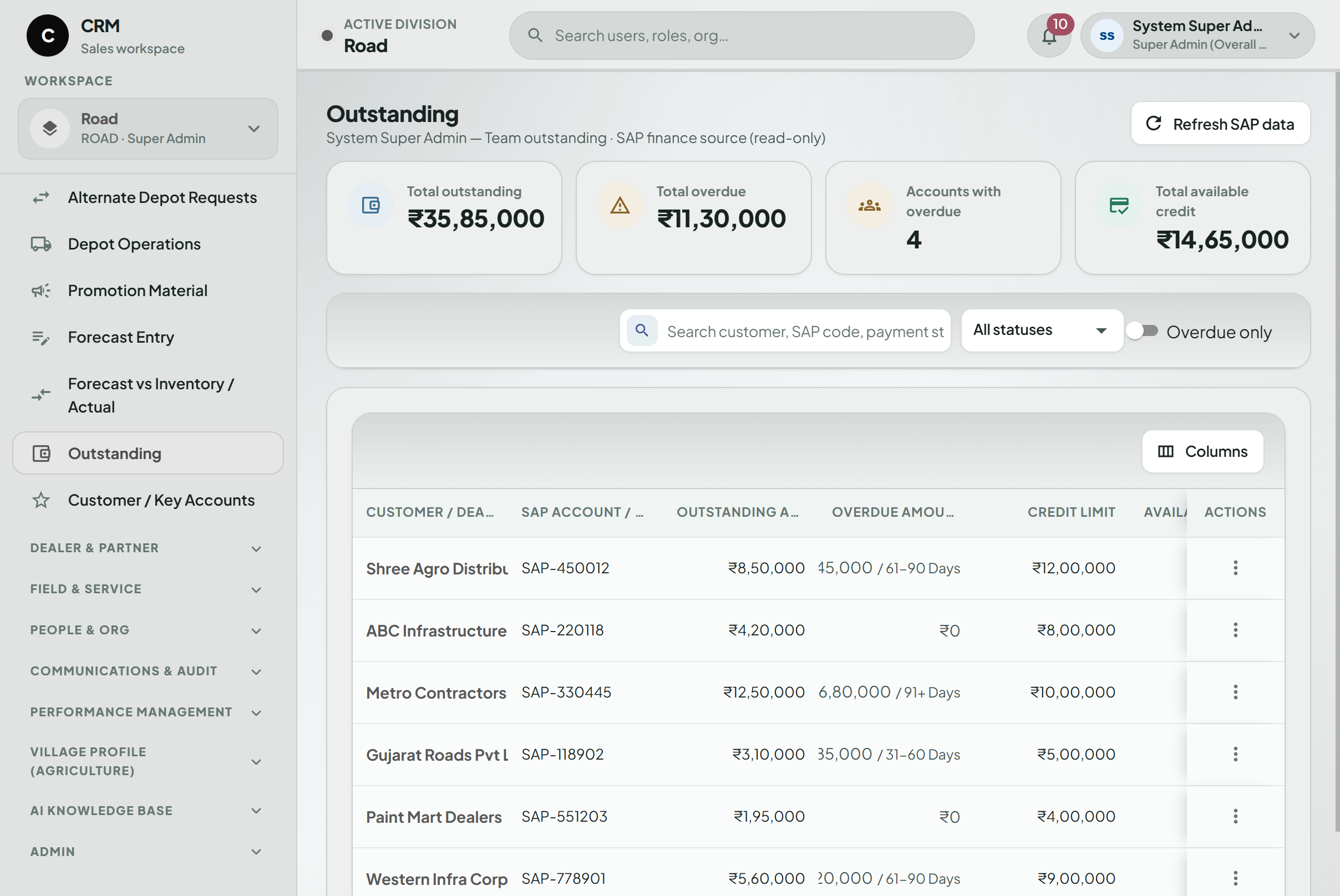
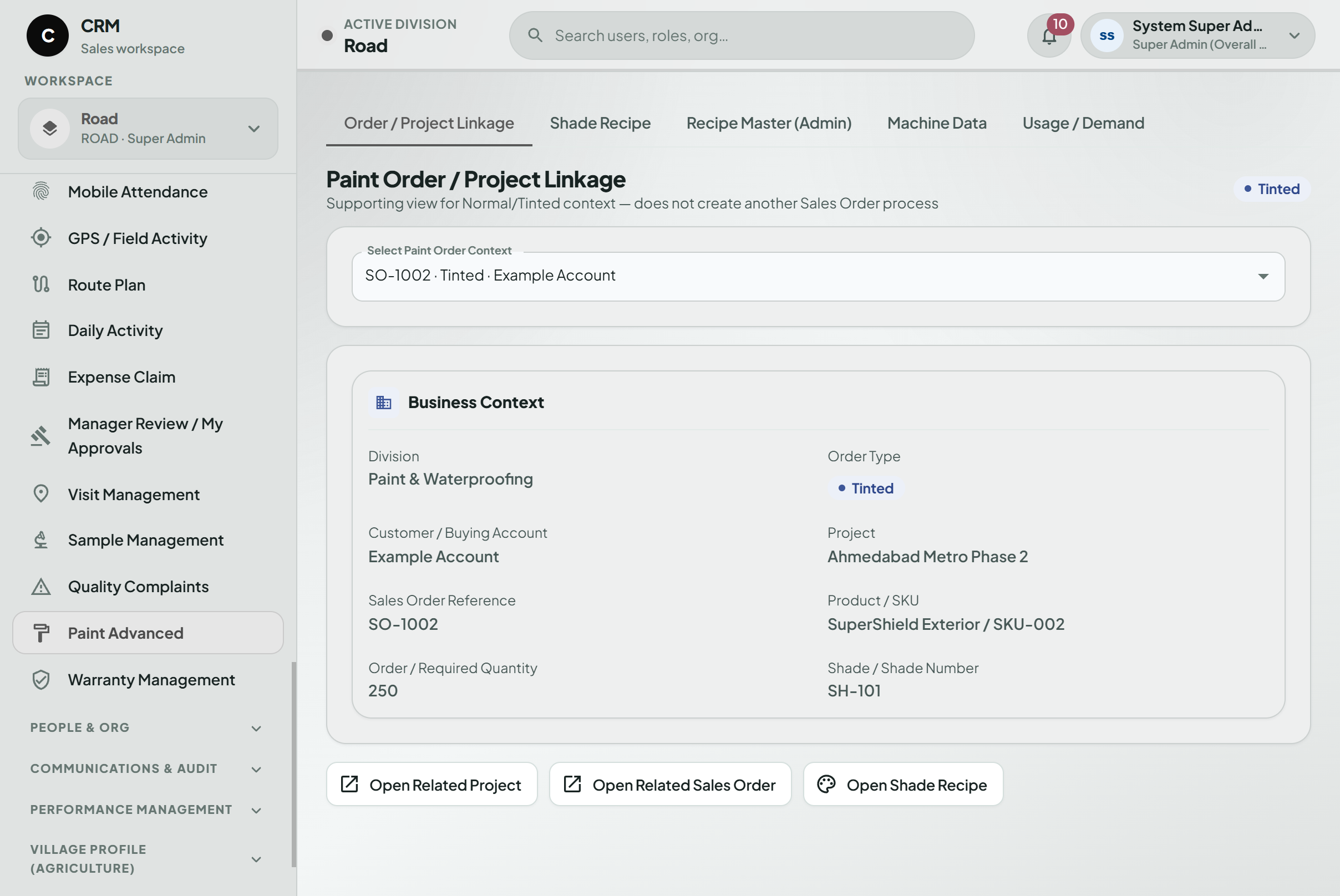
Relevant Sales Order activity can remain connected to the originating business context while SAP continues to own the core ERP transaction.
Notifications & Tasks
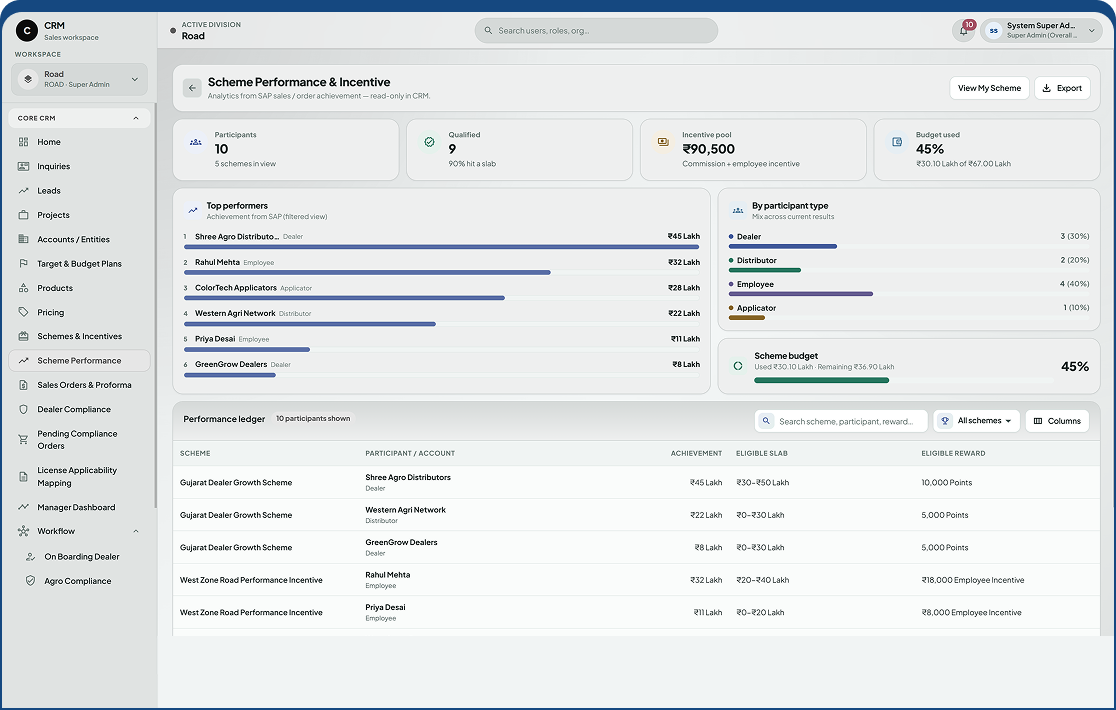
Follow-ups, approvals, compliance expiry, Forecast deadlines, and other pending activities can appear as visible work items.
Mobile Sales Force Automation
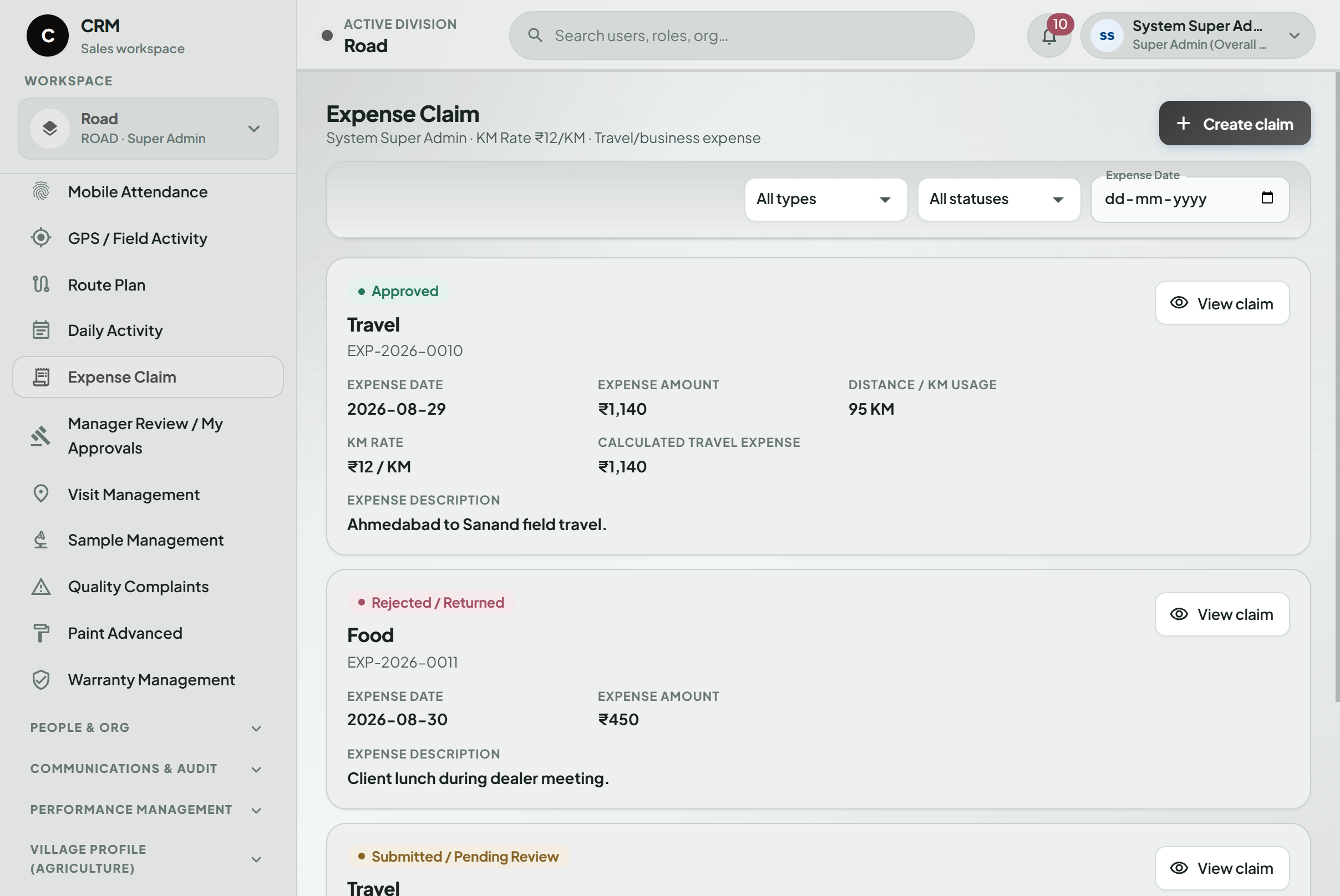
Field employees can manage Attendance, Visits, Routes, Tasks, Follow-ups, and Expenses from the mobile application.
Offline Field Working
Approved activities can be saved without connectivity and synchronized once the device reconnects.
Agriculture Compliance
Required licences, expiry dates, renewal status, and related Sales Order impact can be tracked within the CRM workflow.
Depot & Inventory Visibility
Relevant Stock and open-demand information can be made available to permitted users using connected SAP information.
Product Forecasting
Depot-wise Forecast submission, review, approval, and monthly tracking can use connected Sales, Stock, STO, and pending-order information.
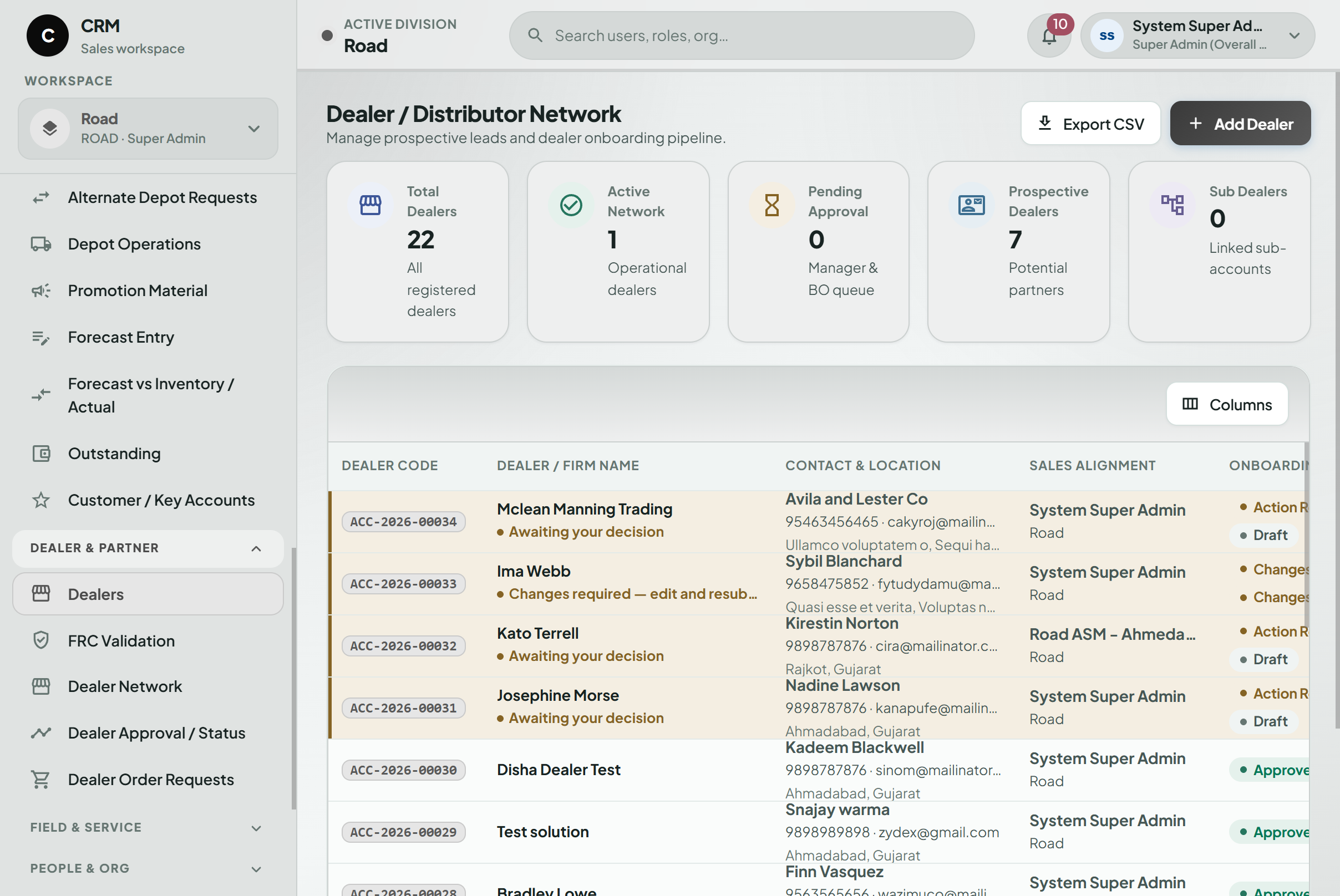
Dealer & Distributor Management
Different partner types can follow the required onboarding process and receive controlled Portal access where applicable.
Management Dashboards
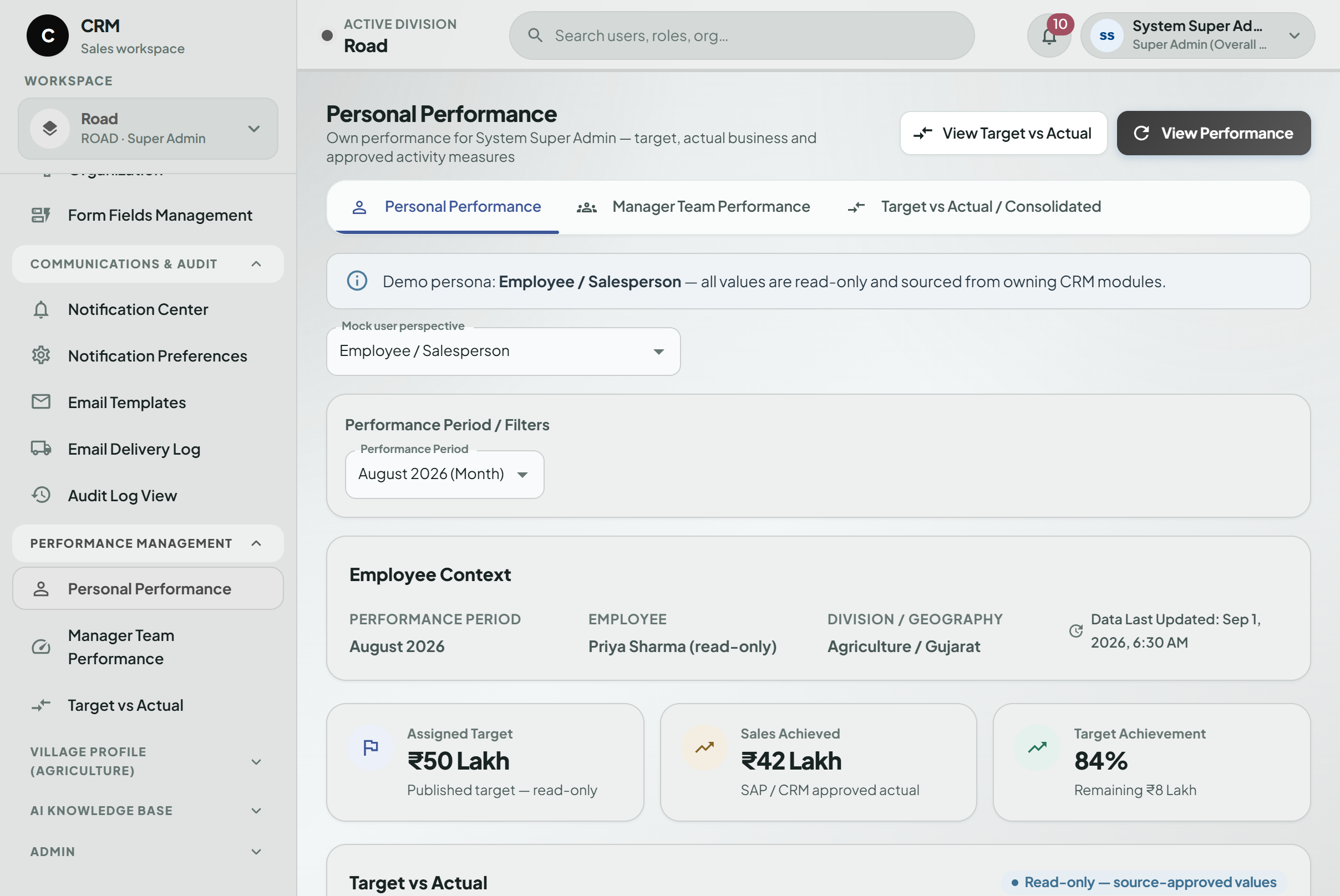
Information can be presented differently for Sales Executives, Managers, Regional users, Zonal users, and senior management.
Connected CRM, Field Sales & Manufacturing Operations
The platform is being built around the client’s actual operating flow rather than treating CRM as a separate sales database.
Inquiry to Lead Workflow
- New business begins as an Inquiry and can move through assignment, qualification, Follow-ups, Tasks, and Lead conversion. Managers can identify records that have not received timely attention.
Project & Opportunity Management
- Opportunities with longer sales cycles can continue as Projects, keeping customer, sales, and business activity connected.
Sales Order Context
- Once business reaches the order stage, relevant SAP-linked status can remain visible to permitted CRM users without moving the actual ERP transaction into CRM.
Field Sales Mobile App
- Field employees can manage their daily work through a Flutter mobile application.
Offline Field Working
- Connectivity is not always available where field teams operate. Instead of attempting to make the whole CRM available offline, selected activities can be captured locally and synchronized once connectivity returns. This keeps the offline scope manageable while still allowing employees to continue important field work.
Dealer & Distributor Management
- Different channel partners may enter the organization through different processes. The CRM can support appropriate onboarding workflows for relevant Dealer and Distributor types, with controlled Portal access where required.
Agriculture Compliance
- Where Dealer or Distributor licences are mandatory, the platform can track licence status, expiry, and renewal. This is intended to make compliance problems visible earlier, before an affected Sales Order reaches a later stage.
Depot & Inventory Visibility
- Sales users often need more context than pipeline information alone. Permitted users can access relevant Depot Stock, open demand, pending orders, and SAP-linked delivery information without shifting inventory ownership away from SAP.
Product Forecasting
- Forecasting can follow a structured review and approval process rather than relying on disconnected spreadsheets. A responsible Sales or Division user can submit a Depot-wise Forecast. It can then move through Back Office review, ZSM/HOD approval, and Planning approval before becoming the monthly tracking baseline.
Notifications & Pending Actions
- The system can highlight Follow-ups, Tasks, approvals, compliance expiry, Forecast deadlines, and other activities requiring attention. The aim is to make pending work visible rather than rely on memory or personal follow-up.
Product Knowledge Base
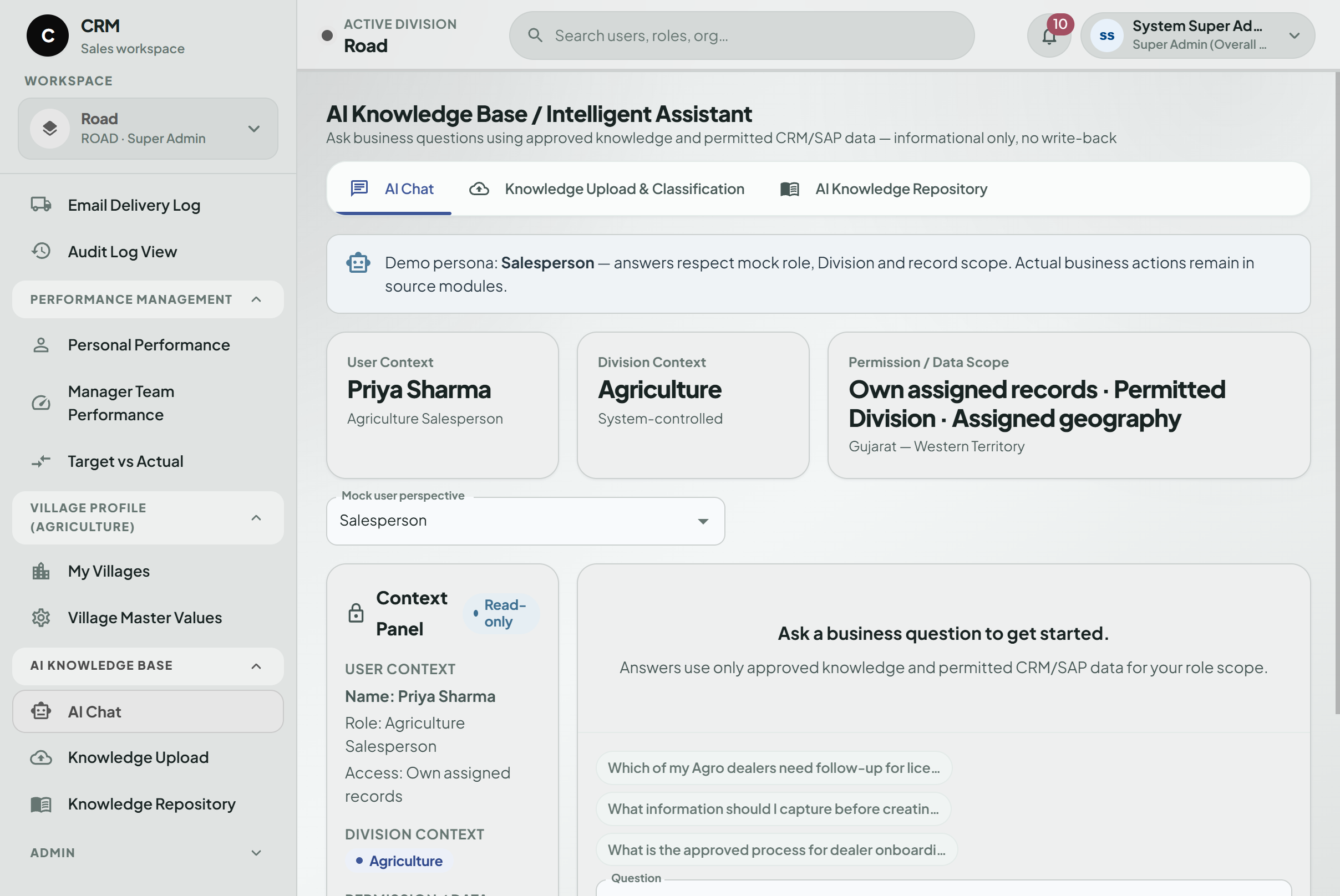
- Authorized users can access approved information related to Product Usage, Dosage, and Applicability.
Role-Based Dashboards
- A Sales Executive does not need the same dashboard as a Business Head. Dashboard information can change according to responsibility-from personal Leads, Follow-ups, and Visits through broader Regional, Zonal, Division, and management views.
Together, these workflows allow the CRM to connect customer-facing activity with the operational information already maintained elsewhere in the organization.
Key Features
Multi-division CRM
Inquiry Management
Task Management
SAP integration
Product availability context
Distributor Management
Field Attendance
Daily field activity
Agriculture field context
Notifications
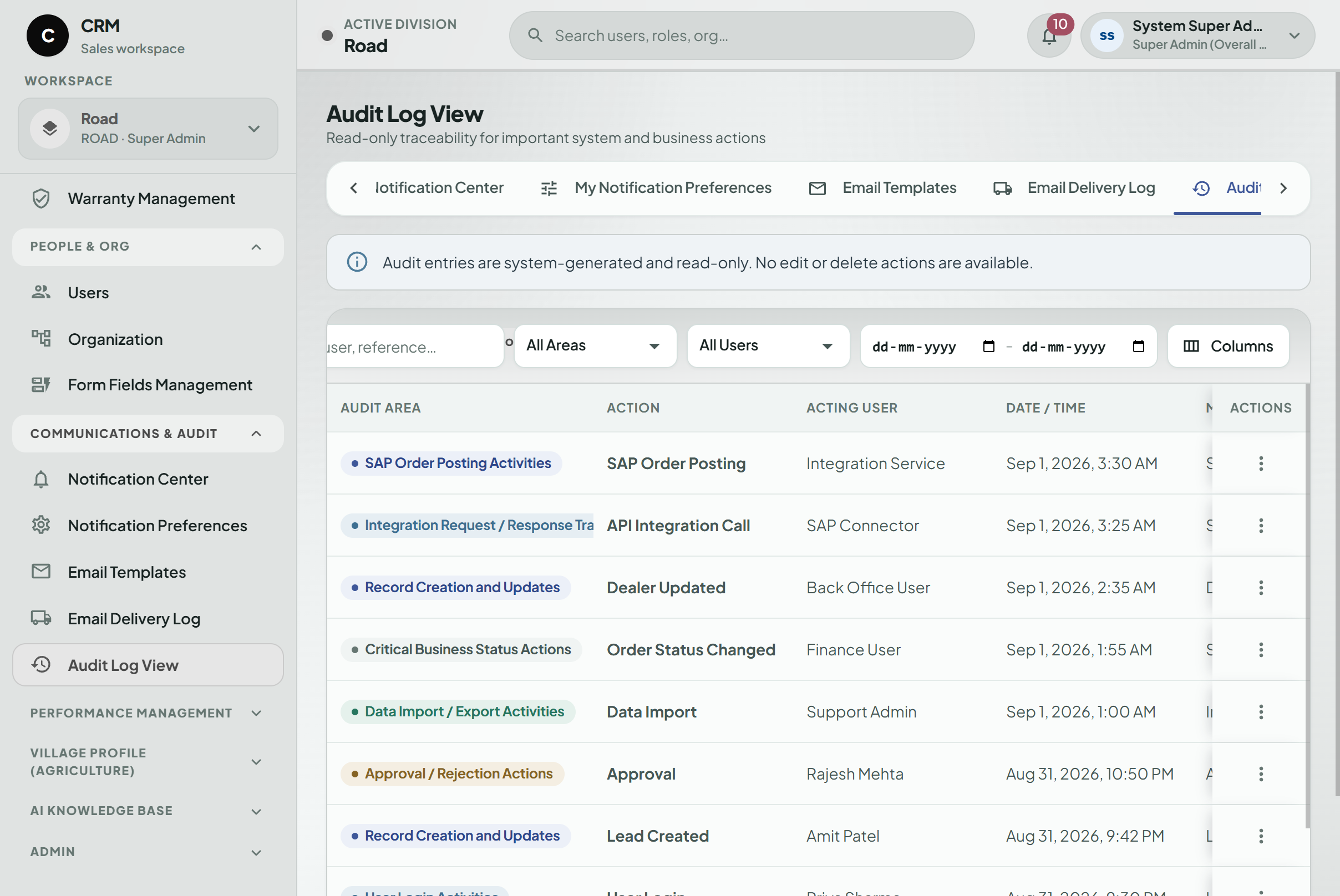
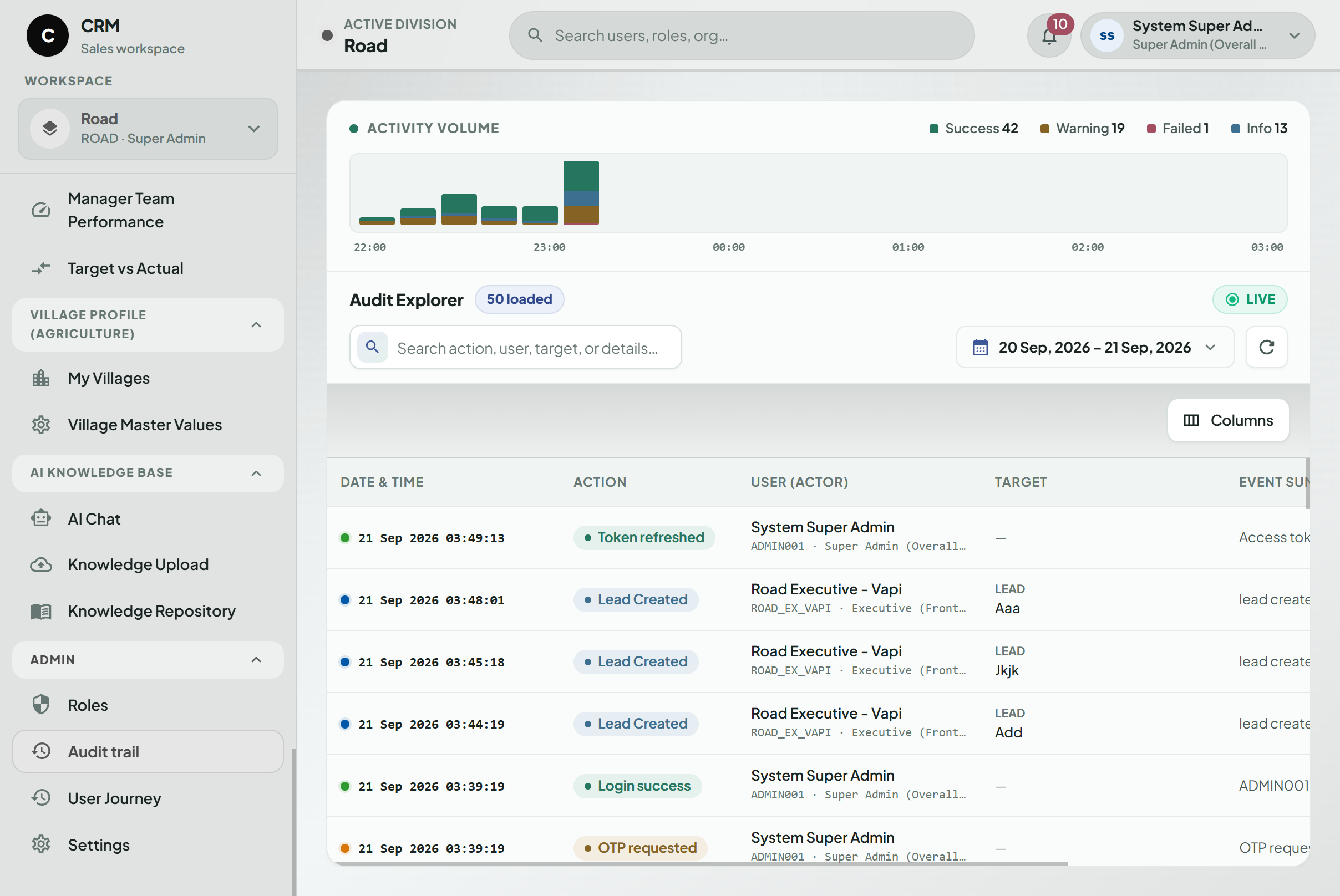
Audit history
Role-based access
Lead Management
Reminders and pending actions
Agriculture compliance tracking
Product-wise forecasting
Partner onboarding
GPS-supported Visits
Offline activity capture
Sample Management
Approval worklists
User activity history
Geography-based visibility
Lead assignment
Project / Opportunity Management
Licence-expiry monitoring
Forecast review and approval
Controlled Dealer Portal
Route planning
Offline-to-online synchronization
Complaint Management
Management dashboards
Product Knowledge Base
Reporting-hierarchy controls
Follow-up tracking
Sales Order visibility
Depot Stock visibility
Dealer Management
Mobile Sales Force Automation
Expense tracking
Village Profile information
Warranty workflows
Tableau reporting
Architecture & Scalability
The platform follows a modular architecture.
Shared services such as Users, Roles, Organization, Geography, Customers, Products, Workflow, Notifications, Audit, and Reporting can be used across the CRM instead of rebuilding similar logic inside each module.
The Web CRM and Mobile Sales Force application work with the same controlled business information.
Offline functionality is deliberately limited to approved field activities. Once connectivity returns, those records can synchronize with the main platform.
This approach supports field users without turning every part of a large enterprise CRM into an offline application.
SAP remains responsible for core ERP transactions.
The CRM consumes agreed SAP information and adds the sales workflow, field context, forecasting, compliance, partner processes, and management visibility required by business users.
As the organization grows, the configurable hierarchy and modular structure are intended to support additional users, territories, divisions, depots, workflows, and integrations.
User Roles
- Sales / Field Employee: Manages assigned Inquiries, Leads, Follow-ups, Tasks, Visits, Attendance, Routes, Expenses, and everyday field activity.
- ASM / Sales Manager: Reviews team Leads, Follow-ups, Visits, Tasks, performance, and pending actions within the assigned scope.
- Regional / Zonal Management: Works with consolidated Pipeline, Orders, Outstanding information, field execution, and relevant exceptions across a broader territory.
- Business Head / Management: Reviews division or company-level dashboards, major risks, pending actions, and overall business performance.
- Back Office / Operations: Handles permitted operational activities such as Forecast review, compliance documents, and workflow steps.
- Dealer / Distributor: Can access permitted information and requests through the controlled Portal where enabled.
Results & Expected Business Impact
The platform is still being developed, so the following are the operational improvements it is designed to support rather than measured production results.
- Earlier visibility into new Inquiries
- Better tracking of unattended Leads
- Clearer Follow-ups and next actions
- Better ownership of Tasks and approvals
- Improved visibility into pending activities
- More timely field reporting through mobile
- Continued activity capture in low-connectivity locations
- Earlier awareness of agriculture compliance issues
- Better connection between Forecast, Stock, STO, and pending-order information
- More structured Dealer and Distributor processes
- Reduced dependence on separately maintained spreadsheets
- Less reliance on manually consolidated management reports
- Broader visibility from field activity through management dashboards
- Better connection between CRM and SAP business information
- Clearer division, geography, and hierarchy-based access
The system is intentionally designed to complement SAP rather than duplicate ERP responsibilities.
Use Cases
This type of enterprise CRM can support:
- Multi-division manufacturing businesses
- Industrial product companies
- Field-sales organizations
- Dealer and Distributor networks
- Agriculture-related manufacturing businesses
- Companies operating through regional sales hierarchies
- Businesses using depot-based distribution
- Organizations using SAP for core ERP
- Companies managing large field teams
- Businesses with low-connectivity sales territories
- Manufacturing organizations with compliance requirements
- Companies running monthly Product Forecasting
- Businesses that need CRM and ERP information connected without duplicating ERP processes
Frequently Asked Questions
Talk To Us
About Your Project