Let’s face it, talking about business software can feel a bit like deciphering ancient hieroglyphs especially before coffee. Three acronyms walk into a bar: CRM, ERP, and custom business software. One says “I manage customers,” another chimes in “I run operations,” and the third (the wildcard) shrugs and says “I can do anything you want, as long as you tell me what that is.” Somewhere in that punchline is the core of today’s discussion.
We’ve seen companies in the USA, UK, UAE, Israel, and Switzerland wrestle with this question time and again: What’s the difference between CRM, ERP, and custom business software, and which one do we actually need? (Yes, sometimes a CIO will blurt that out mid‑meeting, often while juggling three spreadsheets, a Slack thread, and an existential crisis.)
So, in the spirit of clarity (and our trademark blend of sardonic wit and real‑world experience), let’s unpack these systems, what they do, when they make sense, and how to choose among them. By the end of this deep dive, you’ll walk away with a practical (and slightly wiser) understanding of how these pieces fit into your business puzzle. As we always say (because someone asked us to put it on a mug once): Build ahead, don’t fall behind.
First Things First: What Are We Talking About?
Before we get lost in the tech‑speak (and yes, there will be some), let’s get grounded with definitions that even your least‑technical sibling could understand (the one who still thinks “the cloud” is a weather phenomenon):
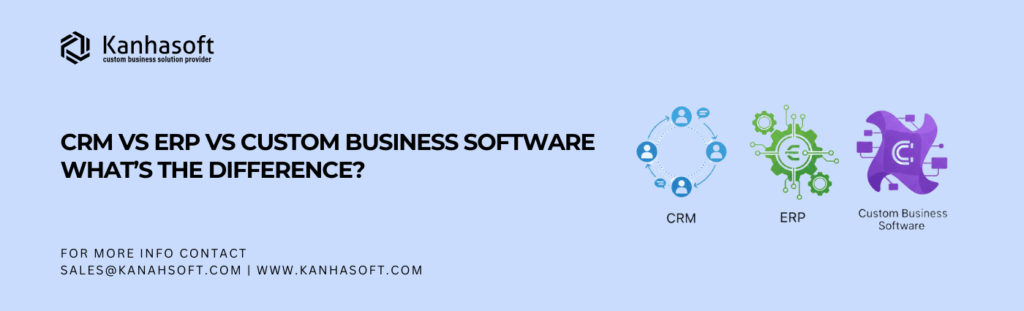
CRM (Customer Relationship Management)
CRM systems help you manage interactions with customers and prospects. Think of them as relationship‑centric systems; they track leads, sales opportunities, customer support interactions, marketing campaigns, and customer data in one place. If your business thrives or survives on managing relationships, CRM is your toolkit.
ERP (Enterprise Resource Planning)
ERP systems are the backbone; they orchestrate internal business processes like finance, HR, supply chain, inventory, procurement, manufacturing, and more. ERPs aim to unify the core operational data and workflows across the enterprise.
Custom Business Software
This is the wildcard: bespoke systems built to solve your specific business problems, not something off the shelf, but software tailor‑made for your teams, workflows, and differentiators. Think of it as “If neither CRM nor ERP fits exactly, let’s build exactly what fits.”
CRM: The Heartbeat of Customer Engagement
CRMs shine in areas where interactions shape destiny. If your company sells stuff, supports users, or nurtures long‑term relationships (which most do), CRM is an ally.
Core Capabilities
- Lead capture and nurturing (email campaigns, forms, events)
- Sales pipeline tracking (who’s hot, who’s cold)
- Contact management (all customer info in one place)
- Activity tracking (calls, emails, meetings, sequences)
- Support ticketing and customer service workflows
In other words, anything that touches the customer lifecycle.
Where CRM Really Helps
- Sales teams who want visibility on pipelines
- Marketing teams who need segmentation and campaigns
- Support teams needing SLA tracking and issue workflows
Example
A UAE‑based SaaS company might use CRM to track leads generated from LinkedIn ads, segment them by industry (e.g., finance vs. education), and manage follow‑ups automatically (yes, even across time zones like London and Dubai).
Our Observation
We once had a client in the UK who used CRM like a digital diary, but only after we automated tracking. Before that, they were scribbling follow‑ups on sticky notes (yes, actual sticky notes). Predictable results? Leads slipped through the cracks like water through a colander.
ERP: The Central Nervous System of Your Operations
If CRM is customer‑facing, ERP is business‑inside‑facing. ERP orchestrates business functions that keep the trains running, including finance, payroll, inventory, procurement, production, shipping, and asset management; the list goes on.
Typical ERP Modules
- Finance and accounting
- Inventory and supply chain
- Human resources and payroll
- Production and manufacturing
- Procurement and vendor management
- Compliance and reporting
Why ERP Matters
Because siloed processes cost time, errors, and money. When your finance team can’t talk to your warehouse system, and your HR data lives in spreadsheets, chaos ensues, and that’s how you end up with “phantom inventory” (yes, that’s a real thing).
Global Context
In Switzerland, manufacturing firms often need deep ERP integration to manage strict regulatory reporting and multi‑currency transactions. Meanwhile, in the UAE, logistics businesses depend on real‑time inventory and duty tracking, a classic ERP domain.
Our Anecdote
We once watched (with equal parts fascination and dread) as a mid‑sized enterprise in Israel tried to manage procurement in a legacy ERP that needed three spreadsheets, two email threads, and a ritual chant (just kidding, but it felt that complex). Once they moved to a modern ERP with automated workflows, operations became… dare we say it… pleasant. Well, relatively.
Custom Business Software: Tailor‑Made for Your Unique Problems
So far, CRM and ERP sound like standardized suits, and they really can be great. But what if your business is more like a custom suit wearer, someone who needs tailored solutions that don’t come in off‑the‑rack sizes?
That’s where custom business software enters.
What Is Custom Software?
It’s software designed for you, not for everyone. Unlike CRM or ERP platforms (which are built for a broad audience), custom software is engineered to address your workflows, rules, data models, integrations, and user interfaces exactly as your teams need them.
Why Go Custom?
- Your processes are unique
- You need a competitive advantage embedded in software
- Off‑the‑shelf solutions don’t fit (and duct‑taping them together is a nightmare)
- You want ownership of code and future flexibility
Custom software might incorporate CRM and ERP capabilities but do it in ways that align exactly with your business logic.
Example
A multinational healthcare provider with operations in the USA, UK, and UAE might need a system that blends CRM (patient engagement), ERP (operations, billing, inventory), and compliance workflows, all in a single, seamless interface, because off‑the‑shelf CRM + ERP combos couldn’t handle the regulatory nuances across regions.
CRM vs ERP vs Custom Software: Head‑to‑Head
Let’s break it down with a clear comparison:
| Feature/Capability | CRM | ERP | Custom Software |
|---|---|---|---|
| Customer engagement | ✔️ | Limited | ✔️ (if built) |
| Operational workflows | Limited | ✔️ | ✔️ |
| Inventory & logistics | ❌ | ✔️ | ✔️ |
| Finance & accounting | ❌ | ✔️ | ✔️ |
| Marketing & sales | ✔️ | Limited | ✔️ (custom) |
| Flexibility | Moderate | Structured | High |
| Scalability | High | High | High |
| Ownership of code | ❌ | ❌ | ✔️ |
| Best for | Customer‑centric processes | Core operations | Unique business needs |
When You Should Choose CRM
Choose CRM if:
- Your core need is managing leads, customers, sales pipelines, and support
- You want to empower marketing and sales teams with data
- You want out‑of‑the‑box reporting for customer journeys
CRM accelerates relationship workflows, and in a world where customer experience shapes retention, that’s nothing to sneeze at.
When You Should Choose ERP
Choose ERP if:
- You have complex operations, manufacturing, supply chain, or financial reporting
- You need to unify data from multiple departments
- Your business spans multiple regions with compliance needs
ERP builds operational intelligence, and for enterprises juggling growth, that central nervous system matters.
When You Should Choose Custom Business Software
Choose custom software if:
- Your workflows don’t fit any existing CRM or ERP templates
- You need a unique competitive advantage embedded in software
- You want full control over user experiences, integrations, and processes
Custom software isn’t free (and it shouldn’t be). But it behaves like your business, instead of forcing your business to behave like everyone else’s.
The Middle Path: Integrated Systems
Let’s be clear: these aren’t always exclusive choices.
In fact, many modern businesses combine CRM, ERP, and custom modules into a composite architecture. For example:
- Use a standard CRM for customer‑centric workflows
- Use an ERP for operations
- Build custom middleware or modules for competitive differentiation
This is especially common in multi‑region enterprises, perhaps a UK–UAE retail chain that wants a custom loyalty engine tying into CRM and ERP systems.
Global Enterprise Considerations (USA, UK, UAE, Israel, Switzerland)
Why does region matter? Because regulation, data sovereignty, and localized processes shape software decisions.
USA
Privacy frameworks (like CCPA) and compliance requirements push teams to choose CRM systems with granular security and consent tracking.
UK
Post‑Brexit data handling, particularly for customer and HR data, leans businesses toward platforms that support regional compliance.
UAE
A blend of local regulations and international operations means flexible, cloud‑ready systems often SaaS CRM + integrated ERP + custom compliance layers) win.
Israel
Security and data encryption standards are high, often demanding custom integrations or secured ERP/CRM configurations.
Switzerland
Strict data privacy laws and financial reporting requirements push enterprises toward platforms that can be deployed on regional infrastructure (sometimes custom).
Understanding these nuances helps you choose not just the type of software, but the deployment approach.
Anecdote: When Our CRM Turned Into ERP… (Sort Of)
In one project (yes, another true story), we onboarded a mid‑sized trading company that thought they just needed a CRM. They wanted better lead tracking, contact management, and sales funnel visibility, classic CRM territory.
But once we started digging (as consultants are wont to do, and as developers are forced to do at 2 a.m. sprint retros), we found:
- Their sales team and operations team were using separate systems
- Finance had its own spreadsheets
- Procurement had yet another tool
- And no one could reconcile orders, fulfillment, and billing
Within two weeks, what started as a simple CRM implementation morphed into a hybrid solution, CRM for customer engagement, ERP modules for operations and finance, and custom workflows to tie them together (including automated triggers for inventory, invoicing, and compliance).
Today, the business runs smoother the teams collaborate better, and the CEO jokingly refers to the system as “the creature we never planned but absolutely needed.”
That’s real life, and it’s also why thinking in silos often leads to tangled software spaghetti.
Conclusion: Clearly, It Depends (But Here’s the Truth)
If you’ve made it this far (well done, yes, you deserve a coffee), here’s the bottom line:
CRM and ERP solve standardized needs. Custom business software solves unique needs.
CRM helps you remember customers, track interactions, and fuel growth. ERP helps you coordinate internal operations, reduce redundancy, and ensure efficiency. Custom software helps you build your edge, the parts of your business that competitors don’t have, don’t need, or don’t understand.
The question isn’t just “Which one is better?” (because that’s like asking “Is pizza better than coffee?”, the answer depends on breakfast vs dinner). The better question is: What combination of tools aligns with your business goals, workflows, team structure, and long‑term roadmap?
As always in grand KanhaSoft tradition, and yes, with a slight wink toward the chaos that software decisions often invite): Build ahead, don’t fall behind. Choose thoughtfully, iterate deliberately, and let your software strategy reflect not just what you need today, but what you aspire to become tomorrow.
Here’s to software that fits like a glove, not like a pair of those novelty XXL mittens we all regret buying at least once.
FAQs: Quick Answers to Common Questions
Q. What is the main difference between CRM and ERP?
A. CRM focuses on customer relationships and external interactions (sales, marketing, support), while ERP manages internal operations (finance, inventory, HR, supply chain).
Q. Can a system be both CRM and ERP?
A. Yes. Some platforms offer both capabilities (e.g., Microsoft Dynamics 365, SAP S/4HANA), but often businesses combine best‑of‑breed tools or build custom layers over them.
Q. Is custom business software just expensive CRM/ERP?
A. Not exactly. Custom software solves unique business problems that off‑the‑shelf CRM or ERP can’t address effectively (or at all).
Q. Which is easier to implement, CRM or ERP?
A. Typically, CRM is easier and faster (fewer dependencies, more standardized workflows). ERP can be complex due to operational processes and integrations.
Q. Can small businesses benefit from ERP?
A. Yes, but they often start with lighter ERP or cloud‑based modular systems before expanding to full deployments.
Q. Does custom software replace CRM and ERP?
A. Not necessarily. Many businesses use custom software alongside CRM and ERP, adding competitive differentiators or tailored workflows.